Deploy and Host tModLoader on Sealos
tModLoader adds community mods to Terraria; this template hosts a password-protected tModLoader dedicated server with persistent worlds and Steam Workshop support on Sealos Cloud.
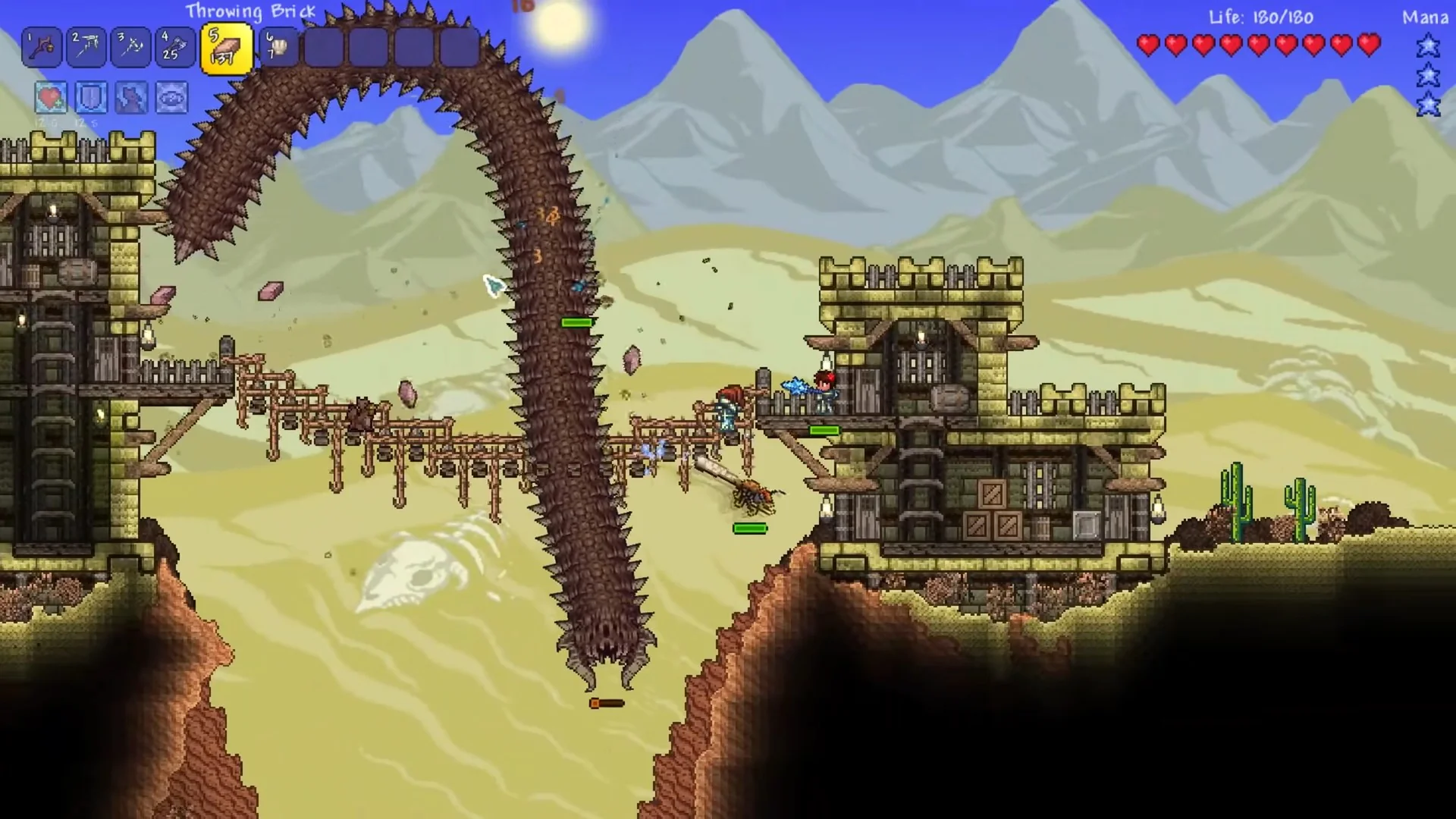
Media sources: in-game title logo and official Steam screenshots. This official image illustrates modded gameplay; this deployment's verification covers the server tests described below.
About Hosting tModLoader
Players connect from the tModLoader game client to a shared Terraria world. The server runs the stable tModLoader v2026.7.3.0 release for Terraria 1.4.4.9, using jacobsmile/tmodloader1.4:v2026.07.3.0. Match the client version and enabled mods to the server.
Sealos provisions one server instance, a public TCP port, startup configuration, and a persistent volume for worlds and mods. The server saves automatically every 10 minutes, and its shutdown handler issues the native exit command to save before stopping. Access uses the game client's join-password prompt; administration uses the resource terminal and environment settings in Sealos.
Common Use Cases
- Private cooperative worlds: Share a persistent world with friends and protect entry with a generated password.
- Workshop mod sessions: Download and enable a selected set of compatible Steam Workshop mods.
- Mod development checks: Run a dedicated server to test multiplayer compatibility and world persistence.
Dependencies for tModLoader Hosting
The template uses the upstream Docker image, which includes tModLoader, SteamCMD, and console utilities. Its startup scripts download the .NET runtime when the container starts. Players need Terraria and a matching tModLoader client.
Deployment Dependencies
Implementation Details
Architecture components:
| Component | Purpose |
|---|
| One StatefulSet replica | Runs the dedicated game server and owns one world |
TCP NodePort Service (<app-name>-nodeport) | Publishes container port 7777 through a region-specific public port |
1Gi persistent volume at /data | Stores worlds, enabled-mod settings, and downloaded Workshop content |
| ConfigMap | Initializes data directories and prepares server settings without printing the join password |
Configuration:
| Setting | Default | Behavior |
|---|
workshop_mods | Empty | Comma-separated numeric Workshop IDs; downloads and enables the listed mods |
world_size | 1 | 1 = Small, 2 = Medium, 3 = Large |
difficulty | 0 | 0 = Classic, 1 = Expert, 2 = Master, 3 = Journey |
| Join password | Generated per deployment | Available as TMOD_PASS in the server's environment settings |
| World name and seed | Sealos | Configured by TMOD_WORLDNAME and TMOD_WORLDSEED |
| Player limit | 8 | Connection limit; increase resources for additional active players |
| Autosave interval | 10 minutes | Configured by TMOD_AUTOSAVE_INTERVAL |
The personal low-load baseline is 100m CPU and 1024Mi memory, with requests of 10m CPU and 102Mi memory. A fresh small world, password authentication, world-data exchange, player-list and save commands, and a stability window longer than 60 seconds were tested. The adjacent 512Mi tier failed fresh small-world generation with System.OutOfMemoryException. Recipe Browser v0.12.0.3 also passed authentication, world-data and save checks at this tier. Large worlds, content-heavy mods, and busy multiplayer sessions need additional resources.
World files are stored in /data/tModLoader/Worlds, enabled-mod settings in /data/tModLoader/Mods, and Workshop downloads in /data/steamMods. World size and difficulty affect newly generated worlds. Each existing world retains its saved settings.
License information: tModLoader and the Docker wrapper use MIT licenses for their respective code. Terraria and other bundled components retain their own licenses and usage terms.
Why Deploy tModLoader on Sealos?
Sealos is built on Kubernetes and provides a visual environment for deploying and managing applications.
- One-click setup: Create the server, public TCP endpoint, and persistent storage from one template.
- Resource control: Adjust CPU, memory, and storage from resource cards with pay-as-you-go pricing.
- Persistent worlds: Keep world and mod data across ordinary container restarts.
- Canvas and AI operations: Inspect resource status and logs, or describe configuration changes in the AI dialog after deployment.
Deployment Guide
- Open the tModLoader template and click Deploy Now.
- Choose the world size and difficulty. Enter comma-separated Workshop IDs to enable mods, or leave the field empty for a fresh unmodded world.
- Wait for deployment to complete, typically 2-3 minutes. You will then be redirected to Canvas. The first server startup also downloads its runtime and generates the world; network speed, selected world size, and mods can add several minutes. Wait for the server resource to become Ready and for
Server started in its logs.
- Open the server's resource card. Copy the public TCP address and mapped port from its network settings, then read the generated
TMOD_PASS value in its environment settings. The public port is allocated by Sealos and can differ from the container's 7777 port.
- Start a matching tModLoader v2026.7.3.0 client. Select Multiplayer → Join via IP, choose a compatible character, and enter the displayed host and public port. For example, a US West deployment uses a region host such as
tcp.usw-1.sealos.app; use the port assigned to your own deployment.
- Enter
TMOD_PASS at the game's password prompt. Complete any compatible mod synchronization requested by the client, then join the world. Share the host, port, version, mod list, and password with invited players.
Configuration
After deployment, use Canvas, its AI dialog, or the server resource card to update environment variables and resource limits.
Mods
The template maps workshop_mods to both TMOD_AUTODOWNLOAD and TMOD_ENABLEDMODS. Use numeric IDs separated by commas, such as 2619954303 for Recipe Browser. Include required dependencies and choose versions compatible with the pinned server.
An empty TMOD_ENABLEDMODS uses the saved /data/tModLoader/Mods/enabled.json, which starts empty on a new deployment. To clear all enabled mods, stop the server, back up the world, and set that file to [] while TMOD_ENABLEDMODS is empty. Removing content mods can affect existing worlds.
After the mods have downloaded, you can clear TMOD_AUTODOWNLOAD and keep TMOD_ENABLEDMODS populated to reuse the saved files on subsequent starts. Restore the download IDs when you want to update them.
Console and backups
Open the server container's terminal to run native console commands:
inject "playing"
inject "save"
inject "say Welcome to the server!"
Save the world and stop the server before copying the contents of /data for a consistent backup. Keep backups outside the deployment before deleting its persistent volume. The template allows up to 120 seconds for graceful shutdown.
Scaling
Keep one replica for each world. For more active players, larger worlds, or mod packs, open the StatefulSet resource card in Canvas and increase CPU, memory, and storage as needed. Watch server responsiveness, memory use, and save times after changes; the tested baseline covers personal low-load use.
Troubleshooting
- Connection or password errors: Verify the public TCP host and allocated port, confirm the resource is Ready, and read the current
TMOD_PASS value. Enter the hostname without an https:// prefix.
- Version or mod mismatch: Match the pinned stable client version, mod versions, and dependencies. Coordinate server and client upgrades and back up the world first.
- Slow startup or out-of-memory errors: Review logs for runtime or Workshop download progress. Increase memory for larger worlds or mod packs and increase CPU when world generation or gameplay is too slow.
- Locale-dependent mods: The upstream image lacks ICU. This template uses .NET invariant globalization while allowing named cultures; formatting and collation follow invariant rules. Mods that require locale-specific behavior need an ICU-equipped runtime image.
For support, use tModLoader issues, Docker wrapper issues, or the Sealos community.
License
See the Docker wrapper license and tModLoader license. Terraria remains subject to its publisher's terms.