Deploy and Host Minecraft on Sealos
Minecraft is a sandbox multiplayer game where players build, explore, and run persistent worlds together. This template deploys a Minecraft Java Edition server on Sealos Cloud using itzg/minecraft-server with Paper, Fabric, or Forge runtime options.
About Hosting Minecraft
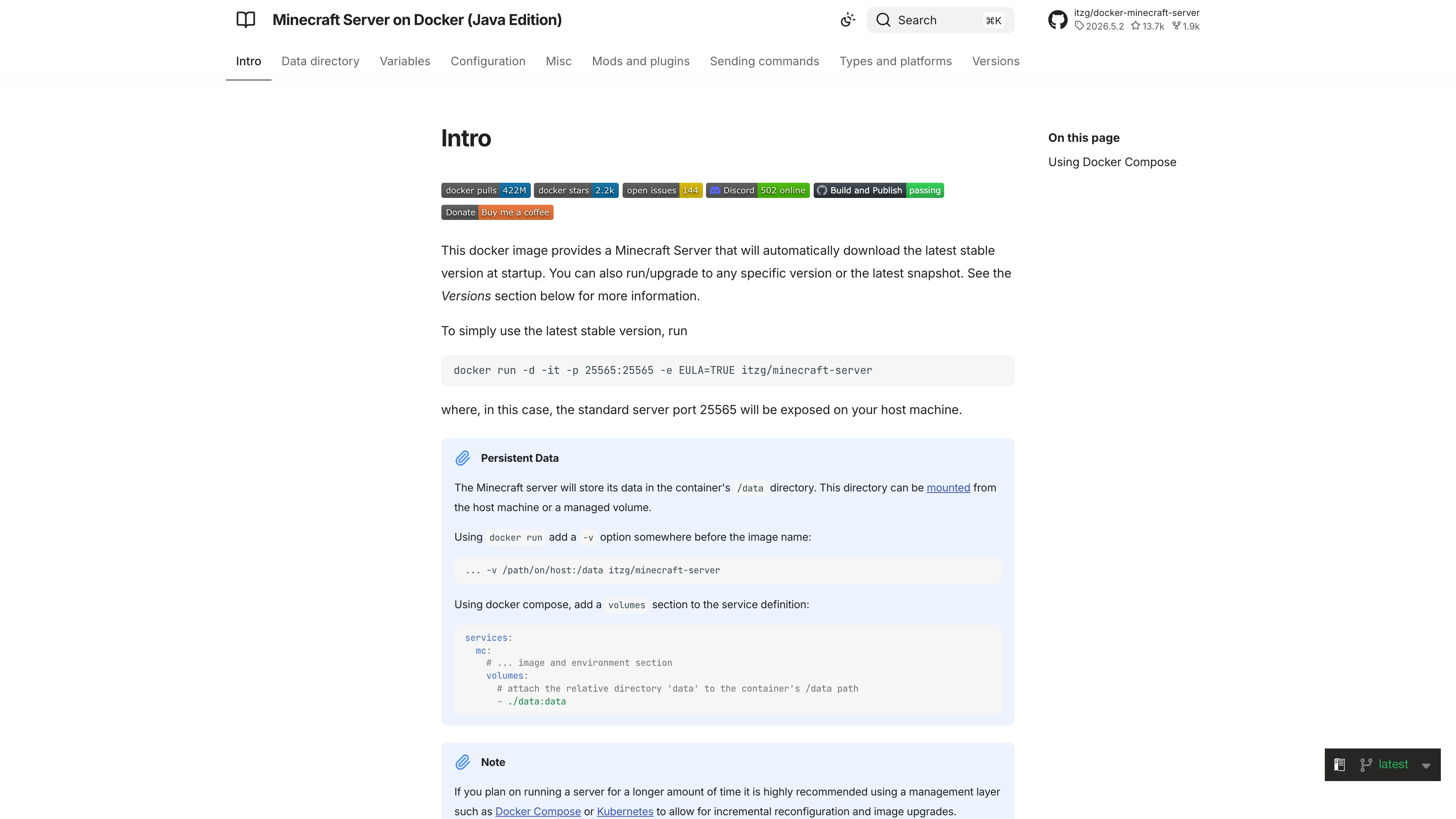
This template runs a single persistent Minecraft server in a StatefulSet. Sealos provisions a NodePort service for the game port and persistent storage for /data, so worlds, server properties, logs, plugins, and generated runtime files survive restarts.
The default configuration uses Paper with VERSION=LATEST, which resolves to the newest compatible Minecraft server release at deployment time. The template pins the container image to itzg/minecraft-server:2026.5.3-java25, uses Java 25 for current Minecraft releases, and sets a balanced default memory profile for a small multiplayer server.
Common Use Cases
- Friends-only survival server: Host a private Java Edition world for a small group.
- Plugin-based Paper server: Start with Paper and add plugins through the persistent
/data/plugins directory after deployment.
- Modded Fabric or Forge server: Choose Fabric or Forge and set the Minecraft version that matches your modpack.
- Classroom or community world: Keep a long-running world online with Sealos-managed storage and restart handling.
Dependencies for Minecraft Hosting
The Sealos template includes the Minecraft server container, persistent storage, and a TCP NodePort service for client connections. No database or web application login is required.
Deployment Dependencies
Implementation Details
Architecture Components:
This template deploys the following resources:
- Minecraft StatefulSet: Runs
itzg/minecraft-server:2026.5.3-java25 with the selected server type and version.
- Persistent Volume: Stores
/data, including world data, server configuration, plugins, mods, and logs.
- NodePort Service: Exposes TCP port
25565 for Minecraft Java Edition clients.
Configuration:
TYPE selects the server runtime: PAPER, FABRIC, or FORGE.VERSION controls the Minecraft server version. The default LATEST resolves to the newest compatible release for the selected runtime.MEMORY is set to 1024M, with a 2G container memory limit to leave headroom for startup, Paper patching, and JVM overhead.USE_AIKAR_FLAGS is enabled for JVM tuning.
License Information:
This Sealos template is provided under the repository license. Minecraft is owned by Mojang Studios and Microsoft; itzg/docker-minecraft-server is maintained by its upstream project under its own license.
Why Deploy Minecraft on Sealos?
Sealos is an AI-assisted Cloud Operating System built on Kubernetes that simplifies application deployment and management. By deploying Minecraft on Sealos, you get:
- One-Click Deployment: Start a Minecraft server from the template page without writing Kubernetes YAML.
- Persistent Worlds: Store world data on persistent storage so it survives container restarts.
- Easy Runtime Selection: Choose Paper, Fabric, or Forge from template parameters.
- Public TCP Access: Connect from Minecraft Java Edition through the NodePort shown by Sealos.
- Resource Control: Adjust CPU, memory, and storage from the Sealos Canvas when your player count grows.
Deployment Guide
- Open the Minecraft template and click Deploy Now.
- Configure the parameters in the popup dialog:
- TYPE: Choose
PAPER for a plugin-friendly default, or choose FABRIC/FORGE for modded servers.
- VERSION: Keep
LATEST for the newest compatible server release, or enter a specific Minecraft version required by your plugins or mods.
- If Sealos asks you to sign in, register or log in to your Sealos Cloud account. After sign-in, the deployment flow returns to the template.
- Wait for deployment to complete. A fresh Paper world typically starts in a few minutes because the server downloads runtime files and prepares the initial world.
- In the Canvas, open the Minecraft Service resource and find the mapped TCP port for
25565, for example 25565:33789/TCP.
- Connect from Minecraft Java Edition using the region domain and mapped port:
- Server Address:
usw-1.sealos.io:<mapped-port>
- Example:
usw-1.sealos.io:33789
Access and Login
Minecraft is not a web application and does not create a template-specific web account. Players connect from the Minecraft Java Edition client with their normal Minecraft/Microsoft account.
The template itself does not enable a whitelist by default. If you need a private allowlist, open the running server files or console in Sealos and configure Minecraft server.properties, whitelist.json, or RCON according to your server policy.
Configuration
After deployment, you can manage the server through Sealos:
- AI Dialog: Describe resource or configuration changes and let AI apply updates.
- Resource Cards: Open the StatefulSet, Service, or storage cards to inspect and adjust settings.
- Server Files: Use the persistent
/data directory for plugins, mods, logs, and world data.
- Minecraft Console/RCON: Use server logs or RCON-compatible tools for operator commands when enabled.
Scaling
Minecraft servers are usually scaled vertically rather than by adding replicas, because a single world process owns the game state. To support more players or heavier plugins:
- Open the Canvas for your deployment.
- Click the Minecraft StatefulSet resource card.
- Increase CPU and memory limits, and adjust
MEMORY if you intentionally raise the JVM heap.
- Expand persistent storage before the world, plugins, or backups approach the current capacity.
Troubleshooting
Server is deployed but the client cannot connect
- Confirm the Pod is
Running and ready.
- Open the Service resource and copy the NodePort mapped from
25565.
- Use the Sealos region domain with that mapped port, not the internal ClusterIP.
Paper, Fabric, or Forge fails to start
- Check whether the selected
VERSION is supported by the chosen TYPE.
- For Fabric or Forge modpacks, ensure the mods match the selected Minecraft version.
- Inspect server logs in Sealos for Java version, mod loading, or EULA-related errors.
The server needs more capacity
- Increase the StatefulSet memory and CPU limits.
- Keep JVM heap below the container memory limit so startup and native overhead have room.
- Expand the persistent volume before the world or backups fill the disk.
Getting Help
Additional Resources
License
This Sealos template is provided under the repository license. Minecraft, Paper, Fabric, Forge, and itzg/docker-minecraft-server each follow their own upstream licenses and terms.