sealos.io
Jellyfin
Build production-ready storage templates with Sealos.

https://jellyfin.org/deploy now
Jellyfin
Storage
Free software media system for managing, streaming, and sharing movies, TV, music, and photos.

A community-driven file list and storage aggregation platform with WebDAV, offline downloads, and optional S3-compatible storage.
Launch in your Sealos workspace.
Start with the resources defined by the OpenList template. Review CPU, memory, persistent storage, and network allocations for every service in Canvas. Capacity needs depend on your data and workload; monitor usage as they grow.
Template configuration and setupUse the application URL or connection details shown in Canvas. Follow the deployment guide for first-time account setup or client configuration, and keep generated credentials available for that step.
Sealos monthly plans include compute, memory, storage, and traffic. Size your plan for all deployed services. Software licenses and external AI or API services may have separate terms and charges. Confirm the applicable plan and optional charges in Cost Center.
Compare Sealos resource plansFor current cloud charges, refer to Sealos plan pricing. Upstream documentation may reference earlier billing models.
OpenList is a community-driven file list and storage aggregation platform with WebDAV, offline downloads, and a browser-based administration interface. This template deploys OpenList v4.2.2-aria2 with a ready-to-use local storage mount, optional managed PostgreSQL, and optional private Sealos S3 storage.
OpenList presents multiple storage providers through one web interface and WebDAV endpoint. Administrators can add storage drivers, manage users and permissions, create shares, configure metadata, and run offline download tasks.
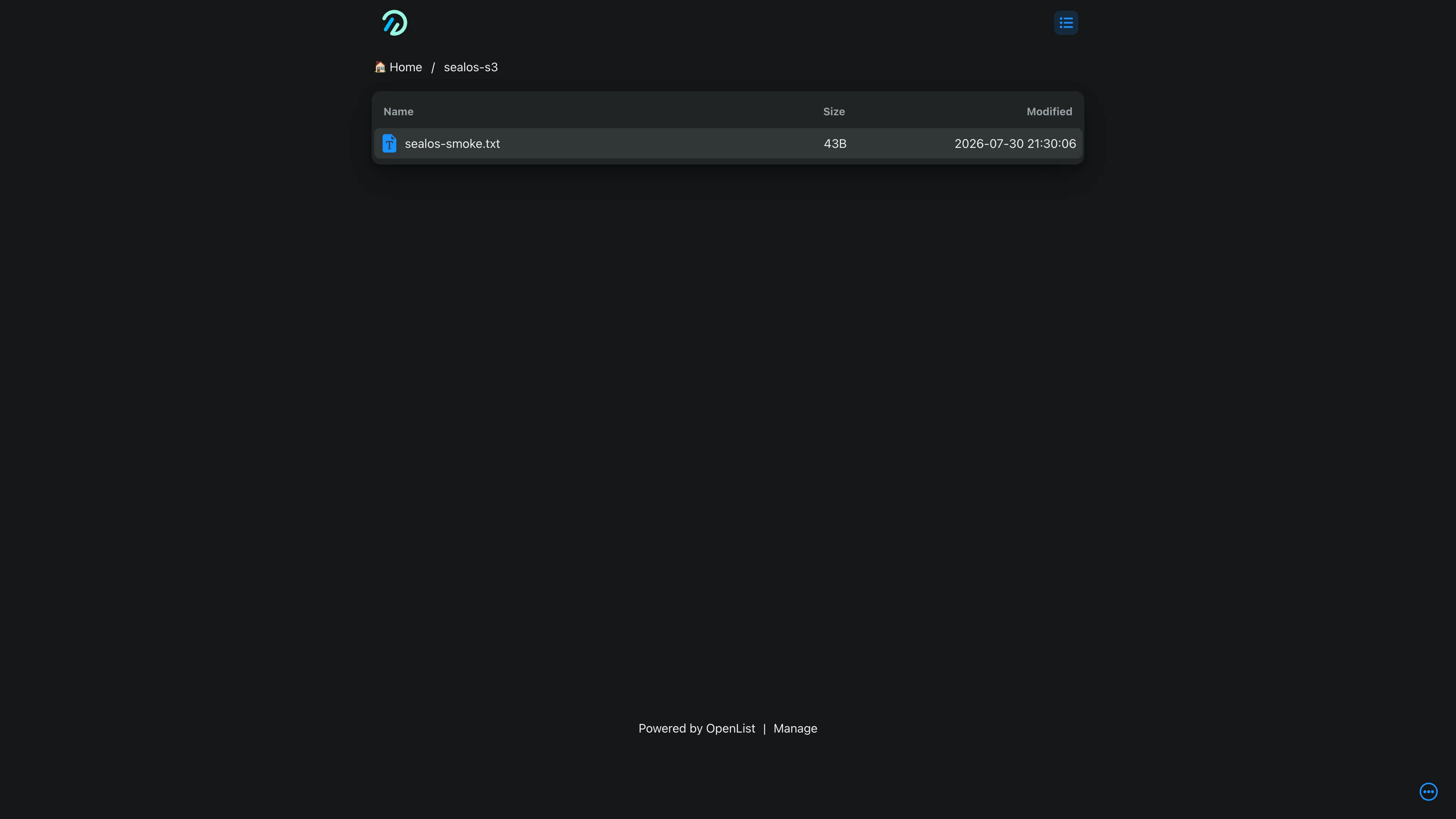
The Sealos template runs one OpenList StatefulSet with a 1Gi persistent volume. A storage initialization Job automatically mounts the persistent volume at /local or creates /sealos-s3 from a private Sealos Object Storage bucket. Startup, readiness, and liveness probes use OpenList's public /ping endpoint.
Database and file storage choices are independent:
| Database | File storage | Recommended use |
|---|---|---|
| SQLite | Local persistent volume | Evaluation, personal use, and compact deployments |
| SQLite | Sealos S3 | Compact metadata storage with object-backed files |
| PostgreSQL | Local persistent volume | Larger metadata sets with local files |
| PostgreSQL | Sealos S3 | Production-oriented metadata and object storage |
The template includes the OpenList container, persistent storage, a Kubernetes Service, an HTTPS Ingress, a Sealos App entry, and an idempotent storage initialization Job. Optional branches add a KubeBlocks PostgreSQL cluster or a private Sealos ObjectStorageBucket.
Architecture Components:
openlistteam/openlist:v4.2.2-aria2 on port 5244./opt/openlist/data./local or /sealos-s3 mount.16.4.0 cluster stores OpenList metadata./sealos-s3.License Information:
OpenList is licensed under the GNU Affero General Public License v3.0. This repository provides deployment configuration and preserves the upstream license.
Sealos is a Cloud Operating System built on Kubernetes that combines application deployment and resource operations in one workspace. OpenList deployments gain:
admin_password and record it in a password manager.enable_postgresql disabled for SQLite on the persistent volume.enable_postgresql for a dedicated PostgreSQL cluster.enable_s3_storage disabled for the /local persistent-volume mount.enable_s3_storage for a private Sealos bucket mounted at /sealos-s3.| Parameter | Default | Description |
|---|---|---|
admin_password | Required | Initial password for the built-in admin account |
enable_postgresql | false | Creates managed PostgreSQL; false uses SQLite at /opt/openlist/data/data.db |
enable_s3_storage | false | Creates a private Sealos bucket at /sealos-s3; false creates /local on the persistent volume |
admin as the username.admin_password configured during deployment.The configured password initializes the admin account when OpenList creates a new database. Existing SQLite or PostgreSQL data keeps the stored administrator password across application updates.
With enable_s3_storage=false, the initialization Job creates a Local driver mounted at /local. Files live under /opt/openlist/data/storage on the StatefulSet's 1Gi persistent volume and survive Pod replacement.
With enable_s3_storage=true, Sealos creates a private ObjectStorageBucket. The initialization Job registers OpenList's official S3 driver at /sealos-s3 with path-style addressing and credentials from Sealos-managed Secrets.
Private bucket objects return 403 to anonymous raw requests. Authenticated users upload and download through OpenList or WebDAV, where OpenList permissions remain in effect.
SQLite is the default and stores metadata at /opt/openlist/data/data.db. It provides the smallest deployment footprint and fits personal or compact single-replica installations.
Enabling enable_postgresql creates a PostgreSQL cluster and an idempotent database initialization Job. OpenList reads the generated host, port, username, and password from Kubernetes Secrets.
| Path or service | Purpose | Provisioned when |
|---|---|---|
/opt/openlist/data/config.json | OpenList runtime configuration | Always |
/opt/openlist/data/data.db | SQLite metadata | enable_postgresql=false |
/opt/openlist/data/storage | Files mounted at /local | enable_s3_storage=false |
| PostgreSQL volume | Users, settings, storage definitions, shares, and metadata | enable_postgresql=true |
| Sealos S3 bucket | Files mounted at /sealos-s3 | enable_s3_storage=true |
Live deployment tests covered admin login, management navigation, file upload and download, storage persistence after Pod replacement, PostgreSQL persistence, and private S3 access controls.
| Component | CPU limit | Memory limit | CPU request | Memory request |
|---|---|---|---|---|
| OpenList | 100m | 128Mi | 10m | 12Mi |
| PostgreSQL | 500m | 512Mi | 50m | 51Mi |
| Initialization containers and Jobs | 100m | 128Mi | 10m | 12Mi |
Increase OpenList resources for concurrent transfers, media previews, indexing, or sustained API traffic.
The template preserves OpenList's single-instance StatefulSet topology. SQLite and the local file mount use a ReadWriteOnce volume, so this mode remains at one replica.
For larger workloads, select PostgreSQL and Sealos S3, increase CPU and memory through the StatefulSet resource card, and review OpenList's multi-instance requirements before changing replica count.
Open the OpenList resource card in Sealos Canvas and inspect Pod readiness. PostgreSQL deployments wait for the database and storage initialization Jobs before the full workflow becomes available.
Use the username admin and the password entered during the first deployment of the current database. An existing database preserves its stored password.
Inspect the <generated-app-name>-storage-init Job in Canvas. A successful Job reports Local storage mounted at /local or S3 storage mounted at /sealos-s3.
403The Sealos bucket uses a private policy. Access files through OpenList or WebDAV with an authorized account.
This Sealos template follows the repository license. OpenList is licensed under the GNU Affero General Public License v3.0.
A shorter path from an app you want to an app you can run. Sealos brings deployment and ongoing operations into one place.
Start with a ready-made template. Review its configuration and launch from the Sealos console.
Run on managed infrastructure with built-in workload scheduling and recovery.
Give your application a public HTTPS endpoint with certificates managed for you.
Keep application data on persistent volumes across container restarts.
Adjust CPU, memory, and replicas from the console as your workload changes.
Sealos provisions the resources defined by your template and brings them together in your workspace.
Container workloads with configurable CPU, memory, and replicas.
An address for your app, with managed TLS certificates.
A database provisioned alongside your app when the template calls for one.
Storage for the files and data your application needs to keep.
Application settings and secrets configured in one place.
Inspect container logs and resource usage from the console.
Resources and their configuration vary by template. Review the deployment form for this app’s exact setup.
Explore more production-ready templates.
Build production-ready storage templates with Sealos.
Free software media system for managing, streaming, and sharing movies, TV, music, and photos.
Build production-ready storage templates with Sealos.

Rclone is a command-line program to manage, sync, and serve files across cloud storage providers.
Build production-ready storage templates with Sealos.

Lightweight anonymous text and file sharing service with access codes, admin management, and optional S3-compatible storage.