Deploy and Host Ghost on Sealos
Ghost is an open-source publishing, newsletter, membership, and subscription platform. This template deploys Ghost 6.53.0 on Sealos with managed MySQL, persistent content storage, HTTPS ingress, and optional private S3-compatible media storage.
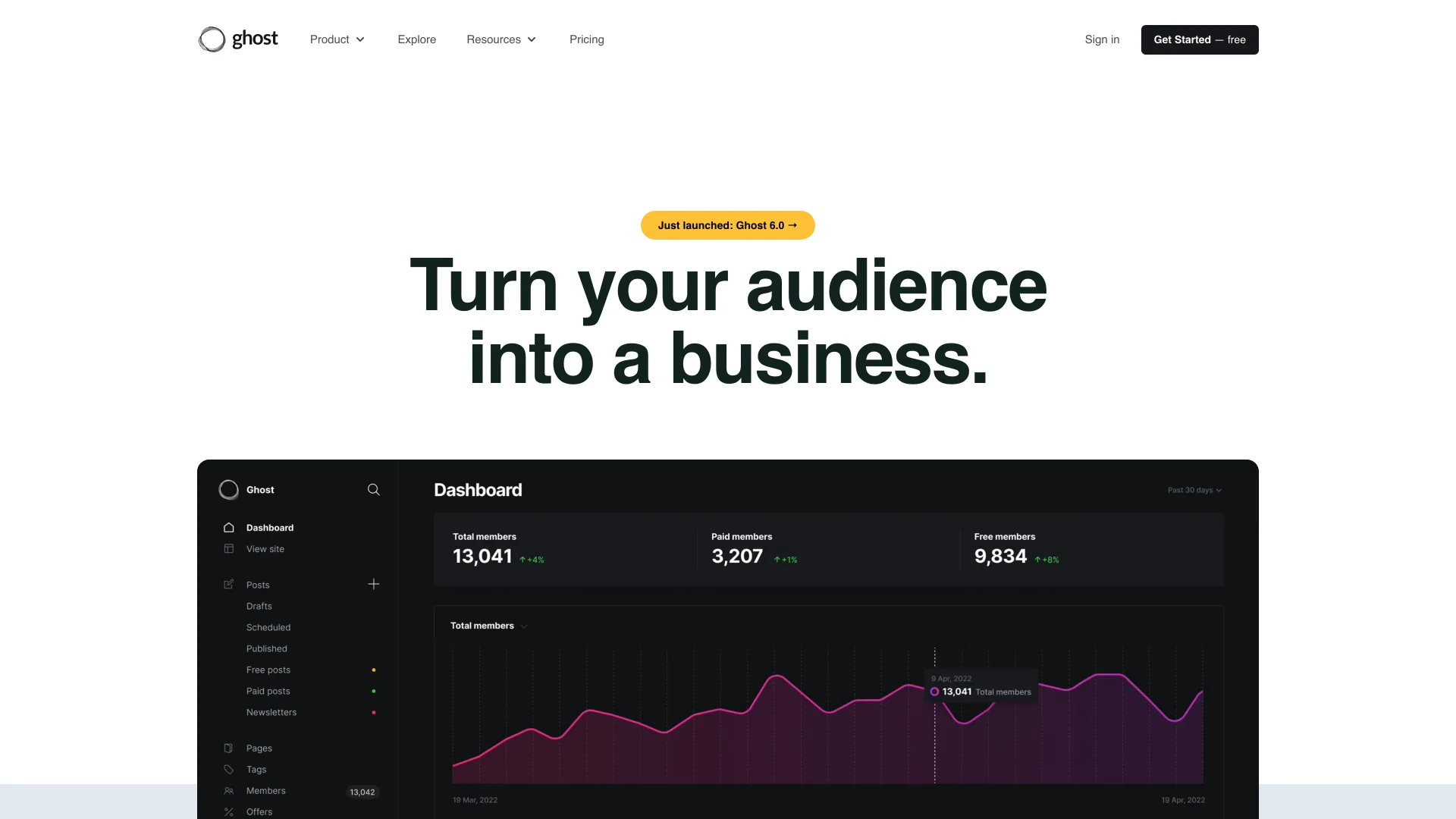
About Hosting Ghost
Ghost serves the public publication at / and Ghost Admin at /ghost from one stateful application. The template provisions a KubeBlocks MySQL 8 cluster because Ghost production mode requires MySQL, then initializes the dedicated ghost database before the application starts.
Local mode stores themes, images, and content files on the persistent /var/lib/ghost/content volume. The optional object storage mode uses Ghost 6.53.0's built-in S3Storage adapter for images, media, and files. A small stateless proxy serves objects from the private Sealos bucket through the same application domain.
Common Use Cases
- Independent publishing: Run a professional blog, magazine, or documentation site.
- Newsletters: Create posts and send email publications from one editorial system.
- Membership sites: Manage members, gated content, and paid subscriptions.
- Editorial teams: Give authors and editors a shared publishing workspace.
Dependencies for Ghost Hosting
- Ghost:
ghost:6.53.0-alpine
- Database: KubeBlocks MySQL
ac-mysql-8.0.30-1 with a dedicated ghost database
- Persistent storage:
/var/lib/ghost/content for local themes and content files
- Optional object storage: Private Sealos S3-compatible bucket and same-origin read proxy
- Network entry: Service, HTTPS Ingress, and Sealos App resource
Deployment Dependencies
Implementation Details
The template sets NODE_ENV=production, builds the canonical HTTPS URL from the generated Sealos domain, and reads database credentials directly from the KubeBlocks connection Secret. An initialization Job creates the ghost database with utf8mb4 before the application migration runs.
S3 mode configures Ghost's built-in S3Storage adapter for images and media storage. The bucket stays private. Requests under /__sealos_storage/ are routed to a stateless proxy that reads authorized objects with the generated bucket credentials.
The tested minimum baseline is 100m CPU and 256Mi memory for Ghost, 100m CPU and 128Mi memory for the database initialization Job, and 100m CPU and 128Mi memory for the optional storage proxy. A 128Mi Ghost cold start was OOM-killed; 256Mi completed a fresh MySQL migration, owner setup, media upload, and post publication with zero restarts. MySQL uses 500m CPU and 512Mi memory.
Ghost is licensed under the MIT License.
Why Deploy Ghost on Sealos?
- One-click publication stack: Create Ghost, MySQL, persistent storage, networking, and TLS together.
- Production database: Use managed MySQL with generated credentials and automatic database initialization.
- Persistent content: Keep themes and local content files across restarts.
- Private object storage option: Move images and media to a Sealos bucket while preserving same-origin delivery.
- Instant public access: Open the generated HTTPS domain after startup.
- Canvas operations: Adjust application resources and storage capacity after deployment.
Deployment Guide
- Open the Ghost template and click Deploy Now.
- Choose the storage option:
- Enable S3-compatible object storage (
enable_s3_storage): Disabled by default. Enable it to store Ghost images, media, and files in a private Sealos bucket.
- Wait for MySQL, the database initialization Job, Ghost, and the optional storage proxy to become ready. A fresh deployment can take several minutes while Ghost creates its schema.
- Open
https://<your-ghost-domain>/ghost.
- Enter the site title, owner name, email address, and a strong password, then click Create account & start publishing.
- Create and publish a post to confirm both Ghost Admin and the public site are working.
First Login and Registration
The first visit to /ghost creates the owner account:
- Open
https://<your-ghost-domain>/ghost.
- Complete the setup form with the publication title and owner details.
- Choose a strong password without common phrases. Ghost validates password strength during setup.
- Submit the form and wait for Ghost Admin to open.
After setup, the same /ghost address shows the normal administrator login page. Sign in with the owner email and password created during setup. Additional staff users are invited from Ghost Admin after email delivery is configured.
Configuration
- Storage mode: Local storage is the default. S3 mode applies to images, media, and files while the content volume continues to hold themes and other local Ghost data.
- SMTP: Configure mail delivery before sending newsletters, password reset messages, or staff invitations.
- Payments: Add Stripe credentials from Ghost Admin before enabling paid memberships.
- Social Web and Explore: The template starts with Social Web and Explore pings disabled for a clean standalone deployment. Enable related features after their public services and settings are prepared.
- Staff device verification: The template disables staff-device email verification so the first owner can be created before SMTP setup.
Scaling
Keep one Ghost replica with the default ReadWriteOnce content volume. Scale CPU and memory vertically in Canvas as the publication, member list, or newsletter workload grows. Increase the MySQL and PVC resources alongside application demand. A multi-replica design requires shared content storage and a reviewed Ghost clustering strategy.
Troubleshooting
Ghost Admin is still loading after deployment
Ghost may be creating the initial MySQL schema. Wait for the Ghost StatefulSet to become Ready, then reload /ghost.
The setup form rejects the password
Use a longer password with random uppercase and lowercase letters, numbers, and symbols. Avoid common words and product names.
Newsletter or invitation emails do not arrive
Configure SMTP in Ghost before using email workflows.
S3 media returns a storage error
Confirm the ObjectStorageBucket and storage proxy are Ready. Keep the bucket private and access media through the generated Ghost domain.
The Ghost pod is OOM-killed during startup
Keep the default 256Mi application memory limit or increase it for larger publications.
Additional Resources
License
This Sealos template follows the repository license. Ghost is distributed under the MIT License.