Complete Production Deployment Checklist for Node.js on Sealos
Launch Node.js on Sealos with a production checklist for process management, npm start, health checks, readiness, env vars, logs, rollback, and Runtime Truth Pass.
A Node.js production deployment on Sealos is ready when the service process, generated Sealos resources, environment variables, health checks, logs, database migration path, and rollback plan have all been verified.
Use this checklist before launch, before a major release, or before switching real traffic to a new Sealos deployment.
If this is your first deploy, start with How to Deploy a Node.js App to Sealos in 5 Minutes. If your service uses PostgreSQL, read Node.js + PostgreSQL Deployment Guide on Sealos before using this production checklist.
Key takeaways
| Question | Production answer |
|---|---|
| How should production deploys start? | Use the Sealos plugin to analyze the repo, generate the app resources, and deploy or update through recorded .sealos/ state. |
| What is Node.js-specific? | Verify process manager or container process model, npm start, entrypoint, port binding, health checks, readiness, timeouts, and logs. |
| What if the service uses PostgreSQL? | Verify database migration order, server-side env mapping, database recovery, and service-to-PostgreSQL read/write evidence. |
| How should rollback work? | Roll back to previous image tags, then verify runtime health, logs, resource footprint, and database recovery status. |
Who this checklist is for
Use this checklist if:
- You deploy a Node.js service to Sealos
- You use the Sealos plugin through Codex, Codex App, or Claude Code
- Your service depends on
server.js,app.js,dist/server.js, or another Node.js entrypoint - Your service has health checks, background work, auth, queues, or a database
- Your service needs a custom domain or stable public URL
- You want a repeatable launch, update, and rollback process
This is a production checklist. It assumes the service already starts locally or has already been deployed once to Sealos.
Install the Sealos plugin for production checks
Install the Sealos plugin before using this checklist. One plugin installs deploy, database, S3, canvas, app-builder, and supporting cloud-native skills from root skills/**.
For Codex CLI or Codex App, use the native Codex marketplace flow:
For Codex compatibility or local testing, use:
For Claude Code, use the native Claude Code marketplace flow:
For Claude Code compatibility, use:
After installation, run production deployment requests through the host entry that matches your workspace:
- Codex CLI: start prompts with
$sealos - Codex App: click
+->Plugins->Sealos - Claude Code: start prompts with
/sealos
Production launch model
A production Node.js deployment should follow the same Sealos deployment model used in the first two guides:
Use DEPLOY for a fresh production release when .sealos/state.json is missing, stale, broken, manually edited, or points to a deployment the live cluster cannot verify. Use UPDATE when .sealos/state.json has a valid last_deploy and live Sealos resource truth confirms the existing deployment still matches the recorded app.
For a PostgreSQL-backed Node.js service, keep the service and database in one deployment plan:
That request should generate the app resource, Service, Ingress, PostgreSQL resource, database connection env var, required inputs, and Sealos template together.
Production readiness scorecard
Before launch, aim for this state:
Runtime Truth Pass is the launch gate.
1. Build and image checklist
Your Node.js service should start cleanly from a fresh checkout.
Run the command that matches your package manager:
Skip npm run build for plain JavaScript services that run directly from server.js or app.js.
Production checklist:
package.jsonhas a workingstartscriptnpm startlaunches one foreground production process- Optional
npm run buildemitsdist/server.jsor another documented runtime entrypoint - The lockfile is committed
- The service reads
PORT - The service listens on
0.0.0.0 - The service exposes
/healthz,/health, or a documented health path .sealos/template/index.yamlexposes the same runtime port as the service- The image targets linux/amd64
- The image tag is unique and not
latest - The runtime image does not include unnecessary dev files
- Startup logs include the port and process readiness
- Request logs include enough information for smoke-test evidence
- Docker and buildx are available if the repo has no reusable linux/amd64 image
- Private GHCR images have an app-scoped image pull Secret before rollout
Example production runtime model:
2. Sealos plugin state checklist
After the first deployment, the Sealos plugin records state under .sealos/.
Expected files:
Production checklist:
.sealos/analysis.jsonreflects the current Node.js runtime, entrypoint, package manager, port, env var names, and database signals.sealos/template/index.yamlmatches the intended image, port, environment variables, Service, Ingress, and App resource.sealos/state.jsoncontainslast_deploywith the last accepted app name, namespace, image, App URL, and boundedhistory.sealos/state.jsonwas written after successful deployment and Runtime Truth Pass acceptance- DEPLOY mode is used for missing, stale, broken, or unverifiable state
- UPDATE mode is used only when recorded state and live Sealos resource truth agree
- Stale state has an explicit path: cluster discovery, state repair, or fresh deploy
- You know whether the next release updates the existing app or creates a new instance
- If PostgreSQL is used, the template includes the generated PostgreSQL resource and the service actual database env key
- If the image is a private GHCR image built by Sealos, the deployment has the matching app-scoped image pull Secret
This matters because update mode preserves deployment identity, rollout history, and traffic ownership for production releases.
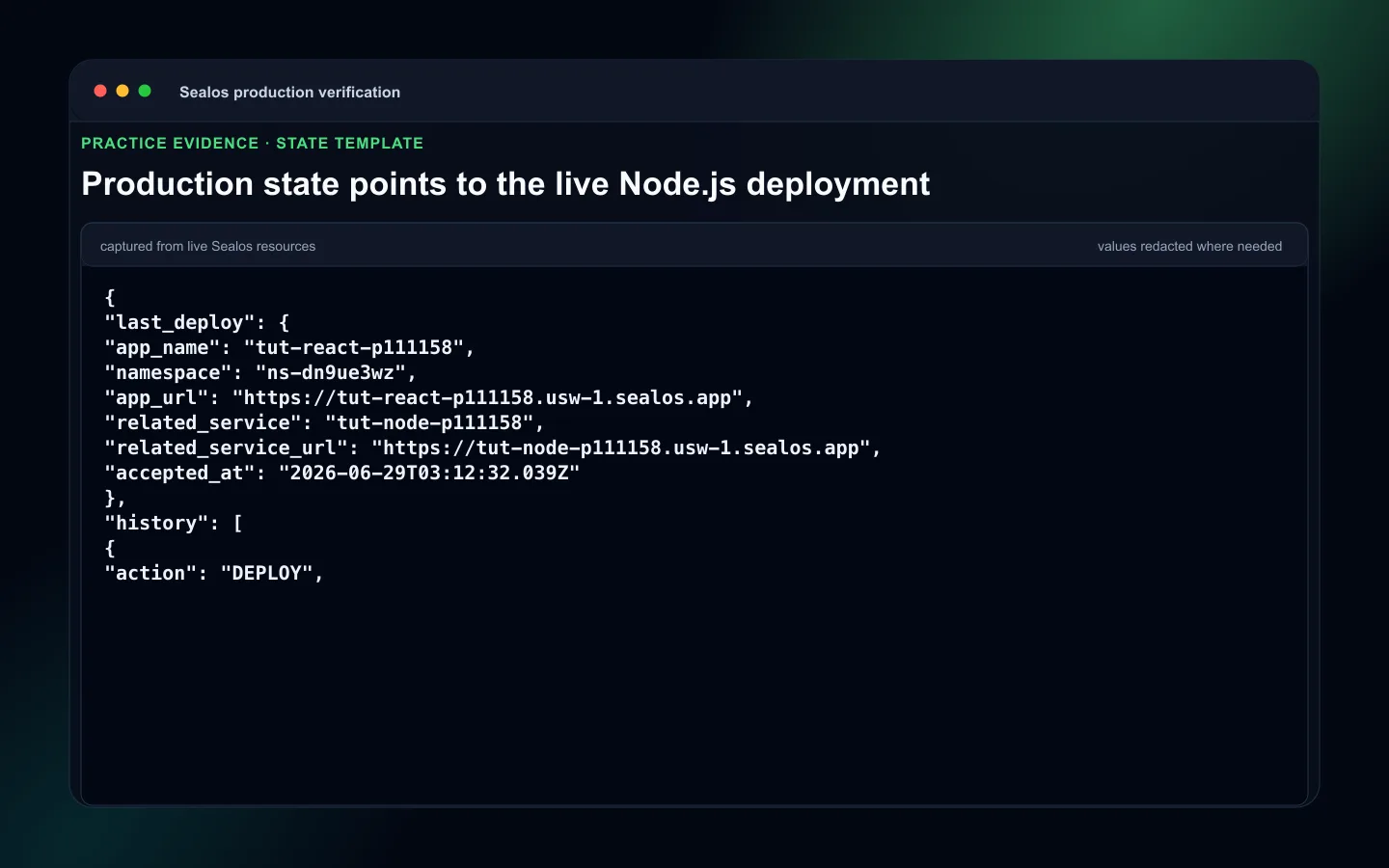 Node.js production .sealos state and template review
3. Environment variable checklist
Production Node.js services often fail because env vars are split across runtime code, database access, third-party providers, and observability settings.
Classify every env var:
| Type | Example | Where it belongs |
|---|---|---|
| Runtime port | PORT=3000 | Node.js service env |
| Runtime mode | NODE_ENV=production | Node.js service env |
| Server secret | SESSION_SECRET | Node.js service env |
| Database connection | DATABASE_URL, POSTGRES_URL | Generated from the Sealos database resource |
| Third-party API key | STRIPE_SECRET_KEY | Node.js service env |
| Logging | LOG_LEVEL=info | Node.js service env |
Production checklist:
.env.examplelists placeholders- Local env files are ignored by git
- Required secrets are provided through Sealos configuration
- The database key matches the key the service actually reads
- OAuth callback URLs, webhook URLs, and allowed origins use the production domain
- Runtime logs avoid printing secrets
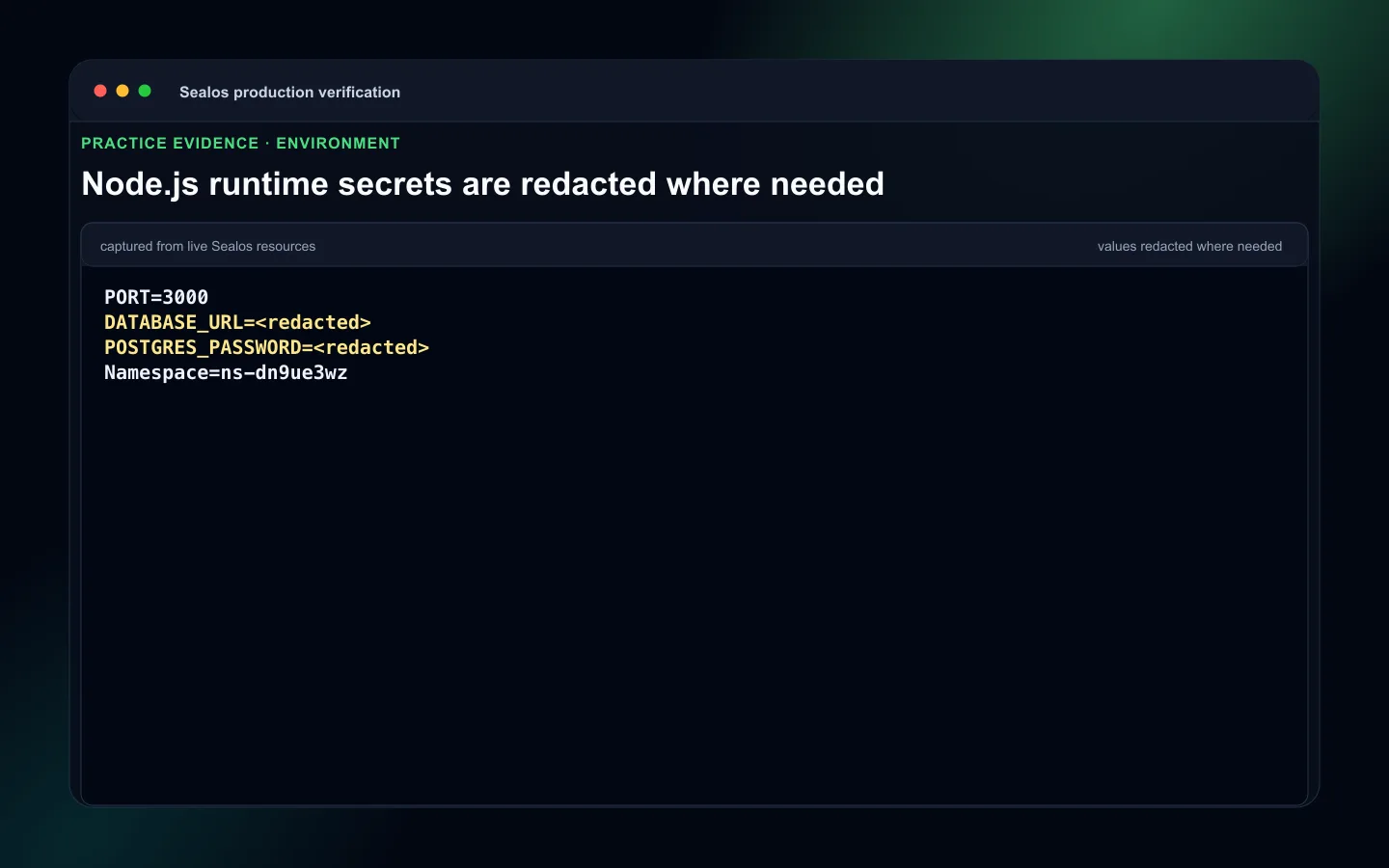 Node.js production redacted environment sources
4. Database and migration checklist
If the service uses PostgreSQL, production readiness includes schema order and recovery.
Production checklist:
- Database access stays server-side in the Node.js service
- The service reads the actual generated key, such as
DATABASE_URLorPOSTGRES_URL - Migrations are committed and repeatable
- Migration command is documented
- Database migration order is defined before traffic reaches code that needs the schema
- Runtime Truth Pass includes service-to-PostgreSQL read/write evidence
- Logs stay clean after the database-backed smoke check
- Backup timing is recorded before schema-changing releases
- Rollback has database backup/restore or forward-repair awareness
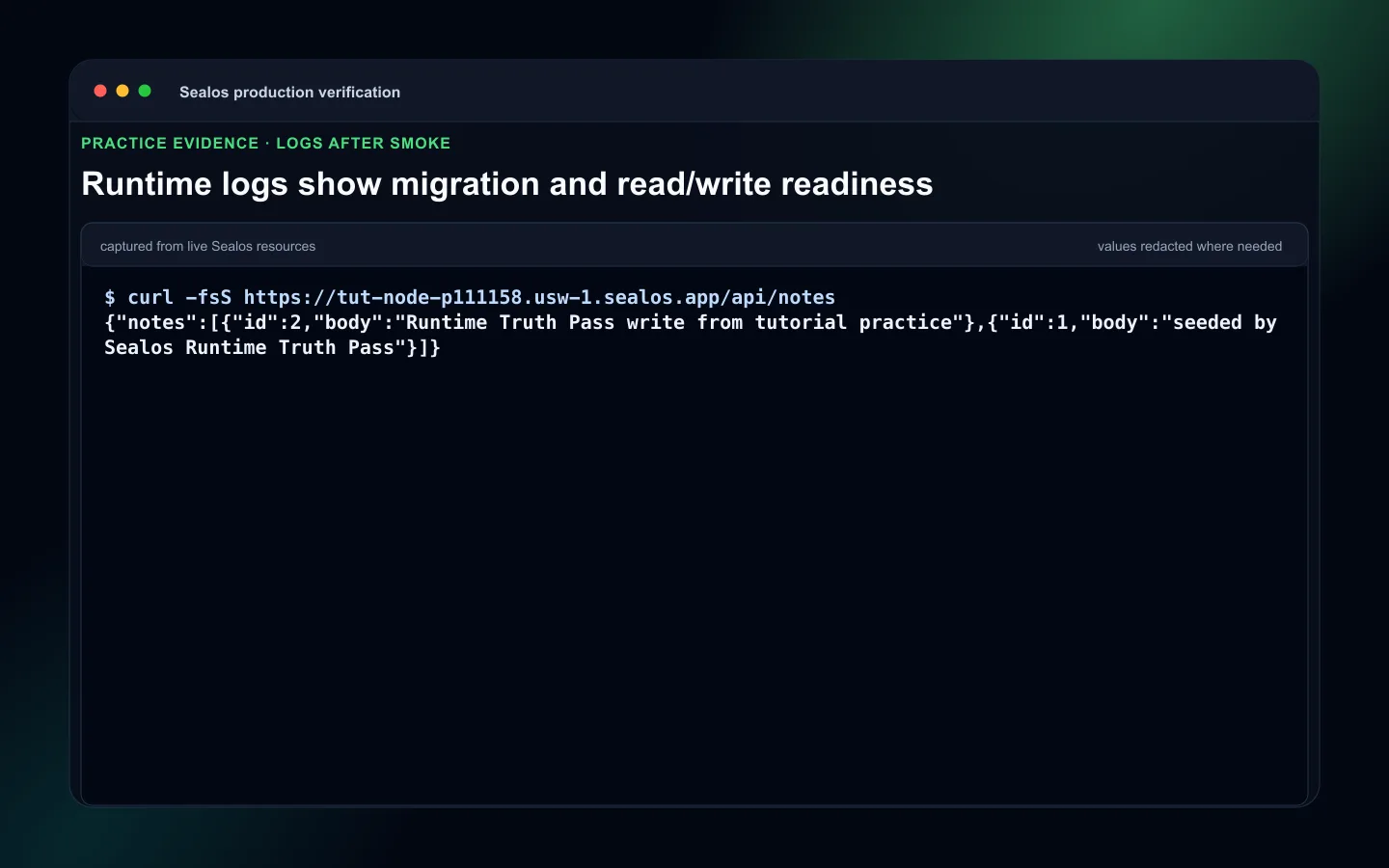 Node.js database migration or recovery readiness for release
Common migration commands:
5. Health, readiness, and timeout checklist
Health checks should be cheap and reliable. Readiness behavior should reflect whether the service can handle traffic.
Production checklist:
/healthzor/healthreturns quickly- Health endpoint avoids slow third-party calls
- Readiness includes database status only when database availability is required for serving traffic
- Startup timeout covers migration or warm-up behavior
- Request timeout matches expected API latency
- Public URL checks cover the root path or an expected API path
- Health endpoint checks cover service process status
- Logs after smoke show no crash loop, unhandled rejection, or repeated connection error
6. Scaling checklist
Start with intentional capacity, then scale after runtime truth is known.
Production checklist:
- CPU and memory requests match observed resource footprint
- Horizontal replicas are safe for sessions, queues, locks, uploads, and scheduled jobs
- Connection pooling is configured before increasing replicas for PostgreSQL-backed services
- Background workers are separated or guarded when only one worker should run
- Startup and shutdown hooks handle in-flight requests
7. Monitoring and logs checklist
Runtime logs are production evidence.
Production checklist:
- Startup logs show version, port, and readiness
- Request logs show smoke traffic without logging secrets
- Error logs preserve stack traces for operator debugging
- Database connection failures are visible
- Health check failures are visible
- Runtime Truth Pass captures logs after smoke traffic
8. Update and rollback checklist
Update only after recorded state and live resource truth agree.
Production checklist:
- Previous image tags are recorded before release
- New image tag is unique
- UPDATE mode is based on
.sealos/state.jsonplus live Sealos resource truth - DEPLOY mode is used when state is missing, stale, broken, or unverifiable
- Rollback command path is documented
- Database backup/restore or forward-repair decision is documented for schema-changing releases
- Rollback validation includes public URL, health endpoint, runtime logs, resource footprint, and database recovery checks
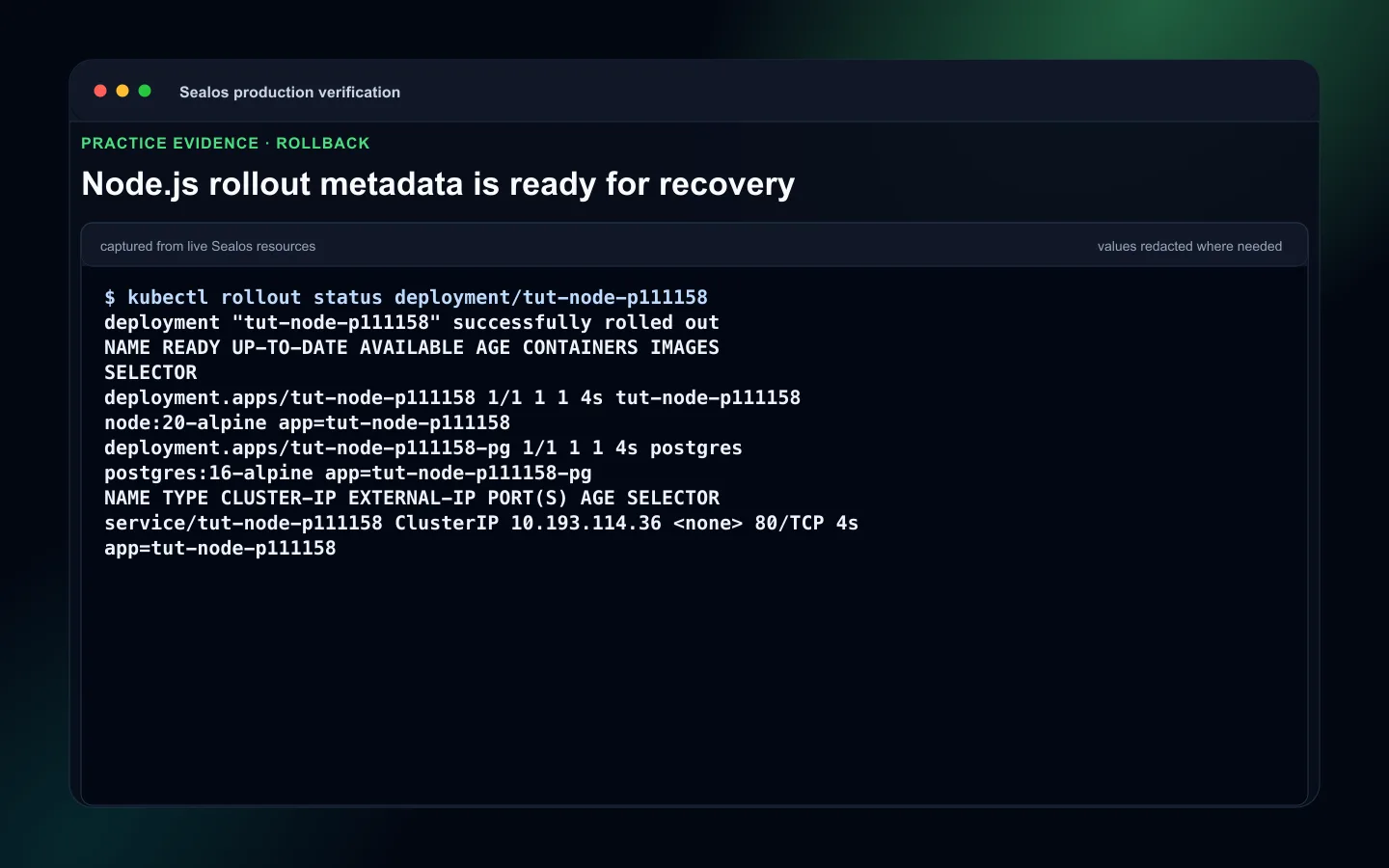 Node.js rollback readiness using previous image tags
9. Security checklist
Production Node.js services should launch with private values and attack surface reviewed.
Production checklist:
- Secrets stay in Sealos env vars
- Logs avoid tokens, passwords, and full connection strings
- Admin routes require authentication
- CORS and allowed origins match production domains
- Rate limits protect write-heavy or auth endpoints
- Health endpoint reveals only operational status
- Dependencies are updated before launch
Launch Runbook
Use this sequence for a production launch:
- Confirm
npm startand optionalnpm run buildfrom a clean checkout. - Ask Sealos to DEPLOY or UPDATE based on
.sealos/state.jsonand live resource truth. - Review
.sealos/analysis.jsonand.sealos/template/index.yaml. - Provide required env vars and secrets.
- Run or verify database migrations.
- Deploy the generated template.
- Run public URL and health endpoint checks.
- Check startup logs and request logs after smoke traffic.
- Review resource footprint.
- Confirm rollback uses previous image tags and database recovery awareness.
- Accept the deployment only after Runtime Truth Pass.
Common production failures
| Failure | Fix |
|---|---|
| Service exits after deploy | Make npm start launch one foreground production process. |
| Health check times out | Keep /healthz cheap and verify the container listens on 0.0.0.0:${PORT}. |
| UPDATE targets the wrong app | Reconcile .sealos/state.json with live resource truth before updating. |
| Migration breaks rollback | Pair previous image tags with backup/restore or forward-repair planning. |
| Replica increase overloads PostgreSQL | Add connection pooling awareness before scaling. |
| Logs hide the failure | Emit startup logs, request logs, and structured error logs without leaking secrets. |
Final production checklist
- Process management and start command readiness verified
npm start, optionalnpm run build,server.js,app.js, ordist/server.jsreviewedPORTand0.0.0.0verified- Health checks and readiness behavior verified
- Timeouts reviewed
- Startup logs and request logs reviewed
.sealos/analysis.json,.sealos/template/index.yaml, and.sealos/state.jsonreviewed- DEPLOY or UPDATE selected from state plus live resource truth
- Database migration order verified when relevant
- Previous image tags recorded
- Rollback and database recovery plan ready
- Resource footprint checked
- Runtime Truth Pass accepted
Next steps
- Revisit How to Deploy a Node.js App to Sealos in 5 Minutes for first-deploy workflow details
- Use Node.js + PostgreSQL Deployment Guide on Sealos for database-backed service deployments
- Open Sealos Skills when you want the repeatable plugin workflow and command entrypoints
FAQ
Keep building
Continue this Sealos path
 Sealos
Unify Your Entire Workflow.
Code in a ready-to-use cloud environment, deploy with a click. Sealos combines the entire dev-to-prod lifecycle into one seamless platform. No more context switching.


Explore with AI
Get AI insights on this article