How to Deploy FastAPI on Sealos in 5 Minutes
Deploy a protected FastAPI Tasks API to Sealos, verify its generated HTTPS endpoint, inspect deployment artifacts, and complete Runtime Truth Pass.
This guide deploys the continuous FastAPI Tasks API from its protected first
source stage. The stage-1-deploy
tag contains the exact application used here: /health, generated /docs, and
in-memory /tasks CRUD served by Uvicorn on port 8000.
The accepted reader practice reached its generated public HTTPS health endpoint
in 21.106 seconds. The measurement began immediately before the native
Sealos DEPLOY request and ended immediately after public HTTPS /health
returned 200 with the exact body {"status":"ok"}. Local setup, login,
source validation, and template preparation happened before that interval.
By the end, you will have:
- A protected FastAPI source checkout with 12 passing behavior tests
- A Sealos-generated workload, Service, Ingress, and public HTTPS domain
- A verified
/healthresponse and interactive Swagger UI - A public task creation and list result
- Accepted deployment state under
.sealos/
Prerequisites
You need:
- Git
- Python 3.12
uvcurl- A Sealos Cloud account
- Codex, Codex App, or Claude Code with the Sealos plugin installed
Step 1: Install the Sealos plugin
For Codex CLI or Codex App, use the native marketplace flow:
For Codex compatibility or local plugin testing:
For Claude Code, use its native marketplace flow:
For Claude Code compatibility:
Use the entry surface that matches your host:
- Codex CLI:
$sealos - Codex App: + -> Plugins -> Sealos
- Claude Code:
/sealos
Step 2: Validate the protected Stage 1 source locally
Clone the immutable tag by name:
Install the exact lock and run the public behavior suite:
The protected source collects nine named HTTP behaviors as 12 pytest cases. The accepted practice completed all 12 and then started the tracked Uvicorn entrypoint:
From another terminal, verify health and generated documentation:
The first command must return:
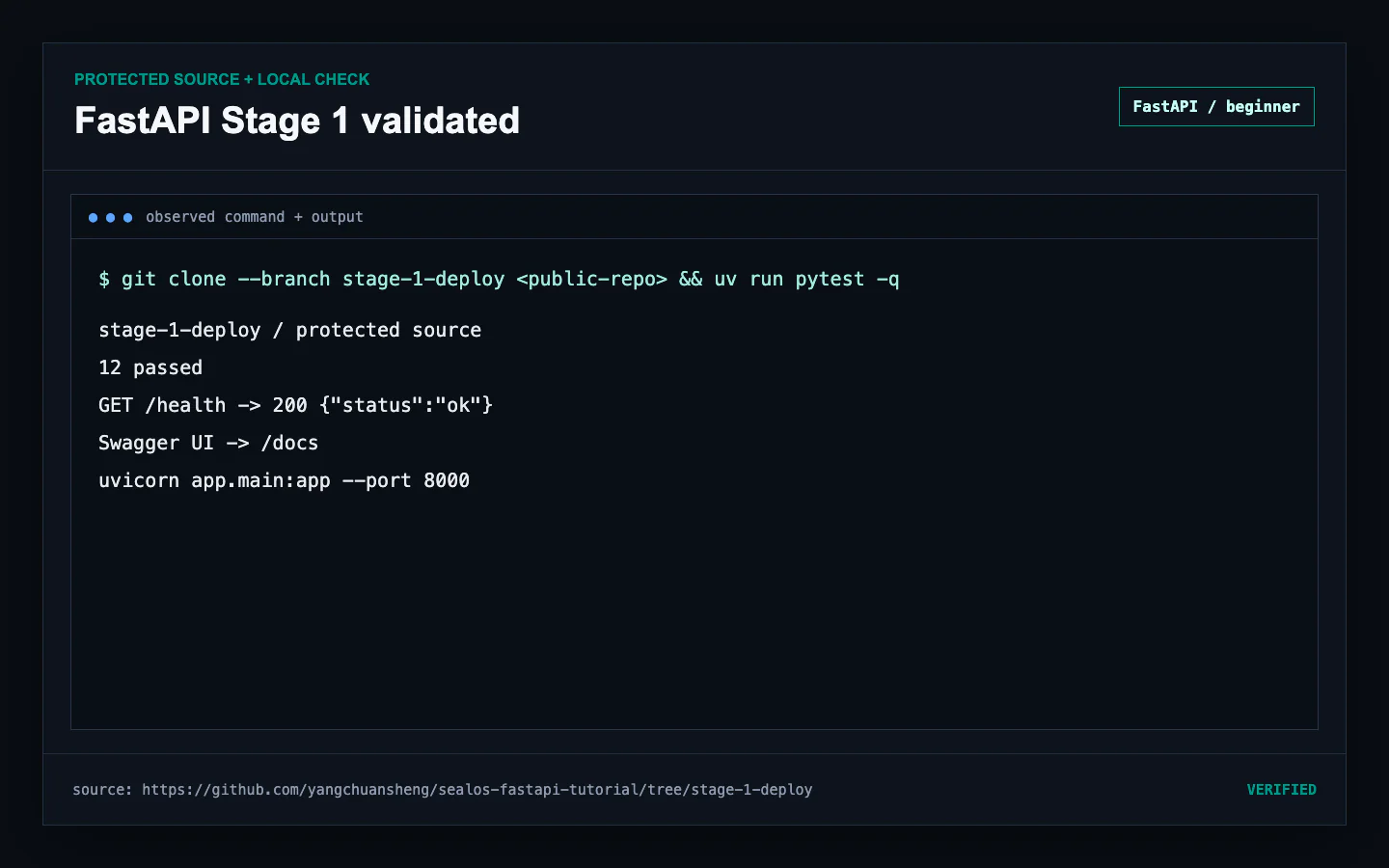 Protected FastAPI Stage 1 clone completing 12 tests, health, Swagger, and the tracked Uvicorn start
Step 3: Ask Sealos to deploy the checked-out repository
Keep the terminal inside the protected checkout. In Codex CLI, request:
In Claude Code, request:
The plugin runs preflight before deployment. It checks the project path, Sealos authentication and workspace access, and the tools needed by the chosen image path. Assessment then identifies the application contract before any DEPLOY request is issued.
Step 4: Review analysis and template output
Review .sealos/analysis.json before approving the deployment. The fresh
practice identified FastAPI, port 8000, and the tracked Uvicorn command. Its
measured score was 5/12, with the Fair verdict expected for this deliberately
small first stage.
Then inspect .sealos/template/index.yaml. The accepted generated plan used:
- A one-replica StatefulSet for the Stage 1 process
- A Service on the application port
- A standard Sealos HTTPS Ingress
- An App resource for the product surface
- A run-owned source bootstrap and claimed dependency volume
The plugin validated the generated artifacts and completed a server-side dry run before DEPLOY.
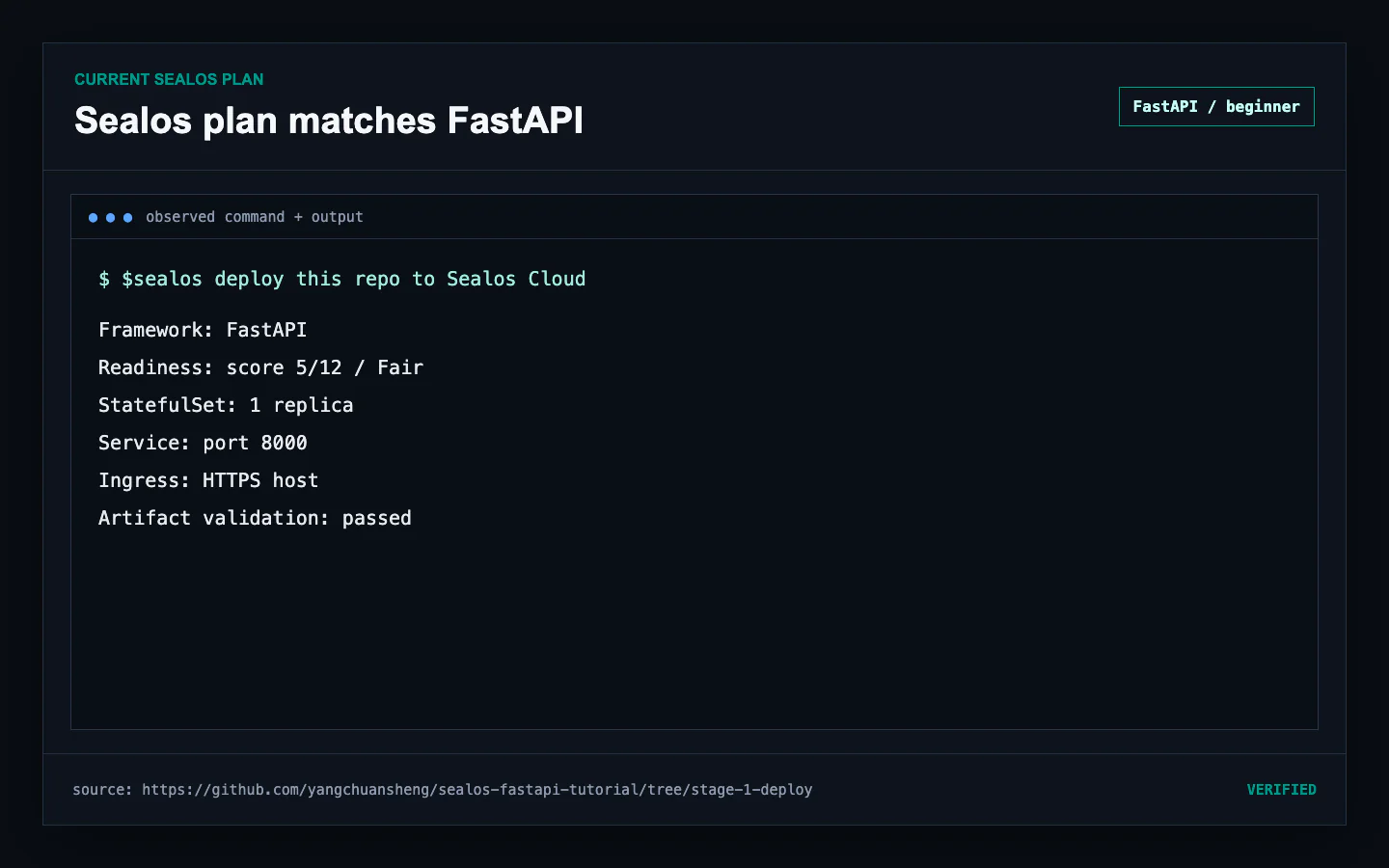 Current Sealos analysis and generated FastAPI StatefulSet, Service, Ingress, and App template summary
Step 5: Issue DEPLOY and run Runtime Truth Pass
Approve DEPLOY after the assessment and template match the protected source.
Sealos submits .sealos/template/index.yaml, creates the application resources,
and assigns the generated public host.
The accepted timing boundary is intentionally narrow:
After the first successful response, complete Runtime Truth Pass. Confirm:
- The workload reports
1/1Ready - The init step completed
- The Service has one endpoint
- The Pod restart count remains
0 - The generated HTTPS
/healthresponse is exact /docsloads Swagger UI- Recent application logs have no active failure
- The observed runtime window remains stable
The accepted practice kept those conditions stable for 77 seconds and closed with zero active failures and zero log findings.
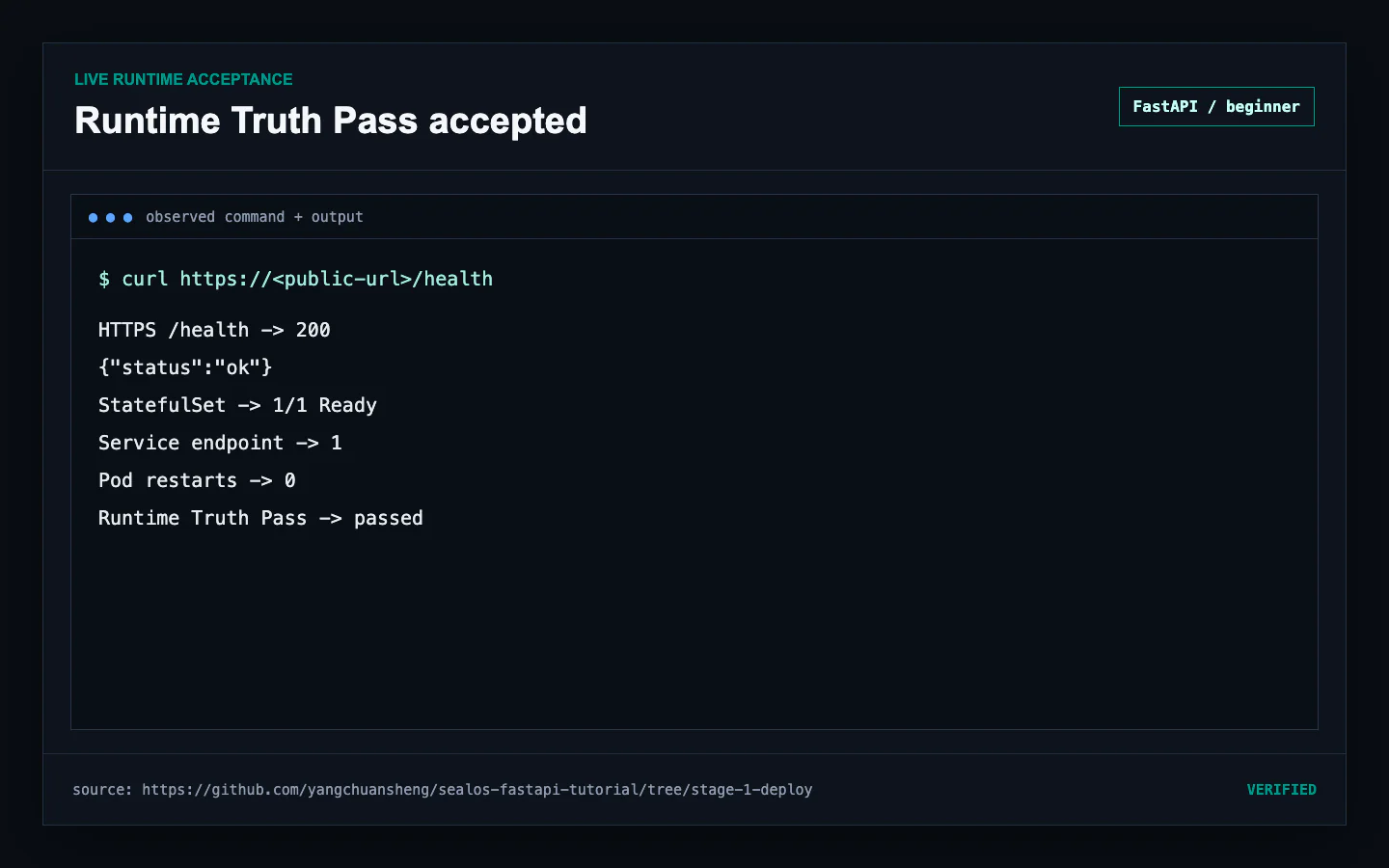 Generated Sealos HTTPS deployment passing health, rollout, endpoint, log, and Runtime Truth checks
Step 6: Exercise Swagger and the public Tasks API
Open the generated documentation URL:
The Swagger surface should list GET /health and the create, list, read,
replace, and delete operations under /tasks.
Create and list a task from a terminal:
The practiced public request returned 201 for create and 200 for list. A
fresh process assigns the first task ID 1 and defaults completed to false.
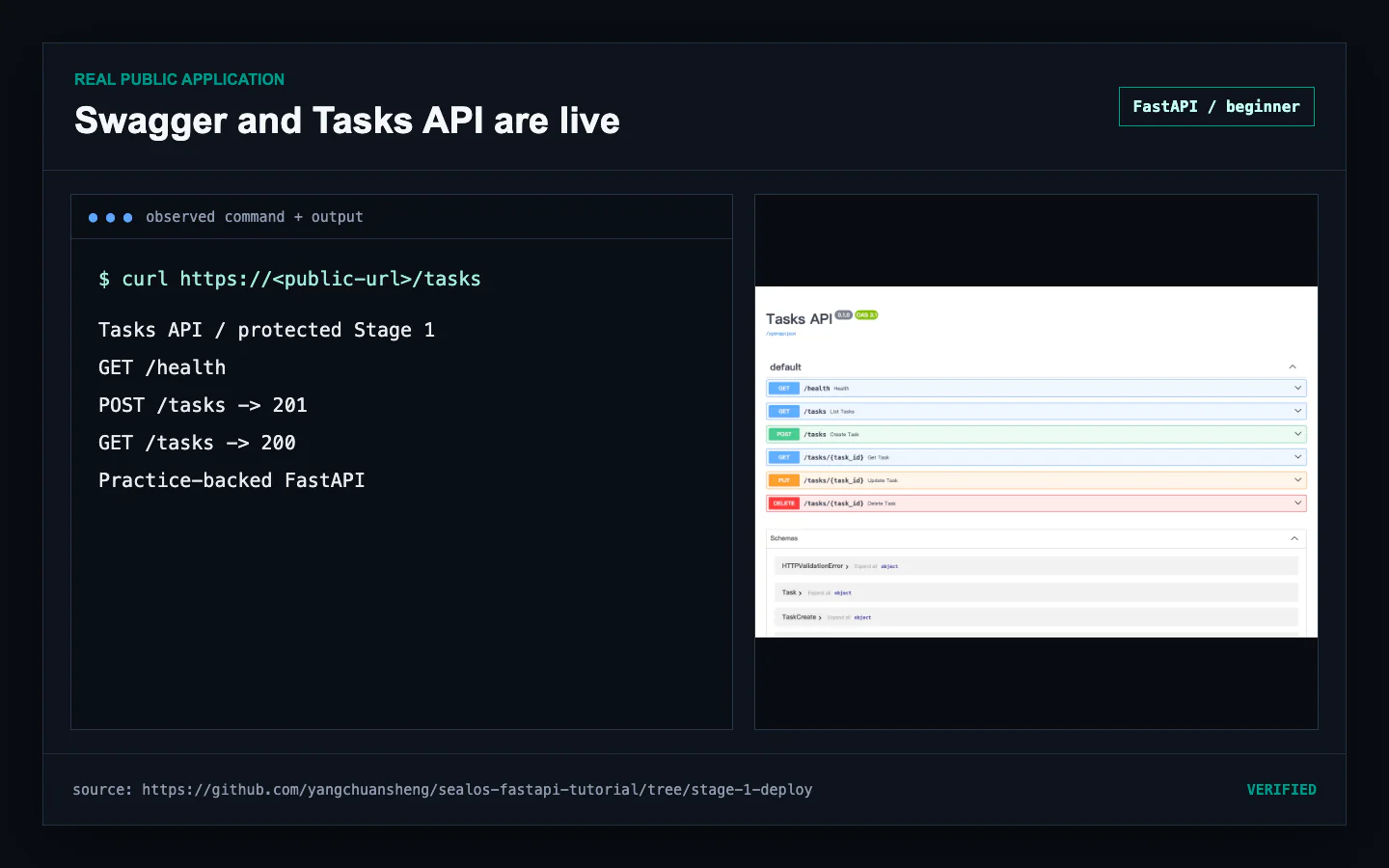 Live FastAPI Swagger operations and public Tasks API behavior on the generated Sealos domain
Understand the generated .sealos/ state
The deployment pipeline uses these project-local artifacts:
.sealos/analysis.jsonrecords the detected framework, port, runtime command, environment inputs, and deployment assessment..sealos/template/index.yamlis the generated Sealos resource plan..sealos/build/build-result.jsonexists when the pipeline builds and pushes an image..sealos/state.jsonrecords the accepted deployment after Runtime Truth Pass and supports later DEPLOY or UPDATE decisions.
Review these files before committing them because URLs and deployment identity can reveal operational context. Keep credentials in the owning secret system.
Stage 1 data lifecycle
Stage 1 keeps tasks in one Python process. A Uvicorn restart clears the list and
resets the next ID to 1. Keep one replica for this source stage. The next
tutorial adds PostgreSQL while preserving the same /health, /docs, and
/tasks interface.
Common failures
The local health request cannot connect
Confirm Uvicorn is still running and bound to 0.0.0.0:8000:
Swagger loads but tasks disappear after restart
That is the Stage 1 storage contract. Continue to PostgreSQL for durable task records.
The generated domain returns a startup error
Inspect the workload rollout, Service endpoints, and recent logs as one Runtime
Truth Pass. Confirm the template exposes port 8000 and starts
app.main:app with Uvicorn.
The assessment or template differs from the source
Confirm the checkout still points at stage-1-deploy, rerun the locked sync,
and ask Sealos to reassess before issuing another DEPLOY request.
Completion checklist
- The checkout points at the protected
stage-1-deploytag -
uv sync --lockedsucceeds - All 12 tests pass
- Local
/health,/docs, and/taskswork on port8000 -
.sealos/analysis.jsonidentifies FastAPI and the correct runtime -
.sealos/template/index.yamlexposes the expected resources and port - DEPLOY produces a generated public HTTPS domain
- Runtime Truth Pass verifies rollout, endpoints, logs, and exact health
- Swagger and a public task create/list request succeed
-
.sealos/state.jsonrecords accepted state
Continue with Deploy FastAPI with PostgreSQL on Sealos to make the same Tasks API durable.
FAQ
Keep building
Continue this Sealos path
 Sealos
Unify Your Entire Workflow.
Code in a ready-to-use cloud environment, deploy with a click. Sealos combines the entire dev-to-prod lifecycle into one seamless platform. No more context switching.


Explore with AI
Get AI insights on this article