sealos.io
AFFiNE
Build production-ready tools templates with Sealos.
https://affine.pro/deploy now
AFFiNE
Tools
A privacy-focused, local-first, open-source workspace for notes, docs, whiteboards, and team knowledge management.

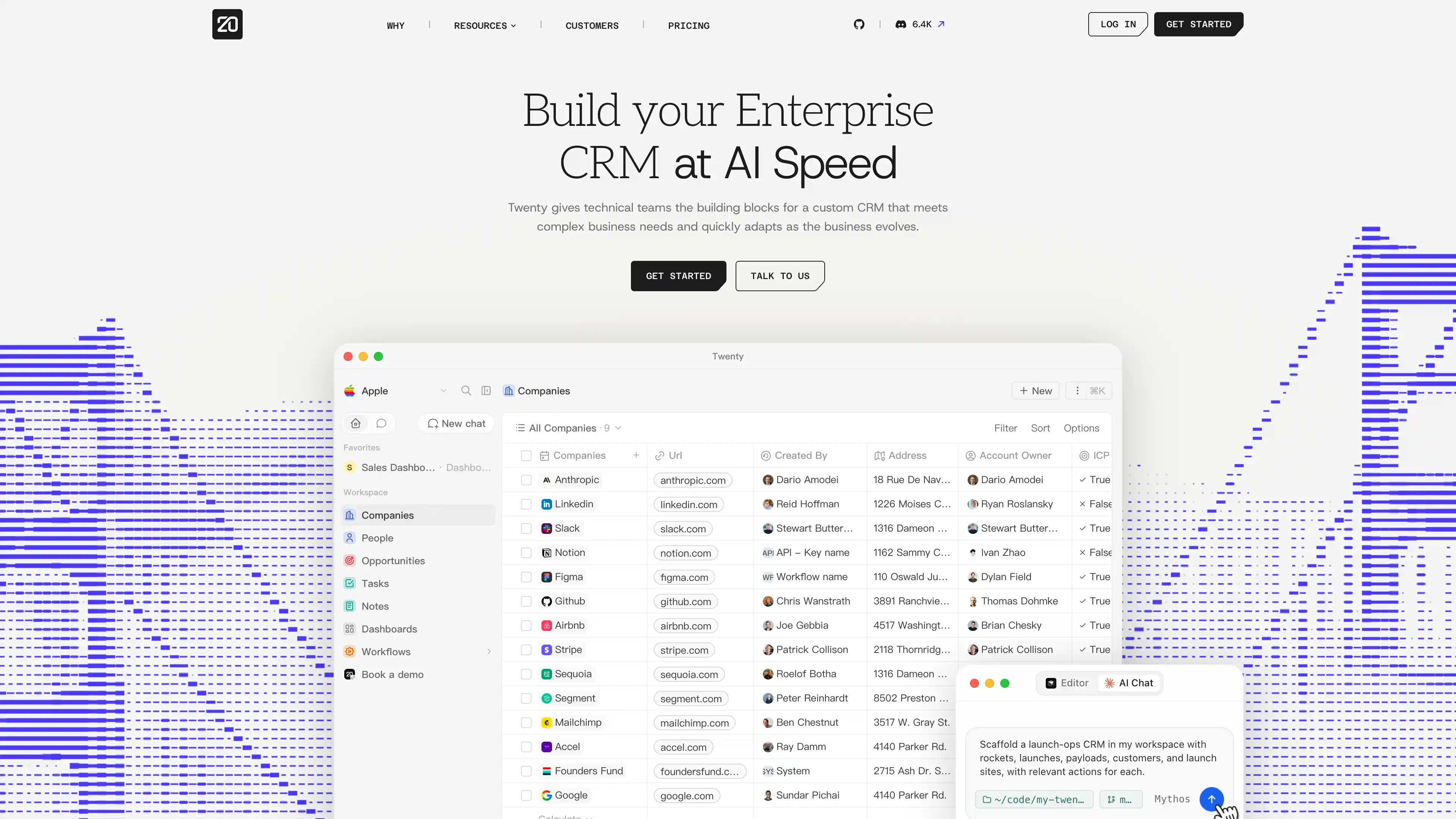
Open-source CRM alternative to Salesforce. Customizable views, flexible data management, workflow automation. Built with TypeScript, React, NestJS, PostgreSQL.
Launch in your Sealos workspace.
Start with the resources defined by the Twenty template. Review CPU, memory, persistent storage, and network allocations for every service in Canvas. Capacity needs depend on your data and workload; monitor usage as they grow.
Template configuration and setupUse the application URL or connection details shown in Canvas. Follow the deployment guide for first-time account setup or client configuration, and keep generated credentials available for that step.
Sealos monthly plans include compute, memory, storage, and traffic. Size your plan for all deployed services. Software licenses and external AI or API services may have separate terms and charges. Confirm the applicable plan and optional charges in Cost Center.
Compare Sealos resource plansFor current cloud charges, refer to Sealos plan pricing. Upstream documentation may reference earlier billing models.
Twenty is an open-source CRM for managing companies, people, opportunities, tasks, notes, dashboards, and workflows. This template deploys Twenty 2.22.0 with a dedicated server, background worker, PostgreSQL, Redis, automatic HTTPS, and selectable file storage on Sealos.
Twenty combines a customizable CRM interface with workflow automation and extensible data models. Teams can organize customer records, track opportunities, assign tasks, and build operational workflows from one workspace.
The Sealos deployment preserves Twenty's official multi-service architecture. The server handles the web UI and APIs, the worker processes background queues, PostgreSQL stores application and workspace data, and Redis manages queues and caching.
Local file storage uses a shared 1 GiB persistent volume mounted by the server and worker on the same node. Enabling S3 provisions a private Sealos Object Storage bucket and removes the local file volume and its scheduling constraint.
The template provisions every required service and generates the application encryption key.
Architecture Components:
The server waits for three successful PostgreSQL queries and an authenticated Redis ping before starting. This protects first-boot migrations from managed-service provisioning races. The worker starts after the server health endpoint is ready.
Deployment Options:
| Parameter | Default | Description |
|---|---|---|
USE_S3_STORAGE | false | Store files in private Sealos Object Storage instead of the shared local volume. |
The validated resource limits are 1 CPU and 2 GiB memory for the server, plus 500 millicores and 1 GiB memory for the worker. These limits cover first-run migrations and active queue processing.
License Information:
Twenty is primarily licensed under AGPL-3.0. Files marked with the upstream enterprise license notice use Twenty's commercial terms.
On the first visit, select Continue with email, enter your email address and password, and choose Sign up. Create the first workspace, complete your profile, and finish or skip the optional onboarding steps. The first registered user becomes the workspace owner and administrator.
Later visits use the same Continue with email flow. Enter the registered email address and password to sign in.
Configure objects, fields, views, roles, workflows, and integrations from the Twenty workspace settings. The template generates a stable encryption key for protected configuration values.
For infrastructure changes, open the deployment Canvas and use the AI dialog or resource cards. Keep the generated encryption key stable when updating an existing deployment.
The default template runs one server and one worker. Local file storage keeps both pods on one node so they can share the ReadWriteOnce volume. S3 storage removes that local-volume constraint and provides a cleaner base for future worker scaling.
Twenty runs database setup, migrations, and workspace upgrade commands before serving traffic. Check the server logs for migration progress and wait for the /healthz endpoint to become ready.
The worker waits for the server health endpoint. Check PostgreSQL, Redis, and server readiness first.
This Sealos template is provided under the repository license. Twenty licensing details are available in the upstream license file.
A shorter path from an app you want to an app you can run. Sealos brings deployment and ongoing operations into one place.
Start with a ready-made template. Review its configuration and launch from the Sealos console.
Run on managed infrastructure with built-in workload scheduling and recovery.
Give your application a public HTTPS endpoint with certificates managed for you.
Keep application data on persistent volumes across container restarts.
Adjust CPU, memory, and replicas from the console as your workload changes.
Sealos provisions the resources defined by your template and brings them together in your workspace.
Container workloads with configurable CPU, memory, and replicas.
An address for your app, with managed TLS certificates.
A database provisioned alongside your app when the template calls for one.
Storage for the files and data your application needs to keep.
Application settings and secrets configured in one place.
Inspect container logs and resource usage from the console.
Resources and their configuration vary by template. Review the deployment form for this app’s exact setup.
Explore more production-ready templates.
Build production-ready tools templates with Sealos.
A privacy-focused, local-first, open-source workspace for notes, docs, whiteboards, and team knowledge management.
Build production-ready tools templates with Sealos.

Google Chrome browser running in a LinuxServer.io Selkies container with a web-based desktop UI.
Build production-ready tools templates with Sealos.
Deploy the self-hosted DeeplX translation API on Sealos and connect applications to its HTTP endpoint. This independent gateway integrates with DeepL translation.