Deploy and Host Odysseus on Sealos
Odysseus is a self-hosted AI workspace for chat, autonomous agents, tools, model serving, email, research, notes, and memory. This template deploys the official Odysseus 1.0.2 runtime bundle with Chroma vector memory, SearXNG search, ntfy notifications, persistent storage, and public HTTPS access on Sealos Cloud.
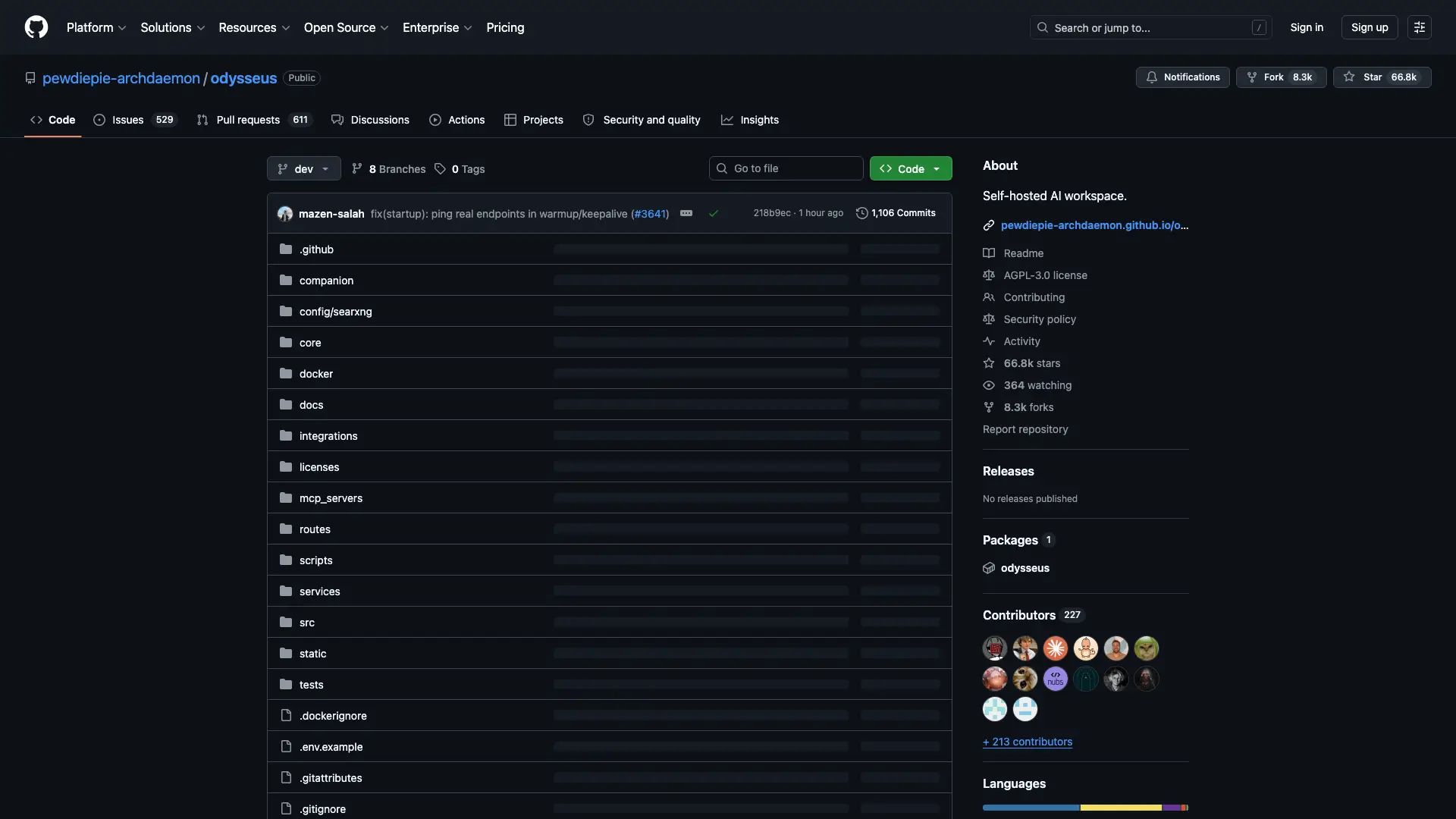
About Hosting Odysseus
Odysseus runs as an authenticated web application backed by local SQLite data, file storage, Chroma, SearXNG, and ntfy. The main Odysseus service exposes the web UI and API on port 7000, while Chroma, SearXNG, and ntfy stay on the internal Sealos cluster network.
The template provisions four StatefulSets: the Odysseus application, Chroma for vector memory, SearXNG for metasearch, and ntfy for notifications. Persistent volumes store Odysseus data, logs, SSH state, Hugging Face cache, local model-serving files, Chroma data, SearXNG cache, and ntfy cache.
Odysseus uses SQLite plus in-process pollers and scheduled tasks. Keep the Odysseus StatefulSet at one replica so those writers share one database and one task scheduler.
The first administrator account is created from the deployment form values. On a fresh deployment, admin_user maps to ODYSSEUS_ADMIN_USER and admin_password maps to ODYSSEUS_ADMIN_PASSWORD.
Common Use Cases
- Private AI workspace: Run chat, agents, notes, documents, and research tools from one authenticated interface.
- Local-first model workflows: Connect local or remote model endpoints and keep workspace data inside your Sealos deployment.
- Research assistant: Use SearXNG-backed web research and Chroma-backed memory for repeatable research sessions.
- Team productivity hub: Manage email, calendar, tools, memories, and workspace artifacts with admin-controlled access.
Dependencies for Odysseus Hosting
The Sealos template includes the Odysseus application container, Chroma vector database, SearXNG search service, ntfy notification service, persistent storage, and an HTTPS ingress.
Deployment Dependencies
Implementation Details
Architecture Components:
- Odysseus: Main authenticated web UI and API server.
- Chroma: Internal vector memory service used by Odysseus.
- SearXNG: Internal search service used by Odysseus research features.
- ntfy: Internal notification service for reminder integrations.
- Persistent Storage: Stateful storage for application data, logs, SSH state, model/cache directories, Chroma data, SearXNG cache, and ntfy cache.
- Ingress and App Entry: Sealos-managed HTTPS entry point and dashboard link.
Configuration:
admin_user: Initial administrator username for a fresh Odysseus data volume.admin_password: Initial administrator password for a fresh Odysseus data volume.openai_api_key: Optional OpenAI API key for cloud model access.ALLOWED_ORIGINS: Set automatically to the Sealos public URL.SECURE_COOKIES: Enabled for the Sealos HTTPS endpoint.
License Information:
Odysseus is licensed under AGPL-3.0-or-later. This Sealos template follows the same upstream license terms for the application it deploys.
Why Deploy Odysseus on Sealos?
Sealos is an AI-assisted Cloud Operating System built on Kubernetes that unifies application deployment, persistent storage, networking, and operations. Deploying Odysseus on Sealos gives you:
- One-Click Deployment: Deploy Odysseus, Chroma, SearXNG, ntfy, storage, ingress, and dashboard entry from one App Store template.
- Persistent Storage Included: Keep workspace data, auth files, caches, Chroma memory, and search cache across restarts.
- Instant Public Access: Receive a managed HTTPS URL for the authenticated Odysseus web UI.
- Resource Control: Adjust CPU, memory, and storage from Sealos Canvas resource cards.
- AI-Assisted Operations: Use the Sealos AI dialog to request configuration and resource changes after deployment.
Deployment Guide
- Open the Odysseus template and click Deploy Now.
- Configure the parameters in the popup dialog:
admin_user: Initial administrator username, such as admin.admin_password: Initial administrator password.openai_api_key: Optional OpenAI API key.
- Wait for deployment to complete, typically 3-5 minutes. After deployment, you will be redirected to the Canvas.
- Open the generated application URL and log in with the configured
admin_user and admin_password.
Configuration
After login, configure model providers, local endpoints, SearXNG-backed research, memory settings, tools, email, calendar, and user permissions from the Odysseus UI. For infrastructure changes, use the Sealos Canvas AI dialog or click the relevant StatefulSet, Service, Ingress, or storage resource cards.
The initial admin credentials are used when Odysseus creates /app/data/auth.json on an empty data volume. Existing deployments keep the accounts stored in the persistent data volume.
Scaling
To scale or tune Odysseus:
- Open the Canvas for your deployment.
- Click the Odysseus, Chroma, SearXNG, or ntfy StatefulSet resource card.
- Adjust CPU, memory, or storage according to your workload. Keep every StatefulSet at one replica to preserve the bundled single-instance data model.
- Apply the change from the dialog.
Troubleshooting
Login fails after changing deployment parameters
- Cause: Odysseus stores users in
/app/data/auth.json on the persistent data volume.
- Solution: Use the existing stored account, or reset the data volume for a fresh first-run setup.
Research tools return limited results
- Cause: SearXNG startup or upstream search engine rate limits can affect metasearch results.
- Solution: Check the SearXNG StatefulSet logs and update search settings from the Odysseus UI.
Model downloads take a long time
- Cause: Hugging Face and local model-serving files are downloaded into persistent cache directories.
- Solution: Keep the cache volume attached and allocate more CPU or memory before large model operations.
Getting Help
Additional Resources
License
This Sealos template is provided under the upstream repository license. Odysseus itself is licensed under AGPL-3.0-or-later.