Deploy and Host Open Design on Sealos
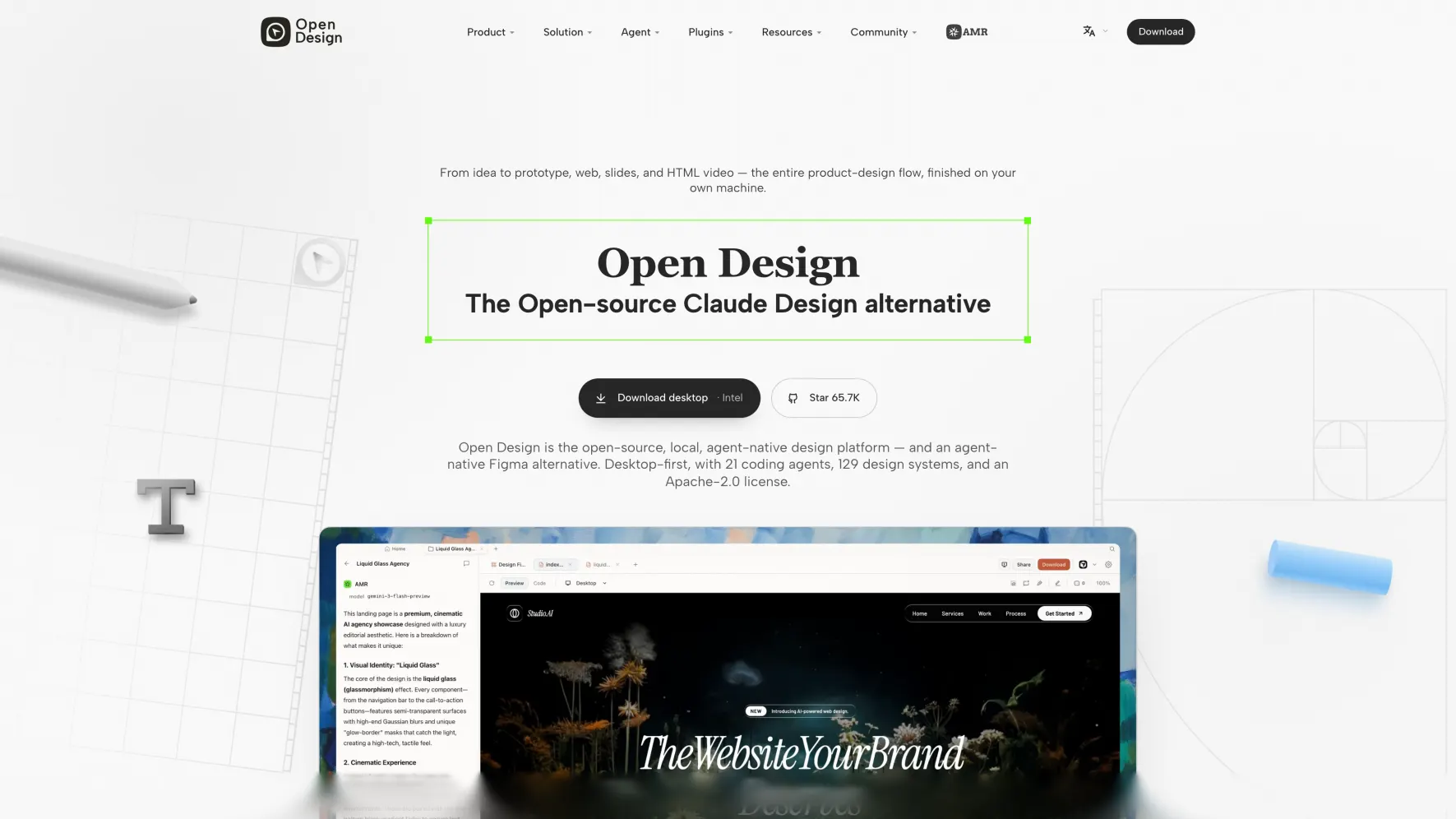
Open Design is a local-first, open-source AI design workspace for generating prototypes, decks, images, videos, and design-system-driven artifacts. This template deploys Open Design with a persistent workspace volume and an authenticated Nginx proxy on Sealos Cloud.
About Hosting Open Design
Open Design provides a browser workspace backed by a local daemon. The daemon serves the web UI, API routes, project files, plugin data, and generated artifacts from one container. On Sealos, the workspace is persisted at /app/.od so projects, conversations, media configuration, and generated outputs survive restarts.
The upstream Docker deployment exposes port 7456, uses a Docker volume for runtime data, and requires OD_API_TOKEN when the daemon binds to a public interface. This template runs an Nginx proxy in front of Open Design: Nginx exposes port 8080, protects public access with Basic Auth, forwards traffic to Open Design on port 7456, and injects the internal bearer token for /api routes.
Common Use Cases
- AI design workspace: Generate web, desktop, and mobile prototypes from prompts and design-system context.
- Presentation and artifact generation: Produce decks, live dashboards, HTML artifacts, PDFs, and exportable design outputs.
- Design-system experimentation: Try design systems, plugins, and reusable workflows in a persistent workspace.
- Agent-assisted design handoff: Use Open Design as a visual workspace before handing artifacts to coding agents or editors.
Dependencies for Open Design Hosting
The Sealos template includes the Open Design runtime image, a lightweight Nginx proxy, public HTTPS ingress, and persistent workspace storage. The upstream Docker deployment path is file-backed and self-contained, so the deployed stack consists of the runtime, proxy, ingress, and workspace volume.
Deployment Dependencies
Implementation Details
Architecture Components:
- Open Design Runtime: StatefulSet serving the web UI and daemon API on port
7456
- Nginx Proxy: Public entry point on port
8080, enforcing Basic Auth and forwarding API requests with the generated bearer token
- Persistent Workspace Volume: Stores
/app/.od, including projects, conversations, generated artifacts, and local configuration
- Ingress and App Link: Exposes the Open Design web interface through the generated Sealos domain
Configuration:
- The Open Design image is pinned by digest to avoid mutable
latest drift.
OD_BIND_HOST=0.0.0.0, OD_PORT=7456, OD_WEB_PORT=7456, and a generated OD_API_TOKEN match the upstream cloud runtime requirements.OD_ALLOWED_ORIGINS is set to the generated Sealos HTTPS domain so browser requests are accepted behind Ingress.auth_username and auth_password configure Nginx Basic Auth for the public Open Design URL.- Nginx forwards
/api/ with Authorization: Bearer <generated token> so browser API calls work through the public Sealos domain.
- Open Design's upstream Docker guide recommends an authenticated reverse proxy, SSH tunnel, VPN, or equivalent access layer for shared public deployments. This template adds the authenticated reverse proxy layer and keeps the daemon API token internal.
License Information:
Open Design is licensed under Apache-2.0.
Why Deploy Open Design on Sealos?
Sealos is an AI-assisted Cloud Operating System built on Kubernetes that unifies the entire application lifecycle, from development in cloud IDEs to production deployment and management. By deploying Open Design on Sealos, you get:
- One-Click Deployment: Deploy Open Design without manually writing Kubernetes YAML.
- Persistent Storage Included: Workspace files and generated artifacts survive container restarts.
- Instant Public Access: Each deployment gets a generated HTTPS endpoint.
- Easy Customization: Configure allowed origins, resources, storage, and networking from Canvas.
- Pay-as-You-Go Resources: Start with a small footprint and increase CPU, memory, or storage when your workspace grows.
- Zero Kubernetes Expertise Required: Use Kubernetes-backed hosting without managing cluster primitives directly.
Deployment Guide
- Open the Open Design template and click Deploy Now.
- Review the default resource, storage, and Basic Auth settings.
auth_username defaults to admin; auth_password is generated automatically, and you can replace it with your own strong password before deployment.
- Wait for deployment to complete, usually 2-3 minutes. After deployment, you will be redirected to the Canvas. For later changes, describe your requirements in the AI dialog or click the relevant resource cards to modify settings.
- Open the Open Design app link from the Canvas or App list.
- Sign in to the browser prompt with the
auth_username and auth_password values from the deployment form.
Login and Registration
Account setup happens in the deployment form: set auth_username and auth_password, then the proxy uses those credentials for the public app URL. Open the generated app URL and sign in through the browser Basic Auth prompt. The username defaults to admin, and the generated password appears in the deployment form unless you replace it before deployment.
After authentication, Open Design shows its first-run onboarding screen. Choose a runtime option or click Skip to enter the workspace, then configure BYOK providers, plugins, design systems, and local workspace settings inside Open Design.
The template was live-tested on Sealos with 100m CPU / 256Mi memory for the Open Design container, 100m CPU / 128Mi memory for the Nginx proxy, and a 1Gi persistent workspace volume. During the smoke test, the Open Design container used about 30m CPU and 67Mi memory, while the proxy used about 1m CPU and 22Mi memory.
Configuration
After deployment, you can configure Open Design through:
- AI Dialog: Describe changes such as larger storage, more memory, or access-control adjustments.
- Resource Cards: Modify the StatefulSet, proxy Deployment, Service, Ingress, or persistent volume from Canvas.
- Open Design UI: Configure BYOK providers, plugins, design systems, and workspace settings inside Open Design.
- Basic Auth Inputs: Redeploy or update the proxy configuration when you need to rotate
auth_username or auth_password.
Scaling
Open Design stores local workspace state on a single persistent volume, so keep the application at one replica unless you have validated a multi-replica storage and session strategy for your own deployment.
To increase capacity:
- Open the Canvas for your deployment.
- Click the Open Design StatefulSet resource card.
- Increase CPU, memory, or persistent storage.
- Apply the change.
Troubleshooting
The app starts but API calls fail
This template uses an Nginx proxy to inject the generated API token for /api/ routes. If API calls fail, confirm the proxy Deployment is running and still has the generated Nginx configuration mounted.
The browser asks for a username and password
Use the auth_username and auth_password values from the deployment form. These credentials belong to the public proxy layer.
The onboarding screen appears
Open Design shows onboarding on first launch. Select a runtime option or click Skip to enter the workspace, then configure model providers and plugins from the UI.
Generated files disappear after restart
Confirm the StatefulSet still mounts the persistent volume at /app/.od. Workspace data is stored there.
Getting Help
Additional Resources
License
This Sealos template is provided under the repository license. Open Design is distributed under the Apache-2.0 license.