sealos.io
Metabase
Build production-ready database templates with Sealos.
https://www.metabase.com/deploy now
Metabase
Database
Open source business intelligence and analytics platform for dashboards, SQL exploration, and self-service reporting.

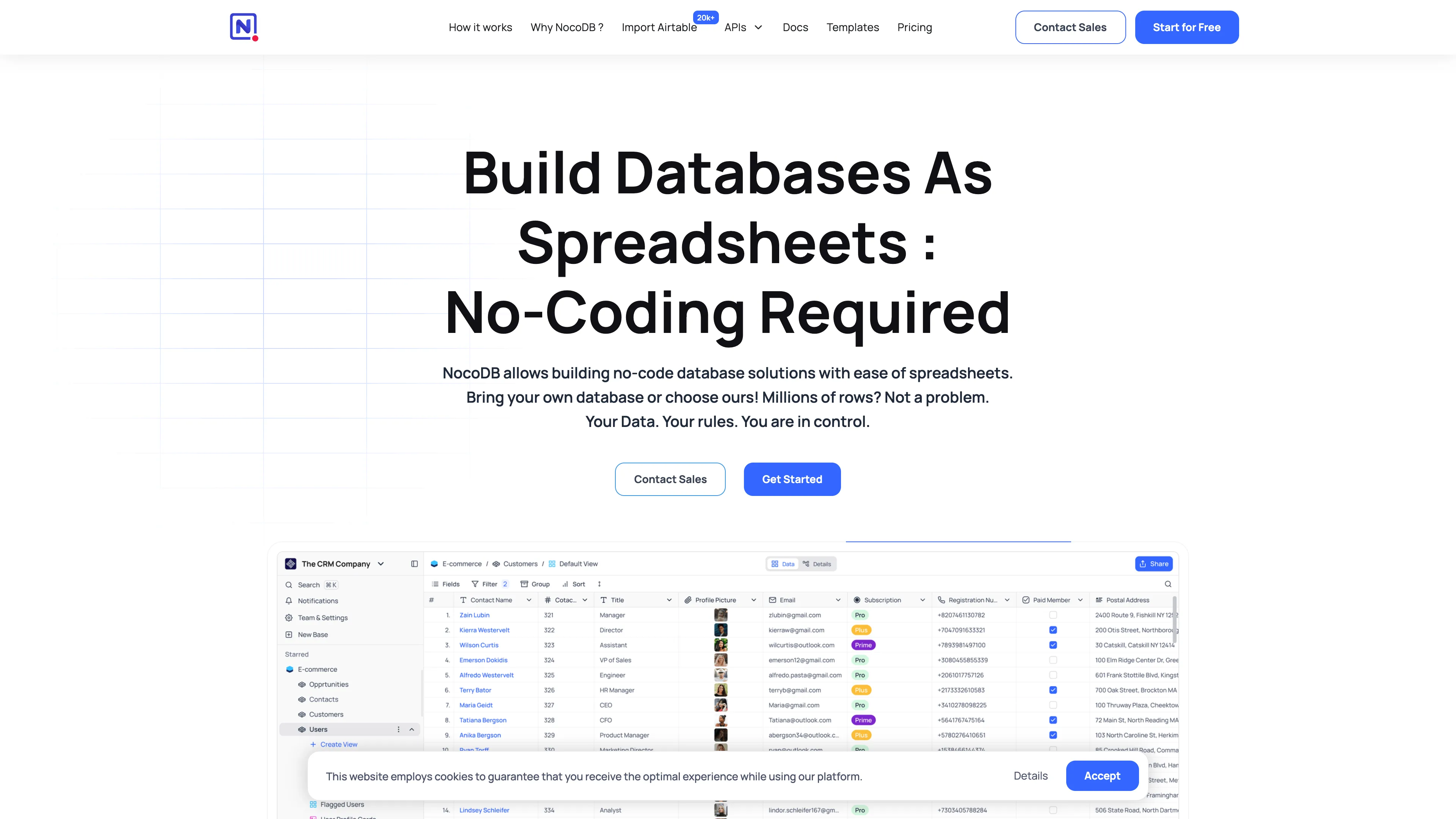
Turn relational data into collaborative tables, views, and forms with NocoDB on Sealos. Start with persistent SQLite storage or select managed PostgreSQL.
Launch in your Sealos workspace.
Start with the resources defined by the NocoDB template. Review CPU, memory, persistent storage, and network allocations for every service in Canvas. Capacity needs depend on your data and workload; monitor usage as they grow.
Template configuration and setupUse the application URL or connection details shown in Canvas. Follow the deployment guide for first-time account setup or client configuration, and keep generated credentials available for that step.
Sealos monthly plans include compute, memory, storage, and traffic. Size your plan for all deployed services. Software licenses and external AI or API services may have separate terms and charges. Confirm the applicable plan and optional charges in Cost Center.
Compare Sealos resource plansFor current cloud charges, refer to Sealos plan pricing. Upstream documentation may reference earlier billing models.
NocoDB turns databases into collaborative smart spreadsheets and no-code applications. This template deploys NocoDB with persistent storage plus optional Sealos-managed PostgreSQL and S3-compatible object storage.
NocoDB provides a spreadsheet-style interface for building tables, views, forms, automations, and lightweight internal tools on top of relational data. It is commonly used as an open-source Airtable alternative for teams that want database-backed collaboration without writing a custom admin interface.
This Sealos template runs the NocoDB web service from the pinned nocodb/nocodb:2026.06.2 image with the official 1024Mi minimum memory. The default configuration keeps the SQLite metadata database and attachments on the persistent /usr/app/data volume. Independent deployment options can provision a PostgreSQL postgresql-16.4.0 cluster for metadata and a private Sealos Object Storage bucket for attachments.
The Sealos template includes the NocoDB runtime, persistent application storage, HTTPS ingress, and optional managed data services.
Architecture Components:
8080postgresql-16.4.01Gi volume mounted at /usr/app/data for SQLite and local attachmentsConfiguration:
use_postgresql controls the independent PostgreSQL branch. NocoDB uses SQLite on /usr/app/data when the option is disabled.enable_s3_storage controls the independent Sealos Object Storage branch. NocoDB uses local attachment storage when the option is disabled.NC_DB is assembled from the Kubeblocks PostgreSQL connection secret when PostgreSQL is enabled.NC_SITE_URL is set to the generated Sealos HTTPS URL.NC_ADMIN_EMAIL and NC_ADMIN_PASSWORD initialize the first admin account.License Information:
NocoDB is available under the GNU Affero General Public License v3.0. Review the upstream repository for current licensing details.
Sealos is an AI-assisted Cloud Operating System built on Kubernetes that unifies the entire application lifecycle, from development in cloud IDEs to production deployment and management. It is ideal for running modern web applications and database-backed tools. By deploying NocoDB on Sealos, you get:
NC_ADMIN_EMAIL: initial admin email address.NC_ADMIN_PASSWORD: required initial admin password with at least 8 characters, an uppercase letter, a number, and a special character.use_postgresql: enable the Sealos-managed PostgreSQL metadata database. The default SQLite database persists on the application volume.enable_s3_storage: enable Sealos Object Storage for attachments. The default local attachment storage persists on the application volume./signin page./signin with the configured NC_ADMIN_EMAIL and NC_ADMIN_PASSWORD values.After deployment, you can configure NocoDB through:
To adjust resources:
The template uses a conservative single-replica deployment with persistent storage. Review NocoDB upstream guidance before changing replica count.
Confirm that you are using the exact NC_ADMIN_EMAIL and NC_ADMIN_PASSWORD entered during deployment. The template initializes this account on first start.
NocoDB may take a few minutes during the first cold start. The PostgreSQL option adds database provisioning and metadata initialization time. Wait for the NocoDB StatefulSet to show Ready in the Sealos Canvas.
NocoDB is licensed under AGPL-3.0. See the upstream project for details.
A shorter path from an app you want to an app you can run. Sealos brings deployment and ongoing operations into one place.
Start with a ready-made template. Review its configuration and launch from the Sealos console.
Run on managed infrastructure with built-in workload scheduling and recovery.
Give your application a public HTTPS endpoint with certificates managed for you.
Keep application data on persistent volumes across container restarts.
Adjust CPU, memory, and replicas from the console as your workload changes.
Sealos provisions the resources defined by your template and brings them together in your workspace.
Container workloads with configurable CPU, memory, and replicas.
An address for your app, with managed TLS certificates.
A database provisioned alongside your app when the template calls for one.
Storage for the files and data your application needs to keep.
Application settings and secrets configured in one place.
Inspect container logs and resource usage from the console.
Resources and their configuration vary by template. Review the deployment form for this app’s exact setup.
Explore more production-ready templates.
Build production-ready database templates with Sealos.
Open source business intelligence and analytics platform for dashboards, SQL exploration, and self-service reporting.
Build production-ready database templates with Sealos.

Teable is a Super fast, Real-time, Professional, Developer friendly, No-code database built on Postgres.
Build production-ready database templates with Sealos.

Bytebase is GitLab/GitHub for Database DevOps, built for developers, DBAs and platform teams.