Deploy and Host MindsDB on Sealos
MindsDB is an open-source AI query engine for building AI-powered applications over connected data. This template deploys MindsDB with PostgreSQL-backed metadata storage, persistent application storage, local authentication, and optional Sealos Object Storage on Sealos Cloud.
About Hosting MindsDB
MindsDB provides a web studio, SQL editor, REST API, MySQL-compatible API, data integrations, agents, jobs, and knowledge base workflows. You can connect data sources, query them with SQL, configure AI models, and build applications that answer questions or automate work over your data.
This Sealos template runs the official mindsdb/mindsdb:v26.1.0 image as a StatefulSet. It also provisions KubeBlocks PostgreSQL 16.4, creates the mindsdb and kb databases, enables the vector extension in the kb database, and mounts persistent storage at /mindsdb/var.
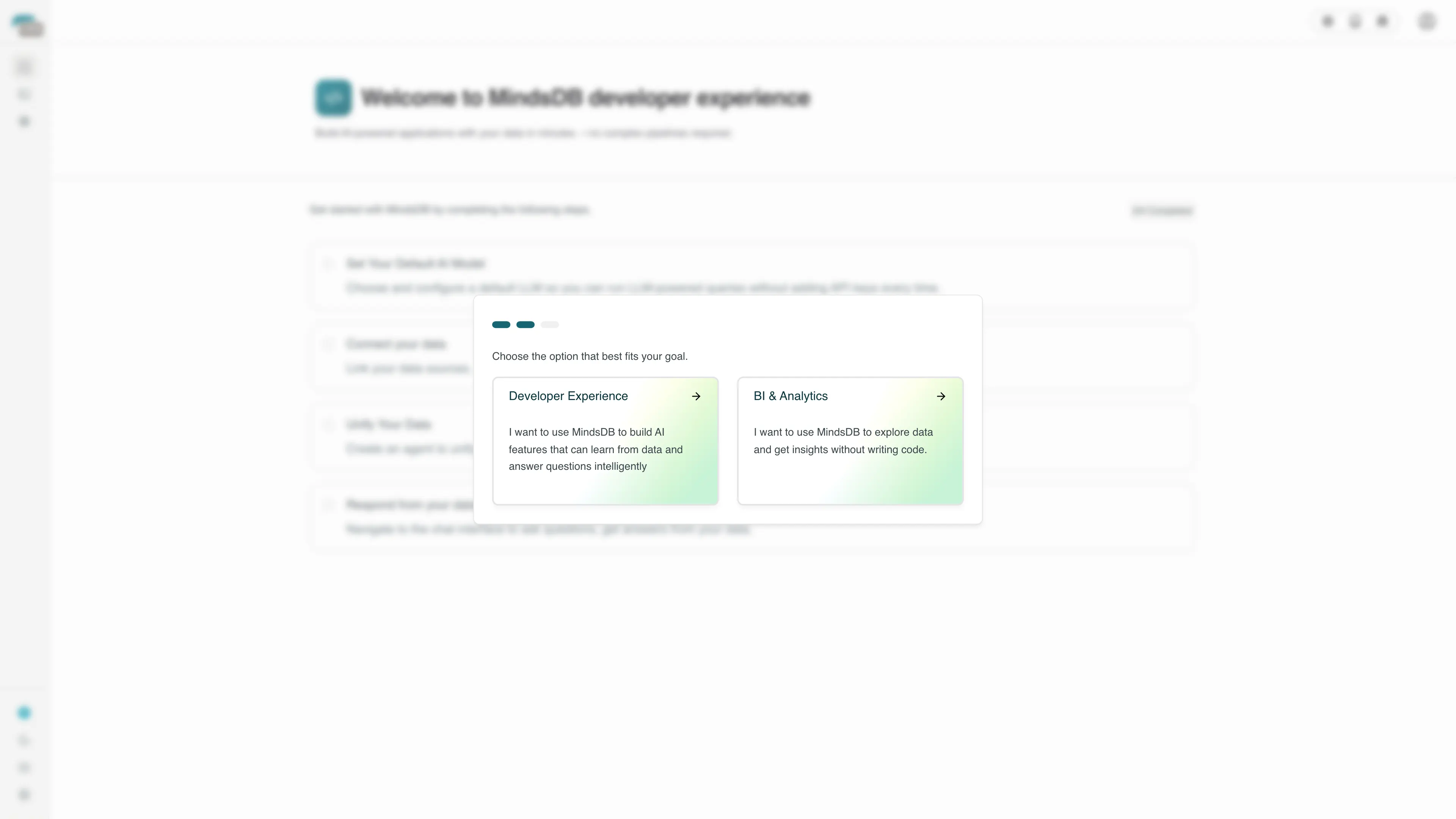
Authentication is enabled with the official MINDSDB_USERNAME and MINDSDB_PASSWORD environment variables. After deployment, open the generated public URL, sign in with the configured credentials, accept the first-run policies, and choose an onboarding path before using the studio.
Common Use Cases
- AI Query Engine: Connect business data sources and query them through MindsDB SQL.
- Semantic Search: Build knowledge bases and search over structured or unstructured content.
- Data-Aware Agents: Create agents that answer questions and execute workflows over connected data.
- Integration Gateway: Expose connected systems through a common SQL, REST, and MySQL-compatible interface.
- Self-Hosted AI Platform: Run MindsDB in your own Sealos workspace with managed Kubernetes primitives.
Dependencies for MindsDB Hosting
The Sealos template includes MindsDB, PostgreSQL 16.4, a PostgreSQL initialization Job, persistent storage, a Kubernetes Service, an HTTPS Ingress, and a Sealos App entry. Optional Sealos Object Storage can be enabled for MindsDB permanent file storage.
Deployment Dependencies
Implementation Details
Architecture Components:
This template deploys the following services:
- MindsDB Application: Runs
mindsdb/mindsdb:v26.1.0 and serves the web studio, REST API, and MySQL-compatible API.
- PostgreSQL: KubeBlocks-managed PostgreSQL 16.4 database for MindsDB metadata and knowledge base storage.
- PostgreSQL Init Job: Waits for PostgreSQL readiness, retries database creation during first boot, creates
mindsdb and kb, and enables vector in the kb database.
- Persistent Volume: A
1Gi volume mounted at /mindsdb/var for local runtime files, GUI assets, cache, logs, and uploaded content when local storage is selected.
- Optional Object Storage: A Sealos
ObjectStorageBucket for S3-compatible permanent file storage when use_object_storage is enabled.
- Ingress and App Entry: Sealos exposes MindsDB through an HTTPS URL and creates a dashboard entry for direct access.
Configuration:
The template asks for:
admin_username: Administrator username for the web UI and REST API.admin_password: Administrator password for the web UI and REST API. A strong generated default is provided and can be replaced before deployment.use_object_storage: Enable Sealos Object Storage for S3-compatible permanent file storage. Leave it disabled to use the persistent volume.
MindsDB runs with MINDSDB_APIS=http,mysql. The web UI and REST API are exposed on port 47334, while the MySQL-compatible API is available inside the cluster on port 47335. PostgreSQL credentials are injected from the Sealos-managed KubeBlocks connection secret.
When Object Storage is enabled, an init container writes a MindsDB configuration file with the Sealos bucket, access key, secret key, and internal S3 endpoint before the main container starts.
License Information:
MindsDB is open source under the upstream project license. This Sealos template is deployment configuration for running MindsDB on Sealos Cloud.
Why Deploy MindsDB on Sealos?
Sealos is an AI-assisted Cloud Operating System built on Kubernetes that unifies the application lifecycle from deployment to production operations. By deploying MindsDB on Sealos, you get:
- One-Click Deployment: Deploy MindsDB, PostgreSQL, persistent storage, networking, and the App entry from one template.
- Kubernetes-Native Runtime: Run MindsDB on managed Kubernetes primitives with internal service discovery.
- Persistent Storage Included: Keep application files and metadata available across restarts.
- Managed Database Setup: Create PostgreSQL resources, required databases, and pgvector support automatically.
- Optional Object Storage: Use a Sealos-managed S3-compatible bucket for MindsDB permanent file storage.
- Instant Public Access: Get an automatic HTTPS URL for the web studio and REST API.
- Measured Startup Resources: Start from a live-tested
200m CPU and 1024Mi memory limit for the MindsDB container.
Deploy MindsDB on Sealos to run a self-hosted AI query and automation platform without managing Kubernetes manifests manually.
Deployment Guide
- Open the MindsDB template and click Deploy Now.
- Configure the parameters in the popup dialog:
admin_username: the username for MindsDB login.admin_password: the password for MindsDB login. You can keep the generated default or replace it with a strong password.use_object_storage: enable it to use Sealos Object Storage, or leave it disabled to use the persistent volume.
- Wait for deployment to complete, typically 3-5 minutes. The first cold start can take longer while PostgreSQL initializes, the init Job creates databases, MindsDB applies migrations, and the web GUI assets are prepared.
- Open the generated public URL:
- The root path redirects to
/local-login when local authentication is enabled.
- Sign in with
admin_username and admin_password.
- On first login, check the policy consent box, click Accept & Continue, then choose Developer Experience or BI & Analytics in the onboarding dialog.
- Use SQL editor, Chat with your data, or Settings from the left navigation.
- For REST API access, use the same HTTPS App root URL as the Web UI for endpoints such as
/api/login, /api/status, and /api/sql/query. Workloads inside the same namespace can use the internal Service on port 47335 for the MySQL-compatible API.
Configuration
After deployment, you can configure MindsDB through:
- MindsDB Web UI: Sign in with the configured administrator credentials, connect data sources, install integrations, configure AI models, run SQL, and manage knowledge bases.
- REST API: Call
/api/login to obtain a token, then use authenticated endpoints such as /api/sql/query.
- Sealos AI Dialog: Describe environment, storage, or resource changes and let AI apply updates.
- Resource Cards: Click the StatefulSet, PostgreSQL Cluster, Ingress, Service, persistent volume, or Object Storage cards in Canvas to inspect and adjust settings.
Scaling
MindsDB is memory-intensive during cold start because it applies migrations, starts multiple APIs, and downloads or prepares web GUI assets. The template uses a 1024Mi memory limit based on live cold-start testing on Sealos.
- Open the Canvas for your MindsDB deployment.
- Click the MindsDB StatefulSet resource card.
- Increase memory first when startup, integration installation, query workloads, or knowledge base workloads become heavier.
- Increase CPU when concurrent SQL queries, agents, or API traffic grow.
- Apply changes through the dialog and monitor readiness from the Canvas.
For production workloads with many integrations, large file uploads, active agents, or active knowledge bases, plan additional memory and storage capacity.
Troubleshooting
Login fails
- Cause: The entered credentials differ from
admin_username and admin_password.
- Solution: Use the deployment values, or update
MINDSDB_USERNAME and MINDSDB_PASSWORD on the StatefulSet and restart the pod.
First login shows a policy or onboarding dialog
- Cause: MindsDB Studio requires first-run policy consent and onboarding selection.
- Solution: Check the consent box, click Accept & Continue, then choose either Developer Experience or BI & Analytics.
Startup takes several minutes
- Cause: PostgreSQL initialization, database creation, MindsDB migrations, API startup, and GUI asset preparation happen during the first cold start.
- Solution: Wait for the StatefulSet pod to become ready. Increase memory if the pod is OOMKilled during startup.
PostgreSQL init Job retries during first boot
- Cause: KubeBlocks PostgreSQL may still be finalizing bootstrap objects when custom databases are created.
- Solution: The template retries database creation and verifies the final database state before MindsDB starts.
Knowledge base vector storage
- Cause: MindsDB knowledge bases use
KB_PGVECTOR_URL.
- Solution: The template creates the
kb database and attempts to enable the vector extension. If startup or knowledge base workloads fail, inspect the PostgreSQL init Job logs and confirm pgvector extension availability in your Sealos PostgreSQL environment.
Getting Help
Additional Resources
License
This Sealos template is provided under the repository's template license. MindsDB itself is licensed under the upstream project license.