Deploy and Host LobeHub on Sealos
LobeHub is an open-source AI workspace for chat, agents, knowledge bases, multimodal files, and model provider management. This template deploys LobeHub 2.2.10 with PostgreSQL, Redis, private S3-compatible object storage, and Better Auth on Sealos Cloud.
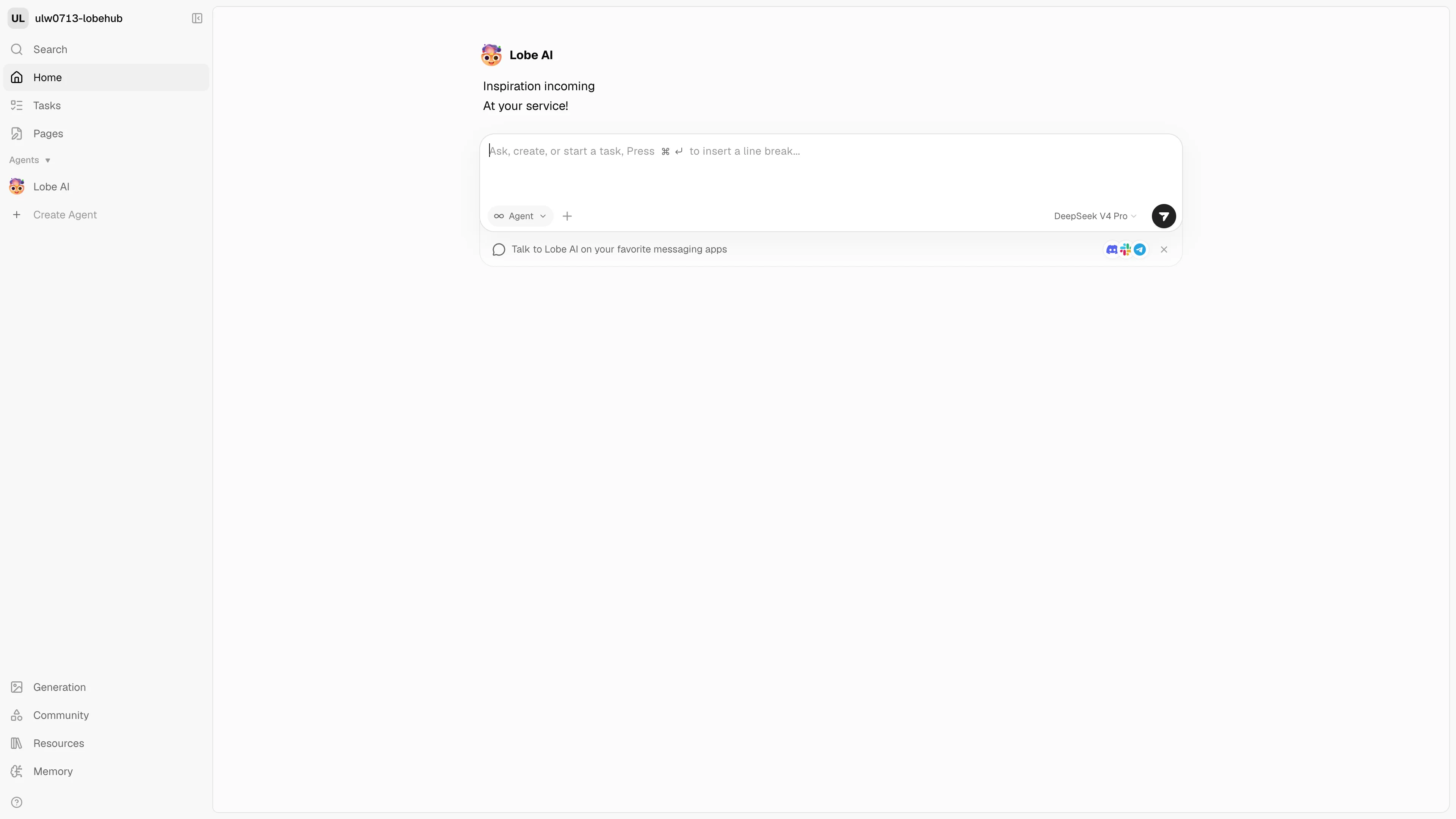
About Hosting LobeHub
The server database edition stores accounts, sessions, conversations, agents, settings, and knowledge data in PostgreSQL. Redis provides shared authentication sessions and application caches, while Sealos Object Storage holds uploaded files and knowledge-base assets.
LobeHub 2.x uses Better Auth with built-in email and password registration. The template keeps email verification and magic-link login disabled because those flows require an SMTP provider.
Common Use Cases
- Private AI Workspace: Run a persistent chat and agent environment for an individual or team.
- Knowledge Work: Upload files, create knowledge bases, and use them in conversations.
- Provider Management: Configure OpenAI-compatible and other model providers from one interface.
- Shared Sessions: Keep authenticated sessions available through Redis-backed secondary storage.
Dependencies for LobeHub Hosting
The template provisions all runtime dependencies used by the supported Sealos topology:
- LobeHub
lobehub/lobehub:2.2.10
- KubeBlocks PostgreSQL 16.4.0 with the official ParadeDB
pg_search 0.24.2 extension package
- KubeBlocks Redis 7.2.7 with Sentinel
- Sealos-managed private S3-compatible object storage
- Sealos Service, HTTPS Ingress, and App entry
Deployment Dependencies
Implementation Details
The app listens on port 3210, runs official database migrations during startup, and uses DATABASE_DRIVER=node. PostgreSQL supplies the vector and pg_search extensions required by current migrations and full-text search.
The PostgreSQL pod downloads the official Ubuntu package for pg_search 0.24.2 on its first start, verifies its pinned SHA-256 digest and package structure, and caches the extracted library and SQL files on the database data volume. A Patroni callback updates the KubeBlocks-managed PostgreSQL configuration; KubeBlocks then performs the required restart before the LobeHub migration container creates and verifies the extension. Later pod replacements reuse the verified cached package.
The template composes DATABASE_URL and REDIS_URL from KubeBlocks-managed credentials. Sealos injects the S3 endpoint, bucket, access key, and secret key from the managed ObjectStorageBucket.
Each installation needs its own private RS256 key pair for OIDC and internal JWT authentication. On the first application start, the template generates a 2048-bit RSA JWKS with Node.js, validates its private-key fields, and stores it in the deployment's PostgreSQL database. A PostgreSQL advisory lock makes concurrent replicas converge on the same key. Later restarts and replicas load the stored value before running the official LobeHub launcher, and the deployment form contains only operational inputs.
The JWKS is backed up and restored with the LobeHub database. Restoring application data and authentication state therefore preserves the signing identity used by existing JWT workflows.
Why Deploy LobeHub on Sealos?
Sealos combines Kubernetes application orchestration, managed databases, object storage, HTTPS networking, and lifecycle operations in one deployment surface. The template starts with one LobeHub replica and uses shared PostgreSQL, Redis, and S3 services that support later application scaling.
Deployment Guide
- Open the LobeHub template and click Deploy Now.
- Optionally restrict registration with
AUTH_ALLOWED_EMAILS and configure OpenAI-compatible model inputs. The template generates and persists JWKS_KEY automatically.
- Wait for PostgreSQL, Redis, object storage, and LobeHub migrations to become ready, typically 2-3 minutes.
- Open the generated LobeHub HTTPS URL from Canvas.
Registration and Login
- Open the generated LobeHub URL and choose Sign up.
- Register with an email address and password.
- Sign in with the same account.
- Select the interface language, confirm your display name, and choose interest areas in the first-use flow.
- Open Home for the agent workspace or Resources to create a knowledge library and upload files.
An empty AUTH_ALLOWED_EMAILS value permits open email registration. A comma-separated list filters the email strings accepted during registration. This filter does not verify email ownership because the template keeps SMTP-backed verification disabled. Use a configured SMTP flow with AUTH_EMAIL_VERIFICATION=1 or an external SSO provider when verified identity is required.
Configuration
- AI Dialog: Describe resource or environment changes in Canvas.
- Resource Cards: Adjust the LobeHub replica count or resource limits.
- JWKS Lifecycle: Keep the PostgreSQL data volume when restarting, upgrading, or scaling LobeHub so every replica uses the same signing key.
- Provider Settings: Add chat and embedding model credentials after signing in. File storage works immediately; knowledge indexing starts after an embedding provider is configured.
- SearXNG: Supply an external
SEARXNG_URL when web search is required.
- Marketplace: Agent and task recommendations use the external LobeHub Market service and require outbound access to
market.lobehub.com.
Resource Sizing
The tested baseline assigns LobeHub 500m CPU and 1024Mi memory. Authenticated Home and Resources workflows used about 468Mi after registration and file upload. A 512Mi candidate reached the V8 heap limit and restarted, which establishes 1024Mi as the minimum stable Sealos resource tier for this release. Each KubeBlocks database component uses 500m CPU and 512Mi memory.
Troubleshooting
Database Migration Fails
The first database start downloads about 67 MiB for pg_search and triggers one managed PostgreSQL replacement. Healthy startup shows pg_search 0.24.2 in PostgreSQL and database migration pass in the application log.
Registration Fails
Verify that the email matches AUTH_ALLOWED_EMAILS when the field contains a restriction.
JWT or Internal Authentication Fails
Healthy first-start logs contain Generated and stored a deployment-specific JWKS. Later restarts contain Loaded deployment-specific JWKS from PostgreSQL. Restore the PostgreSQL data volume from the matching application backup when recovering an existing deployment so its signing identity remains consistent.
File Upload Fails
Verify that the ObjectStorageBucket and its generated credential secrets are ready before restarting LobeHub.
Knowledge File Shows an Embedding Error
Configure an embedding-capable model provider in LobeHub settings, then retry the file. The uploaded source file remains in Sealos Object Storage while indexing waits for valid model credentials.
Marketplace Recommendations Return 403
The optional Agent Market and daily task recommendations call market.lobehub.com. During validation, Cloudflare returned HTTP 403 for the Sealos region's outbound IP while the same endpoint returned HTTP 200 from another network. Use an outbound path accepted by the public service or set MARKET_BASE_URL to an authorized self-hosted Market endpoint. Chat, Tasks, Pages, Resources, and Memory continue to use the local LobeHub services.
Additional Resources
License
LobeHub is released under its repository license. This Sealos template is provided under the template repository license.