sealos.io
Chrome
Build production-ready tools templates with Sealos.

https://www.google.com/chrome/deploy now
Chrome
Tools
Google Chrome browser running in a LinuxServer.io Selkies container with a web-based desktop UI.

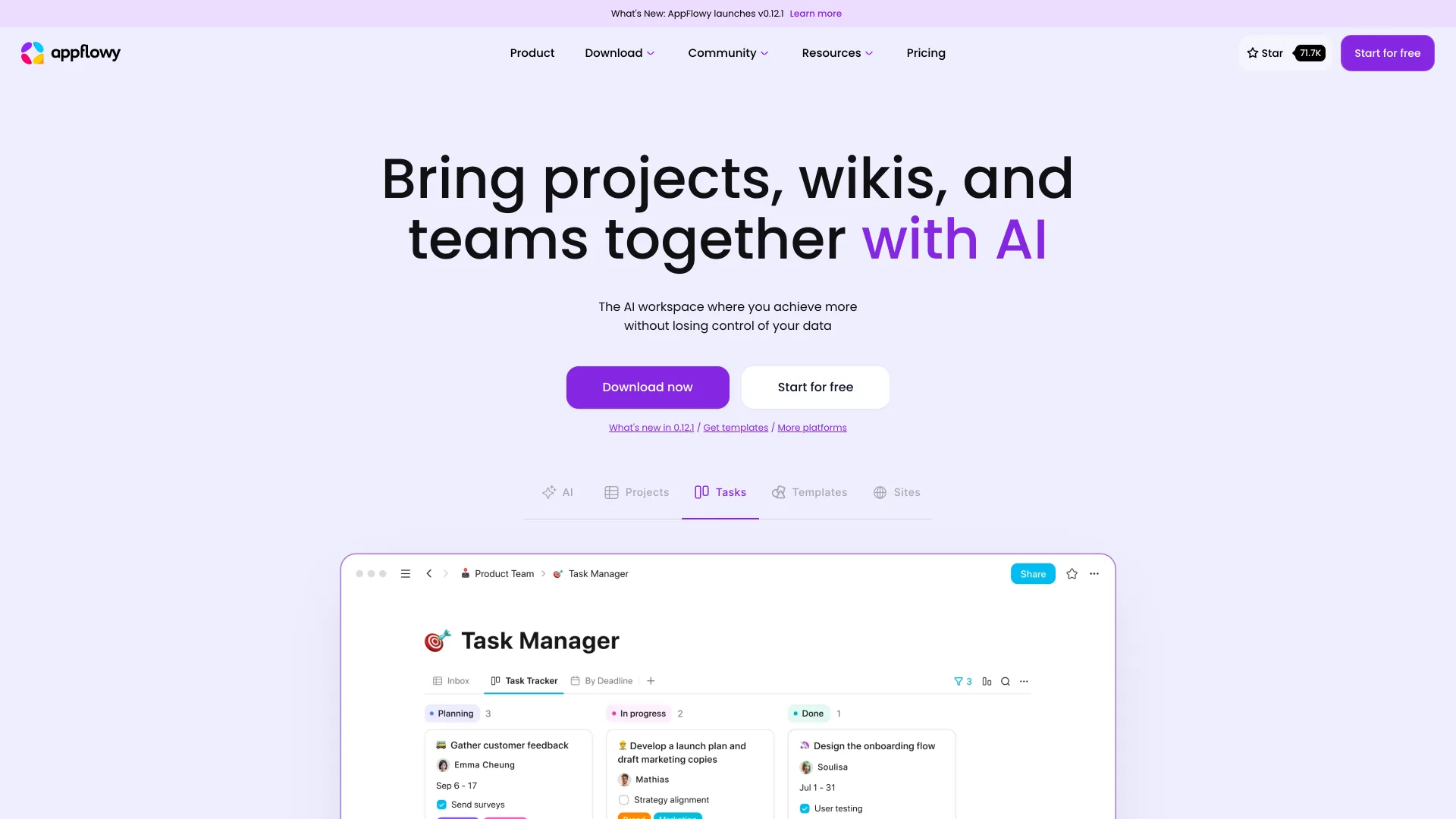
Open-source collaborative workspace with docs, databases, boards, real-time sync, and self-hosted AppFlowy Cloud services.
Launch in your Sealos workspace.
Start with the resources defined by the AppFlowy template. Review CPU, memory, persistent storage, and network allocations for every service in Canvas. Capacity needs depend on your data and workload; monitor usage as they grow.
Template configuration and setupUse the application URL or connection details shown in Canvas. Follow the deployment guide for first-time account setup or client configuration, and keep generated credentials available for that step.
Sealos monthly plans include compute, memory, storage, and traffic. Size your plan for all deployed services. Software licenses and external AI or API services may have separate terms and charges. Confirm the applicable plan and optional charges in Cost Center.
Compare Sealos resource plansFor current cloud charges, refer to Sealos plan pricing. Upstream documentation may reference earlier billing models.
AppFlowy is an open-source collaborative workspace for documents, databases, boards, and real-time team collaboration. This template deploys AppFlowy Cloud 0.16.5, Admin Frontend 0.16.5, AppFlowy Web 0.15.5, AppFlowy Search 0.16.3, and their managed dependencies on Sealos.
AppFlowy provides a Notion-style workspace with pages, rich text editing, team workspaces, and structured knowledge management. The hosted Web client connects to AppFlowy Cloud for workspace data, authentication, collaboration APIs, WebSocket sync, and background import/export jobs.
PostgreSQL is provisioned through KubeBlocks with pgvector enabled, and Redis is provisioned through KubeBlocks for cache and background job coordination. File storage uses a managed Sealos Object Storage bucket through a private S3 compatibility proxy.
The runtime includes Web, Admin Frontend, Cloud, Worker, Search, GoTrue, PostgreSQL, Redis, and S3-compatible object storage. Sealos creates separate Canvas entries for the workspace UI and the system administration console while routing both through the same main application hostname. The optional AppFlowy AI service remains outside this deployment footprint.
The Sealos template includes all required runtime dependencies:
This template deploys the following services:
/console/login on the main application host.Sealos creates two Canvas App entries. The main hostname uses path-based Ingress routing, so several Ingress resources can share one public domain and forward each path to its matching service.
| Entry or route | URL pattern | Purpose |
|---|---|---|
| AppFlowy | https://<app-host>/ | Workspace registration, login, and the Web application |
| AppFlowy Admin | https://<app-host>/console/login | System administration console |
| Cloud API | https://<app-host>/api | AppFlowy Web and Admin API requests |
| WebSocket | wss://<app-host>/ws | Real-time document and workspace synchronization |
| GoTrue | https://<auth-host>/ | Authentication API used by AppFlowy Web and Admin |
The exact /api/admin/health/postgresql route is a compatibility endpoint used by the Admin health page. It forwards the request to AppFlowy Cloud's PostgreSQL health handler.
The AppFlowy Web client receives the public application, authentication, and WebSocket URLs at startup. The Admin Frontend receives the public application URL and the internal GoTrue service URL, then serves its login shell while Cloud and GoTrue complete their independent startup.
The Cloud, Worker, and Search services use internal Kubernetes service discovery for PostgreSQL, Redis, and GoTrue. Their init containers wait for the required data services and migration state before launching application processes. The Redis endpoint is wired to the KubeBlocks Redis data service generated by this template.
Backend S3 traffic passes through a pinned private OpenResty compatibility proxy while browser-facing presigned URLs use the public HTTPS endpoint. The proxy adds the required Content-MD5 header to multi-object cleanup requests before forwarding them to Sealos Object Storage. Search uses the existing managed bucket with bucket creation disabled and runs real-time keyword workers; the optional background indexing pass stays disabled in the minimum resource profile.
AppFlowy Cloud exposes /api/ready for startup, liveness, and readiness checks. GoTrue remains a separate authentication API with a public client endpoint and an internal service endpoint.
The template was live-tested and tuned to the following minimal resource profile:
| Component | CPU limit | Memory limit | Storage |
|---|---|---|---|
| AppFlowy Web | 100m | 256Mi | - |
| AppFlowy Admin | 100m | 128Mi | - |
| GoTrue | 100m | 128Mi | - |
| AppFlowy Cloud | 100m | 256Mi | - |
| AppFlowy Worker | 100m | 128Mi | - |
| AppFlowy Search | 100m | 128Mi | 1Gi |
| PostgreSQL | 500m | 512Mi | 1Gi |
| Redis data node | 500m | 512Mi | 1Gi |
| Redis Sentinel | 500m | 512Mi | 1Gi |
| Sealos S3 compatibility proxy | 100m | 128Mi | - |
Live workspace registration, administrator login, user search, server health checks, page creation, editing, search, authenticated object upload/read/delete, and clean 60-second stability windows selected these minimum tiers. Web and Cloud both reached the 128Mi ceiling and use the 256Mi tier. For larger teams, increase AppFlowy Cloud memory first, then scale PostgreSQL and Redis according to workspace size and traffic.
AppFlowy and AppFlowy Cloud are licensed under the GNU Affero General Public License v3.0. This Sealos template only packages the deployment configuration.
Sealos is an AI-assisted Cloud Operating System built on Kubernetes that unifies the entire application lifecycle, from development in cloud IDEs to production deployment and management. By deploying AppFlowy on Sealos, you get:
/console/login.AppFlowy uses two account flows with separate entry points:
| Purpose | Entry | Credentials |
|---|---|---|
| Create and use workspaces | AppFlowy at https://<app-host>/ | A workspace account registered through AppFlowy Web |
| Manage users and inspect services | AppFlowy Admin at https://<app-host>/console/login | gotrue_admin_email and gotrue_admin_password from deployment |
Existing users sign in from the AppFlowy Web login page with their workspace email and password. New users select password registration from the login page; the route is /login?action=signUpPassword. GoTrue email auto-confirmation is enabled, and AppFlowy Cloud creates the user profile and default workspace before opening /app.
The gotrue_admin_email and gotrue_admin_password values bootstrap the system administrator account. Use these credentials on the AppFlowy Admin login page to manage users, invitations, service health, SAML SSO, AI settings, and environment information. Create a workspace account through AppFlowy Web registration for normal document and workspace access.
The separate GoTrue public hostname is an authentication API endpoint consumed by AppFlowy clients. The AppFlowy Admin Canvas entry provides the browser-based administration interface.
| Parameter | Default | Required | Description |
|---|---|---|---|
gotrue_admin_email | User supplied | Yes | System administrator email for the AppFlowy Admin login page. Use Web registration for workspace users. |
gotrue_admin_password | User supplied | Yes | System administrator password for the AppFlowy Admin login page. Set and save this during deployment. |
After deployment, use the Canvas AI dialog to describe configuration changes or open the relevant resource cards to adjust environment variables and resources. The AppFlowy Admin health page reports PostgreSQL, Redis, S3, Search, GoTrue, AI embedding, and mailer status. AI embedding and mailer checks become healthy after their OpenAI and SMTP settings are configured.
To scale AppFlowy after deployment:
For most installations, increase AppFlowy Cloud and PostgreSQL resources before increasing the Web client resources.
/, /console, /api, and authentication routes use separate Ingress resources so each path reaches the correct service./console/login.gotrue_admin_email and gotrue_admin_password values entered during deployment./login?action=signUpPassword; AppFlowy Cloud initializes the profile and default workspace during this flow./health when authentication service readiness needs inspection./api/ready on the main application URL.This Sealos template is provided under the same repository license as the templates project. AppFlowy and AppFlowy Cloud are licensed under the GNU Affero General Public License v3.0.
A shorter path from an app you want to an app you can run. Sealos brings deployment and ongoing operations into one place.
Start with a ready-made template. Review its configuration and launch from the Sealos console.
Run on managed infrastructure with built-in workload scheduling and recovery.
Give your application a public HTTPS endpoint with certificates managed for you.
Keep application data on persistent volumes across container restarts.
Adjust CPU, memory, and replicas from the console as your workload changes.
Sealos provisions the resources defined by your template and brings them together in your workspace.
Container workloads with configurable CPU, memory, and replicas.
An address for your app, with managed TLS certificates.
A database provisioned alongside your app when the template calls for one.
Storage for the files and data your application needs to keep.
Application settings and secrets configured in one place.
Inspect container logs and resource usage from the console.
Resources and their configuration vary by template. Review the deployment form for this app’s exact setup.
Explore more production-ready templates.
Build production-ready tools templates with Sealos.
Google Chrome browser running in a LinuxServer.io Selkies container with a web-based desktop UI.
Build production-ready tools templates with Sealos.
A privacy-focused, local-first, open-source workspace for notes, docs, whiteboards, and team knowledge management.
Build production-ready tools templates with Sealos.

Run a remote Firefox browser on Sealos and use its graphical interface from your own browser through noVNC. Keep the browsing session in a hosted container.