AI coding tools got very good, very quickly, and a working repository can now appear in an afternoon. Getting that repository into the cloud is still another job.
An application needs a runtime and may also depend on PostgreSQL, Redis, storage, environment variables, service networking, a container image, and a public domain. If the deployment gets stuck, you also need logs and a way to understand what went wrong.
Sealos 2.0 brings those steps into one AI-assisted workflow. Give it a GitHub repository, and Sealos reads the project, builds the image, sets up the services it finds, deploys everything, and gives you a public URL. If something goes wrong during deployment, you can keep talking to the same agent because it already has the project and the running infrastructure in context.
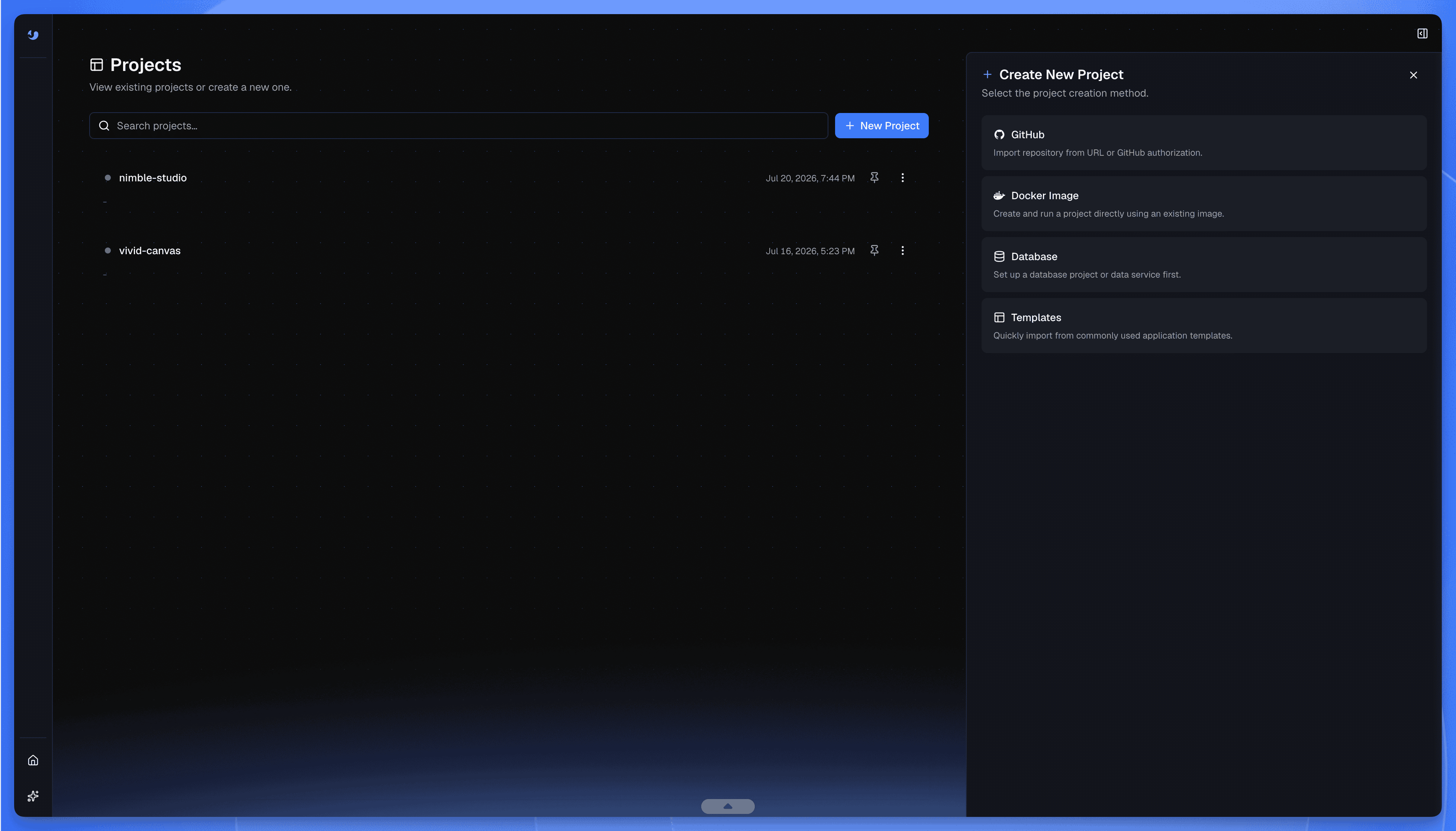 Sealos 2.0 Create New Project menu with GitHub, Docker Image, Database, and Templates
You can also call Sealos from Codex or Claude Code, so the agent that worked on the code can carry that context into deployment.
What happens after you paste a repo
Open the Sealos public beta, connect GitHub, and paste a repository URL.
Sealos checks the project structure, runtime, package manager, start command, ports, environment variables, and external services before cloning the source and building a container image. It then prepares the cloud resources and starts the application.
For a full-stack project, those resources may include a database, cache, persistent storage, private networking, and a public HTTPS address. Everything stays in one project, so you can see how the application and its supporting services fit together.
Repositories are one entry point. Sealos also accepts existing Docker images and application templates. If the data layer comes first, you can begin with a managed database.
Kubernetes runs underneath the platform, while the main view stays focused on the application. Native Kubernetes controls remain available as the project grows.
I tried it on Formbricks
I wanted to see how the beta handled a real open-source application, so I chose Formbricks, a substantial project with several moving parts. I started without knowing how its infrastructure was set up.
After I connected GitHub and pasted the repository URL, Sealos cloned the source and analyzed the project. It found that Formbricks needed PostgreSQL and Redis, then created both services and connected them to the deployment.
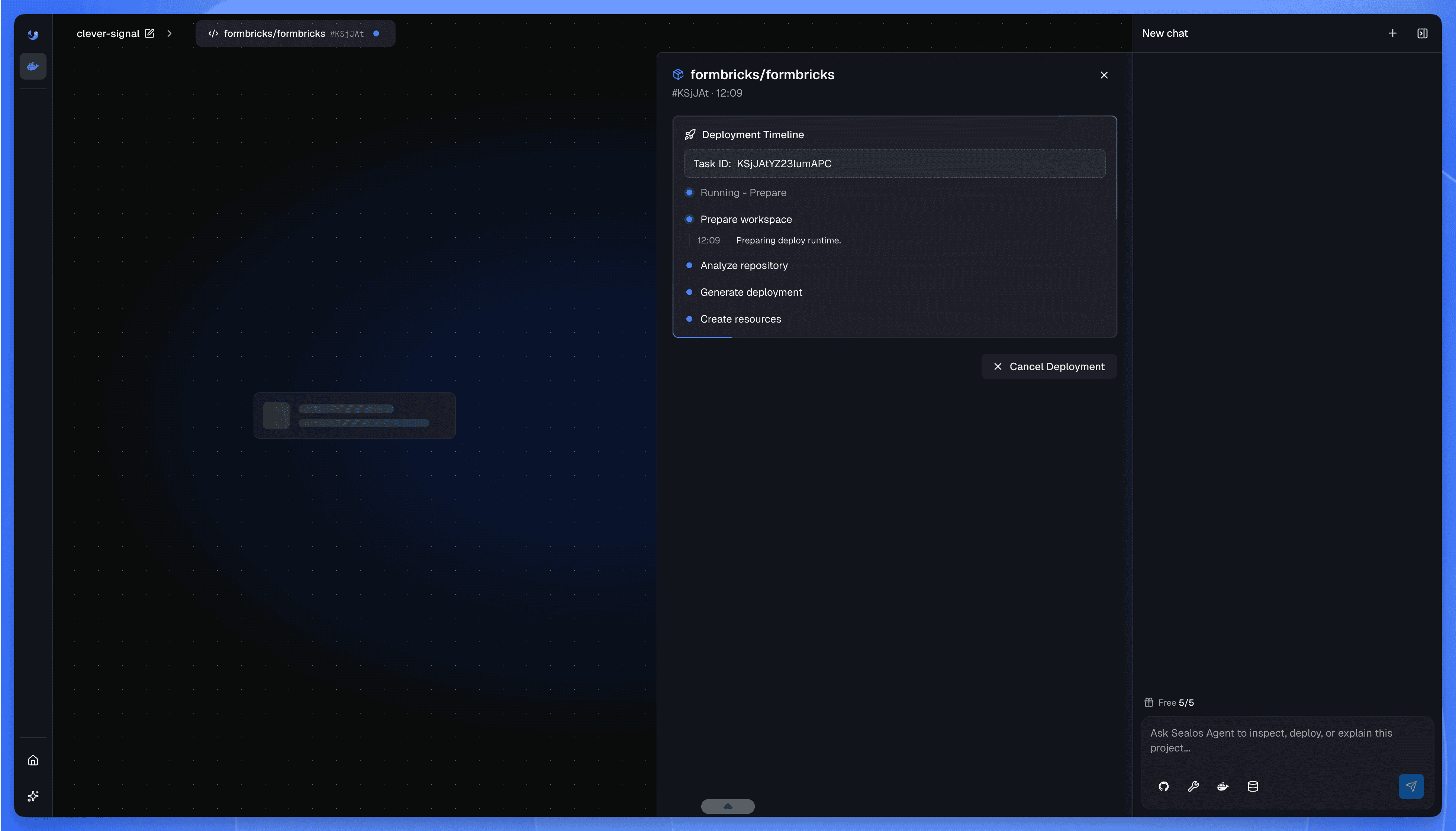 Formbricks deployment timeline in Sealos, from repository analysis to cloud resource creation
The full build and rollout took around 20 minutes. That is the current beta experience for a project of this size, and build speed is one of the areas we are still working on.
One of the containers then remained in the Creating state. A quick deployment often turns into several documentation tabs and a long terminal session at this point. I asked the agent to investigate.
The agent inspected the running resources and found that several environment variables had empty values. It updated the configuration, restarted the affected workload, and moved the container to Running.
After the application came up, I still needed an administrator account, so I asked the agent to create one. It used the managed database workflow to initialize the account and returned the credentials.
Another application error appeared in the logs after I signed in. I passed the error back to the agent, which traced the problem, applied the fix, and got the page working.
What mattered most was being able to move from repository analysis and image building to service setup, database initialization, and application debugging without leaving the same conversation.
Sealos kept the full deployment context: what it had created, what was running, and the changes already made.
A public URL is where Day 2 begins
Getting the first public URL feels great, but real applications quickly move on to new questions.
Which environment variable changed? Why did the new release fail its health check? Is the database reachable? Which container is using the memory? Where did that error begin?
Product demos often stop when the URL appears, while Sealos continues working with the running application. The project view keeps the application, its supporting services, and the current runtime state together, allowing the agent to inspect that state and explain what it finds.
Sealos Skills carries supported changes through defined workflows. The resulting files and deployment state remain available for review. That visibility matters because an agent operating cloud resources should leave receipts.
With Sealos Skills, a deployment can create reviewable artifacts under .sealos/, including the project analysis, build results, and cloud specification. You can inspect what the agent inferred and what it plans to deploy.
AI helps interpret intent and diagnose problems, while Sealos Skills carries out known cloud operations and the developer decides what happens next.
Use Sealos from Codex or Claude Code
Sealos Skills brings the deployment workflow into coding agents.
Install it for Codex:
Install it for Claude Code:
After installation, you can ask Codex to deploy the current repository:
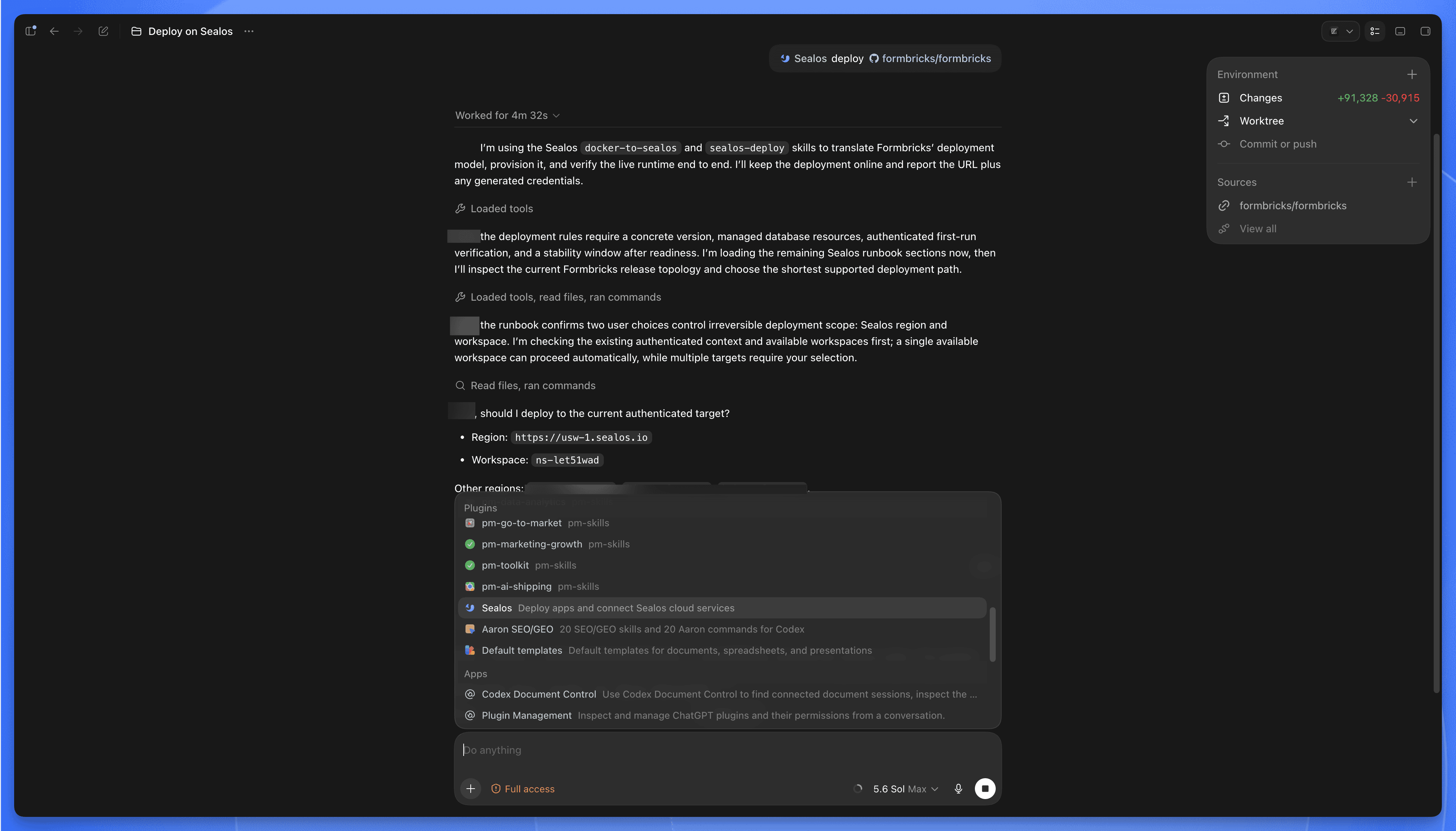 Codex uses Sealos Skills to inspect Formbricks and confirm the deployment target
Use the same request with /sealos in Claude Code:
You can also give it a more specific job:
The plugin checks the project and the local deployment prerequisites, determines whether the task is a first deployment or an update, and then builds or reuses an image while tracking the rollout.
It also writes its working state into the repository. Those files are intentionally boring: cloud changes should leave clear, inspectable records.
This workflow is especially useful when the coding agent already understands the application, including its framework, entry points, and recent code changes. Sealos lets the agent carry that context into the cloud instead of starting again from a blank deployment environment.
The whole app lives in one project
Sealos organizes resources around the application. The runtime can come from a GitHub repository, Docker image, or template, while PostgreSQL, MySQL, MongoDB, and Redis can run alongside it. The same project can also hold persistent storage, internal services, network configuration, and a public endpoint.
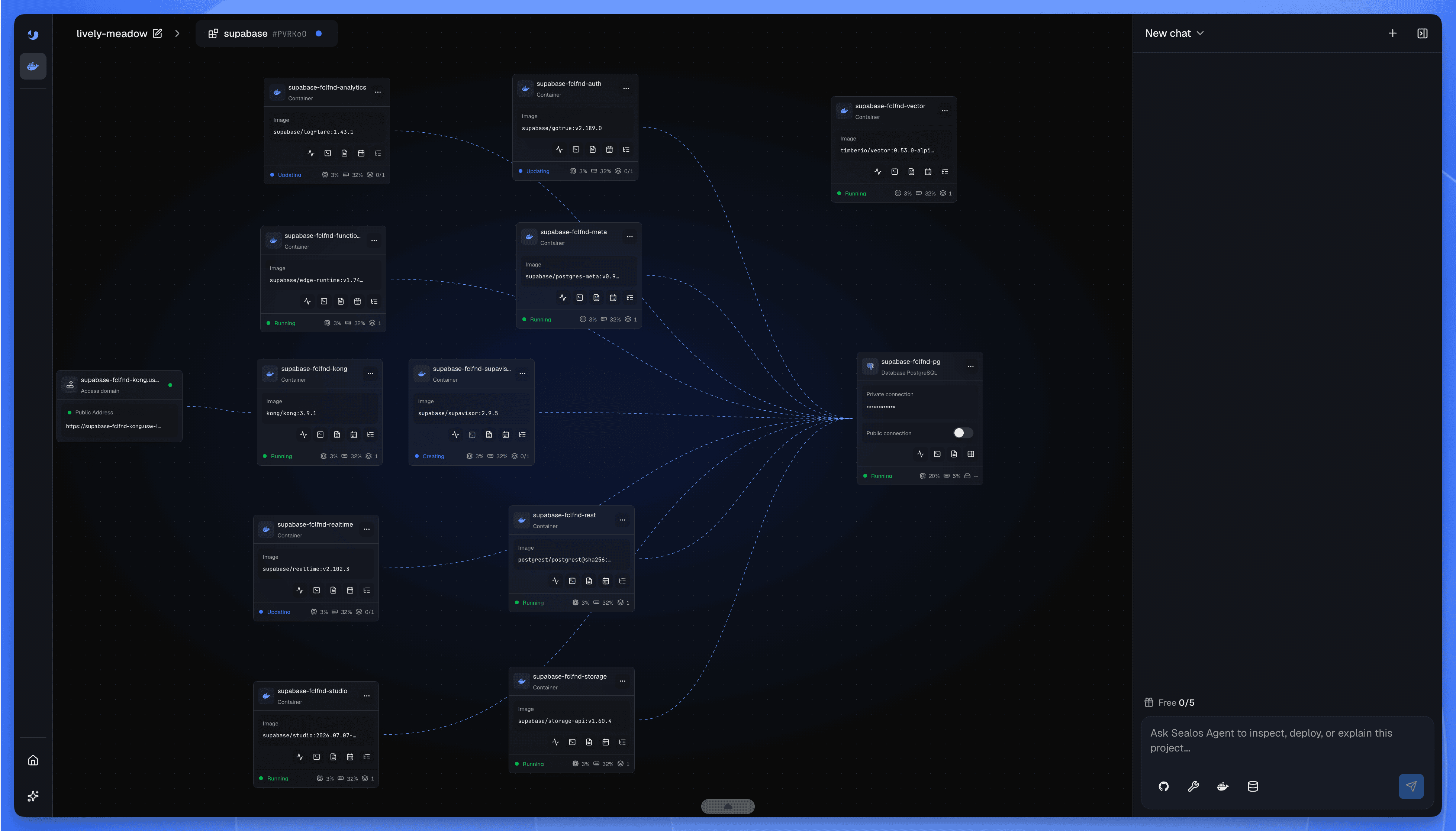 A Supabase project in Sealos with connected containers, PostgreSQL, and a public endpoint
When something changes, you return to the project and continue working from the same application context. This is the idea behind the release: the cloud should feel like part of the application workflow, even when the underlying stack contains several services and Kubernetes resources.
What public beta means
Open Sealos 2.0 and start a project from a repository, container image, application template, or managed database.
Complex repositories take time to analyze and build. Formbricks took around 20 minutes in our test, while a small service may finish sooner and a large monorepo with custom build steps may take longer.
The current release focuses on repository analysis, source-to-image builds, service provisioning, deployment, and interactive troubleshooting. We are improving build performance and fixing issues as beta users bring in more real projects.
New users receive a 7-day free trial, with no credit card required.
Bring a repository you actually care about and either paste it into Sealos or deploy it from your coding agent. See how far the workflow gets, then keep the conversation going when the interesting problems appear.