Next.js + PostgreSQL Full-Stack Deployment Guide on Sealos
Deploy Next.js with PostgreSQL on Sealos in one flow. Use the Sealos plugin to generate app, database, env vars, migrations, and hosting resources.
To deploy Next.js with PostgreSQL on Sealos, use the Sealos plugin once: point it at your GitHub repository, ask for a full-stack deployment, and let it generate the Next.js app resource, PostgreSQL resource, DATABASE_URL, environment variables, migration plan, and Sealos deployment template together.
This is the recommended Next.js PostgreSQL deployment path for teams that want fast setup without manually provisioning infrastructure. Keep the app and database in one workflow unless a special operational reason requires a separate maintenance path. The Sealos plugin should understand the app and database as one deployable system.
Key takeaways
| Question | Short answer |
|---|---|
| Best way to deploy Next.js with PostgreSQL on Sealos? | Use one $sealos deploy ... with PostgreSQL request. |
| Does Sealos create the database too? | Yes. The plugin should generate the PostgreSQL resource as part of the deployment. |
| Who sets the database connection env var? | Sealos should wire the app’s actual database env key, such as DATABASE_URL or POSTGRES_URL, from the generated PostgreSQL resource into the app environment. |
| Should migrations be included? | Yes. Migration behavior belongs in the deployment plan. |
By the end, you will have:
- A Next.js app running on Sealos hosting
- A managed Sealos PostgreSQL database generated as part of the same deployment flow
- the database connection env var wired into the deployed app
- Database migrations handled as part of the rollout plan
- A public HTTPS URL
- A repeatable update path for Next.js production deployment
Prerequisites
You need:
- A Next.js app in GitHub
- PostgreSQL support in the app through Prisma, Drizzle, TypeORM, or direct
pg - A Sealos Cloud account
- The Sealos plugin installed in Codex or Claude Code
- Docker available if the repository does not already provide a reusable linux/amd64 image
- A
.env.examplefile that documents required variables - A migration command, if your app uses schema migrations
The Sealos plugin installs deploy, database, S3, canvas, app-builder, and
supporting cloud-native skills from root skills/**.
Recommended native install for Codex:
Compatibility install for Codex:
Recommended native install for Claude Code:
Compatibility install for Claude Code:
After installation:
- In Codex CLI, use
$sealos - In Codex App, click + → Plugins → Sealos
- In Claude Code, use
/sealos
The correct deployment model
A Next.js app that uses PostgreSQL should be deployed as one full-stack system. Instead of creating a database in one workflow and deploying the app in another, ask the Sealos plugin to generate the application and database resources together.
This keeps the app, database, environment variables, migration command, and generated Sealos template in the same deployment plan. The generated .sealos/template/index.yaml should represent the Next.js app resource, Service, Ingress, PostgreSQL resource, generated database env var, and any user-provided non-database secrets required by the app.
You can still connect an app to an existing database for migrations, imports, or advanced maintenance. For a new Next.js PostgreSQL deployment, start with the one-request Sealos plugin flow.
Example architecture
A typical Next.js hosting setup with PostgreSQL on Sealos looks like this:
The Next.js app should connect to PostgreSQL through the environment variable it already uses. Many apps use DATABASE_URL, but some templates use POSTGRES_URL, POSTGRES_PRISMA_URL, or another Postgres-specific key. The Sealos plan must detect the actual database env key from .env.example and source code, then source that value from the generated PostgreSQL resource during deployment.
Step 1: Make the repo database-ready
Start with an explicit .env.example so the Sealos plugin can classify required inputs and detect the app’s actual database connection key.
For Prisma, the connection key is usually DATABASE_URL:
For Drizzle or hosted Postgres templates, keep the key your app actually reads. For example, some Next.js templates use POSTGRES_URL:
Keep real values out of commits.
Your repo should ignore local env files:
Your package.json should expose the commands needed by deployment and migration.
Prisma example:
Drizzle example:
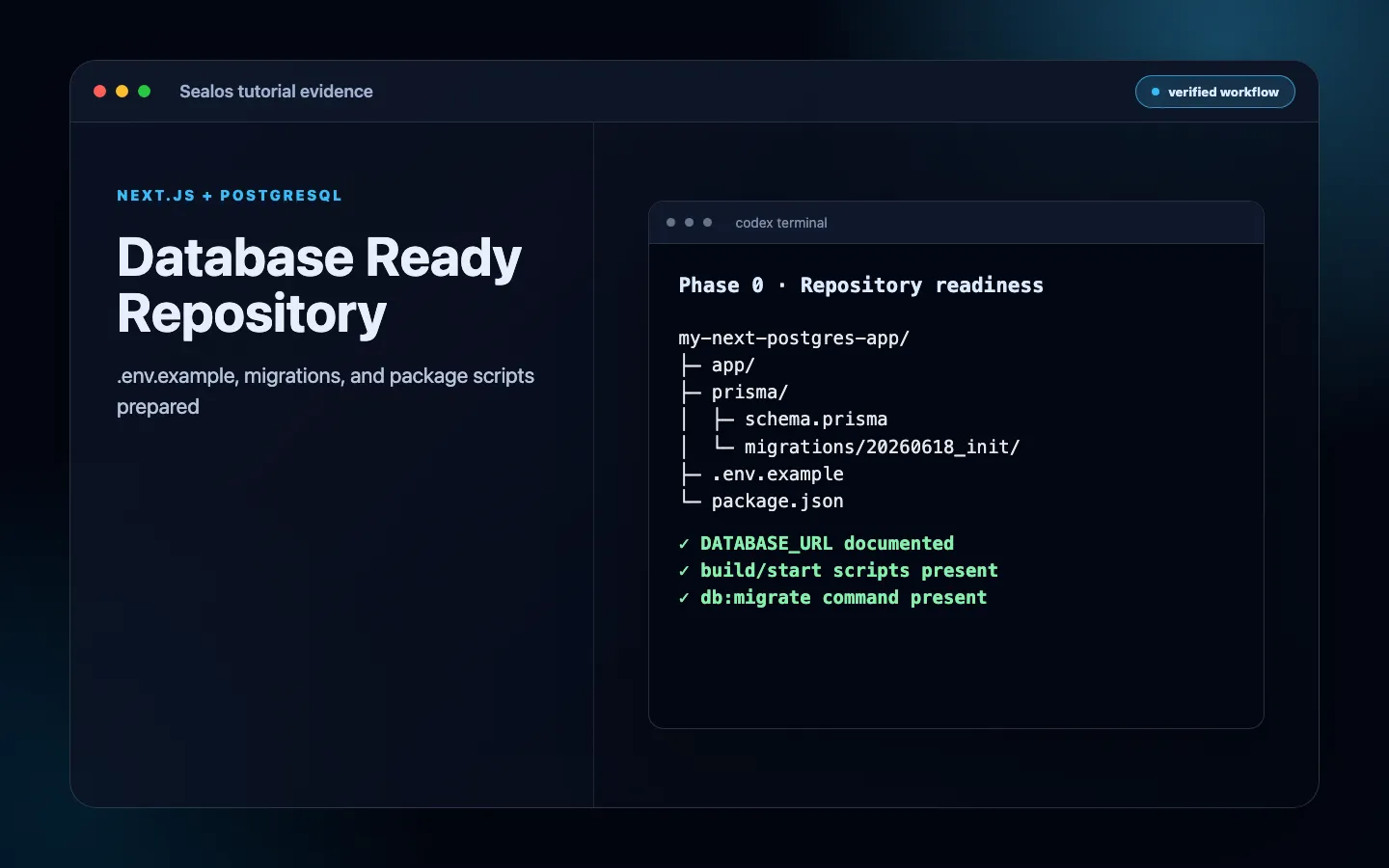 Next.js repo with .env.example, migration folder, and package scripts
Step 2: Ask the Sealos plugin to deploy the full-stack app
Ask Sealos to deploy the repository and include PostgreSQL in the generated resources. The prompt should describe the app as a full-stack deployment, not as a standalone frontend.
In Codex:
Or from inside the repo:
In Claude Code:
One request should make the plugin inspect the full-stack app, generate all deployment resources including the database, wire DATABASE_URL, and deploy the system.
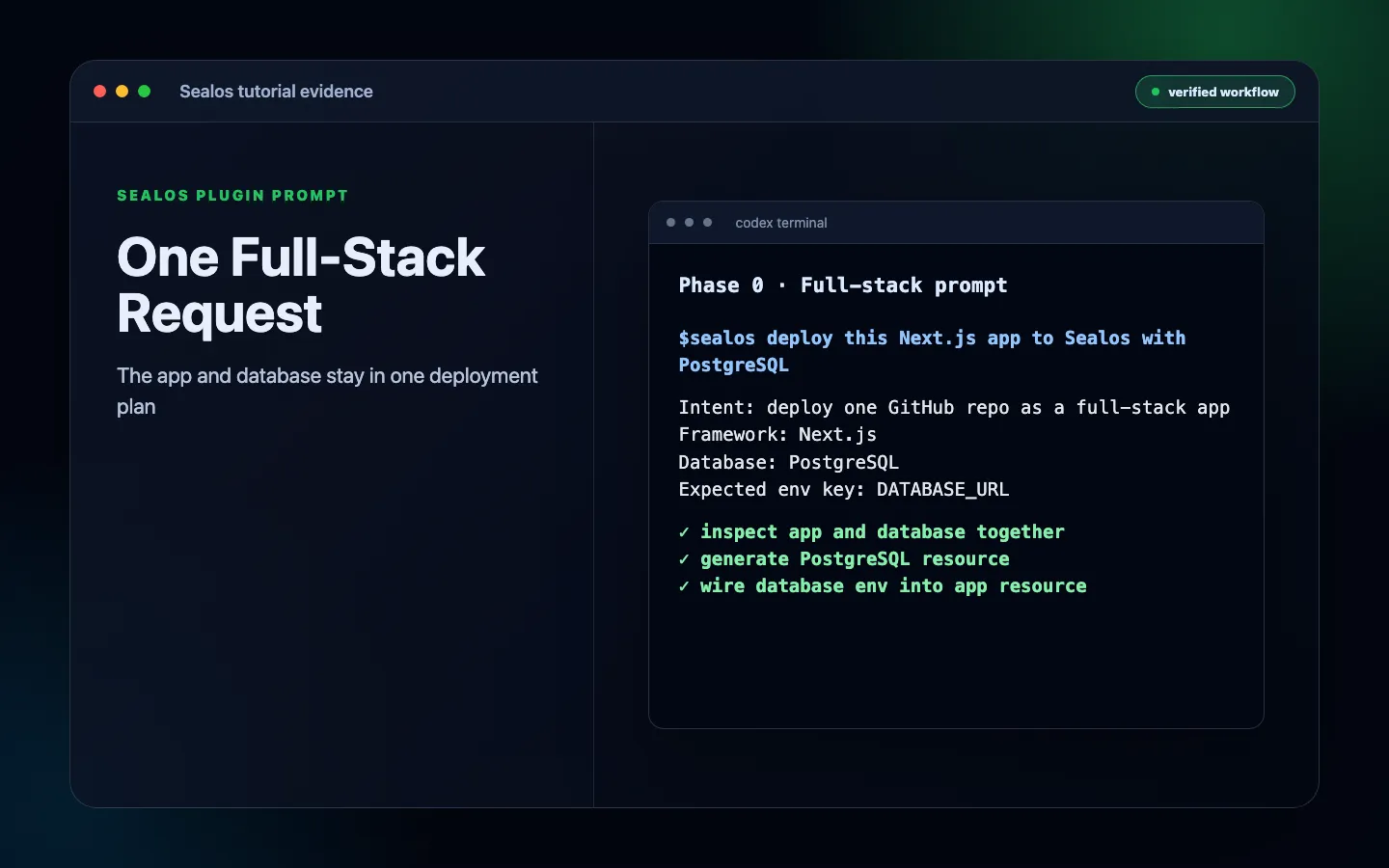 Sealos plugin prompt asking to deploy a Next.js app with PostgreSQL
Step 3: Review the generated app and database plan
Before it deploys, the Sealos plugin should show a plan. Review it as one full-stack deployment, not two separate tasks.
A good plan should identify the generated resources as a single deployment plan:
Confirm these details:
- The app resource uses the correct image and port
- The Service and Ingress expose the app path you expect
- The PostgreSQL resource is generated for this app
- The app’s actual database env key is mapped from the generated PostgreSQL resource
- The key matches the app source, such as
DATABASE_URL,POSTGRES_URL, orPOSTGRES_PRISMA_URL - Required non-database secrets are still requested from you
- Migration behavior is explicit
- Public URL and custom domain plan are clear
.sealos/analysis.jsonreflects the detected framework, database signal, port, env keys, image path, and migration hints.sealos/template/index.yamlis the resource preview for the full-stack plan
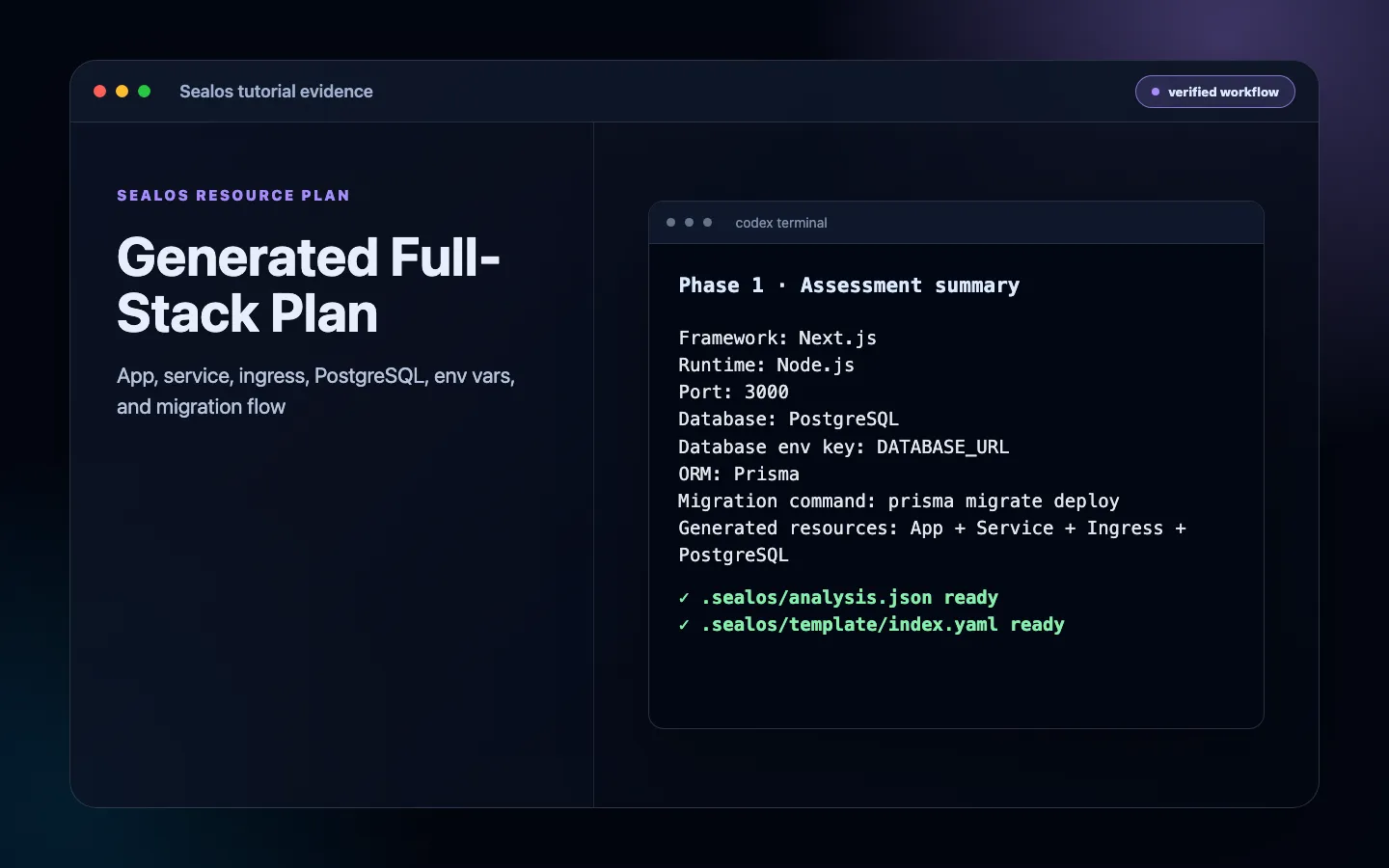 Sealos generated full-stack deployment plan
Step 4: Provide required production inputs
The plugin can generate database connection values, internal service URLs, app names, resource names, and deployment templates.
You still need to provide secrets that only you know:
Rules:
- Let Sealos generate the app’s actual database connection env var from the PostgreSQL resource
- Never expose server secrets with
NEXT_PUBLIC_ - Keep
.env.exampleas placeholders only - Use Sealos environment variables for production
- Rotate secrets if they were ever pasted into a public place
The final app environment should include generated and user-provided values together:
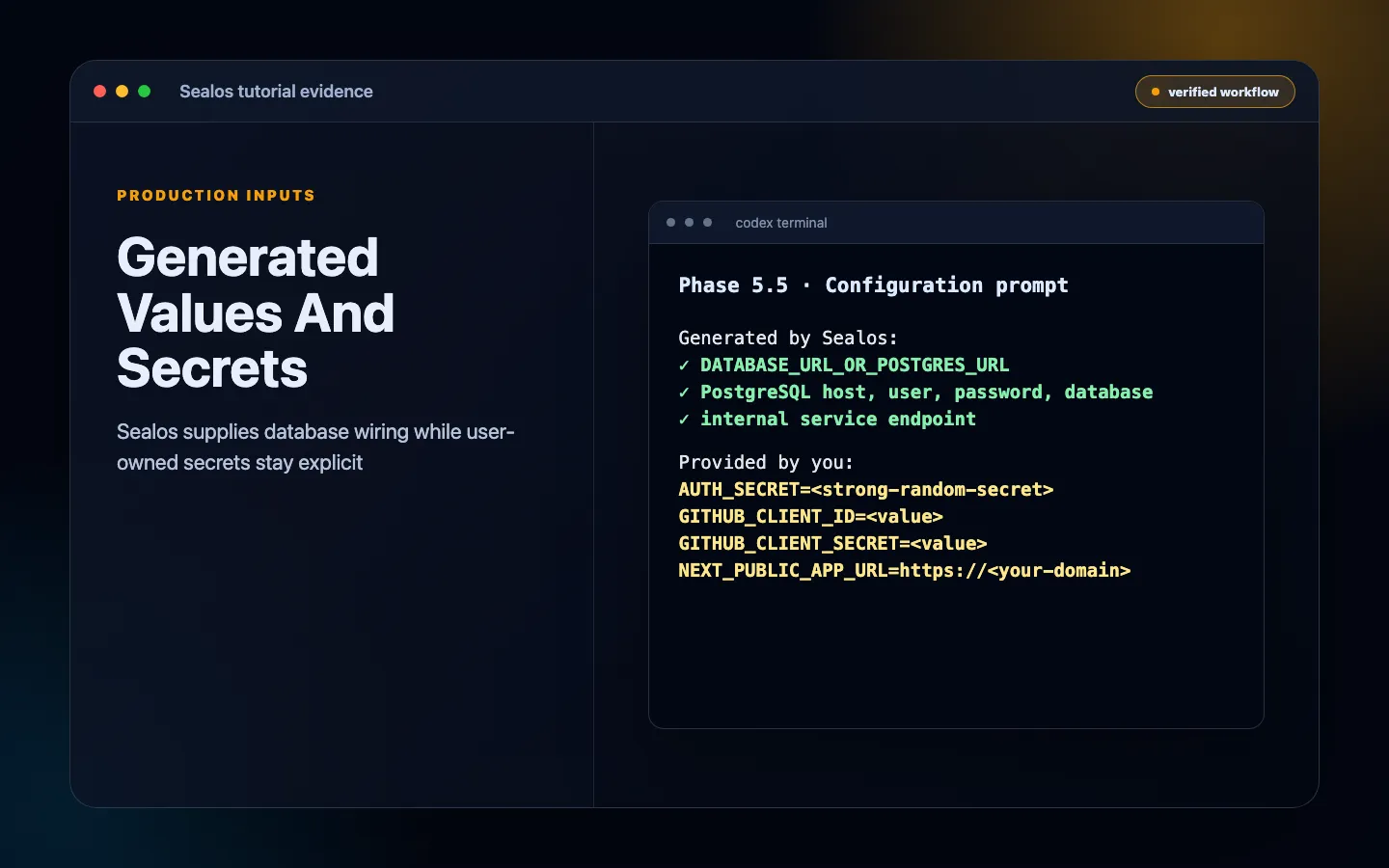 Sealos input prompt separating generated values from user-provided secrets
Step 5: Let Sealos generate and deploy all resources
After confirmation, the plugin should generate and deploy the full set of resources.
Expected outputs:
The generated .sealos/ directory may include:
Use .sealos/analysis.json to inspect what Sealos inferred about the project. Use .sealos/template/index.yaml to inspect the App, Service, Ingress, PostgreSQL resource, and env-var wiring before deployment. Use .sealos/state.json after Runtime Truth Pass to confirm the accepted deployment state and future update history.
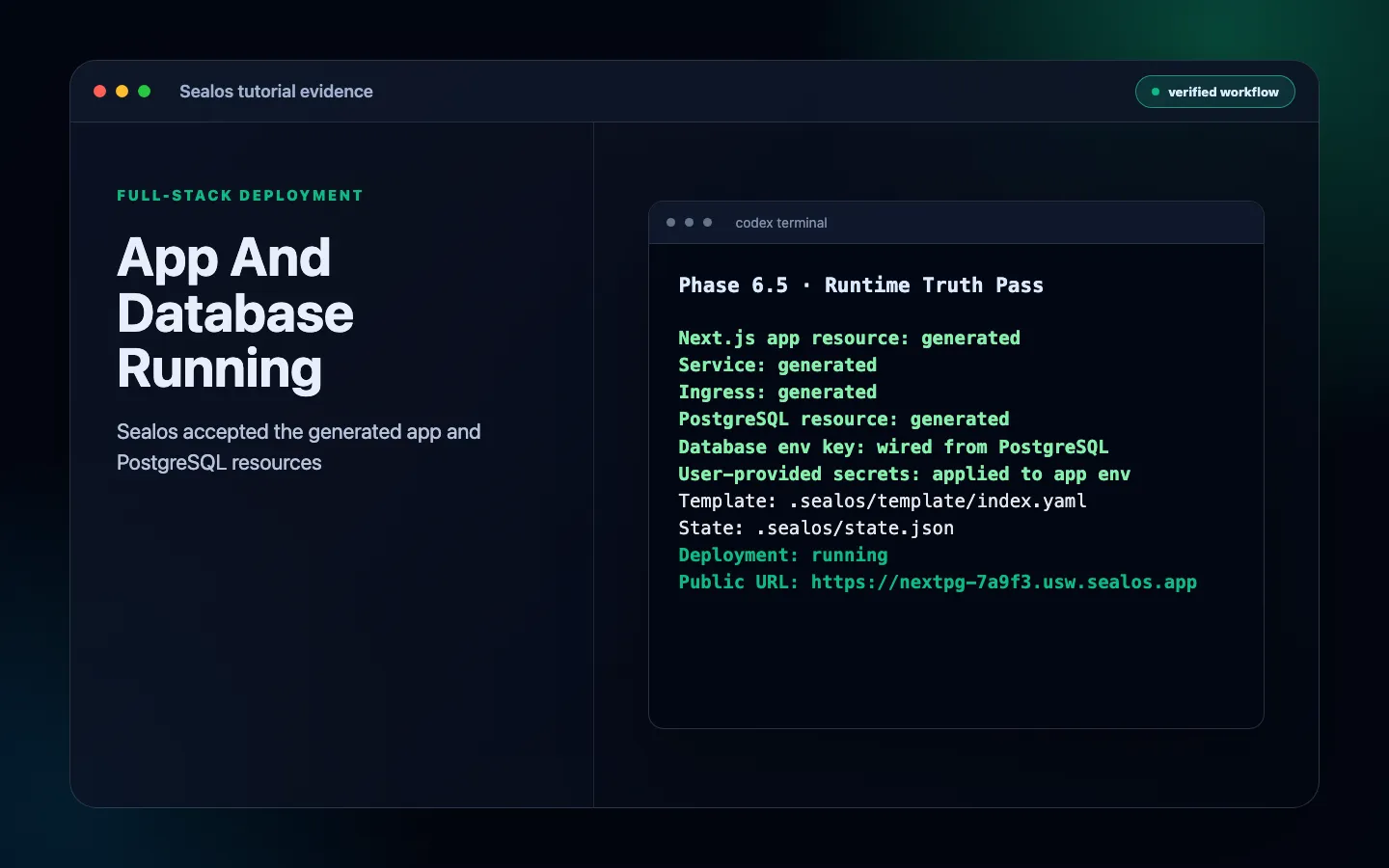 Sealos deployment result showing app, database, and public URL
Step 6: Run or verify migrations
A full-stack Next.js deployment is not ready until the database schema matches the app version.
First check whether the repository actually has a migration system. Some templates use an ORM for query building but still document manual SQL setup instead of shipping prisma migrations, a drizzle.config.ts, or a db:migrate script. In that case, convert the documented SQL into a repeatable migration or an initialization job before treating the app as production-ready.
The Sealos deployment plan should make migration behavior explicit. Depending on your app, that may mean:
- The container entrypoint runs migrations before starting the Next.js server
- The plugin runs the migration command once after PostgreSQL is ready
- You approve a one-time migration step during deployment
- The plan records that migrations are intentionally unnecessary because the project ships an existing compatible schema
Common migration commands:
If the app uses Prisma, also make sure the client is generated during build:
In production, migrations should be repeatable and safe to run more than once. Avoid one-off manual SQL as the normal deployment path.
Runtime acceptance needs more than a completed migration command. Confirm that migrations are applied or intentionally unnecessary, then verify live schema evidence such as _prisma_migrations, Drizzle migration tables, TypeORM migration tables, or equivalent database objects that the deployed app actually uses.
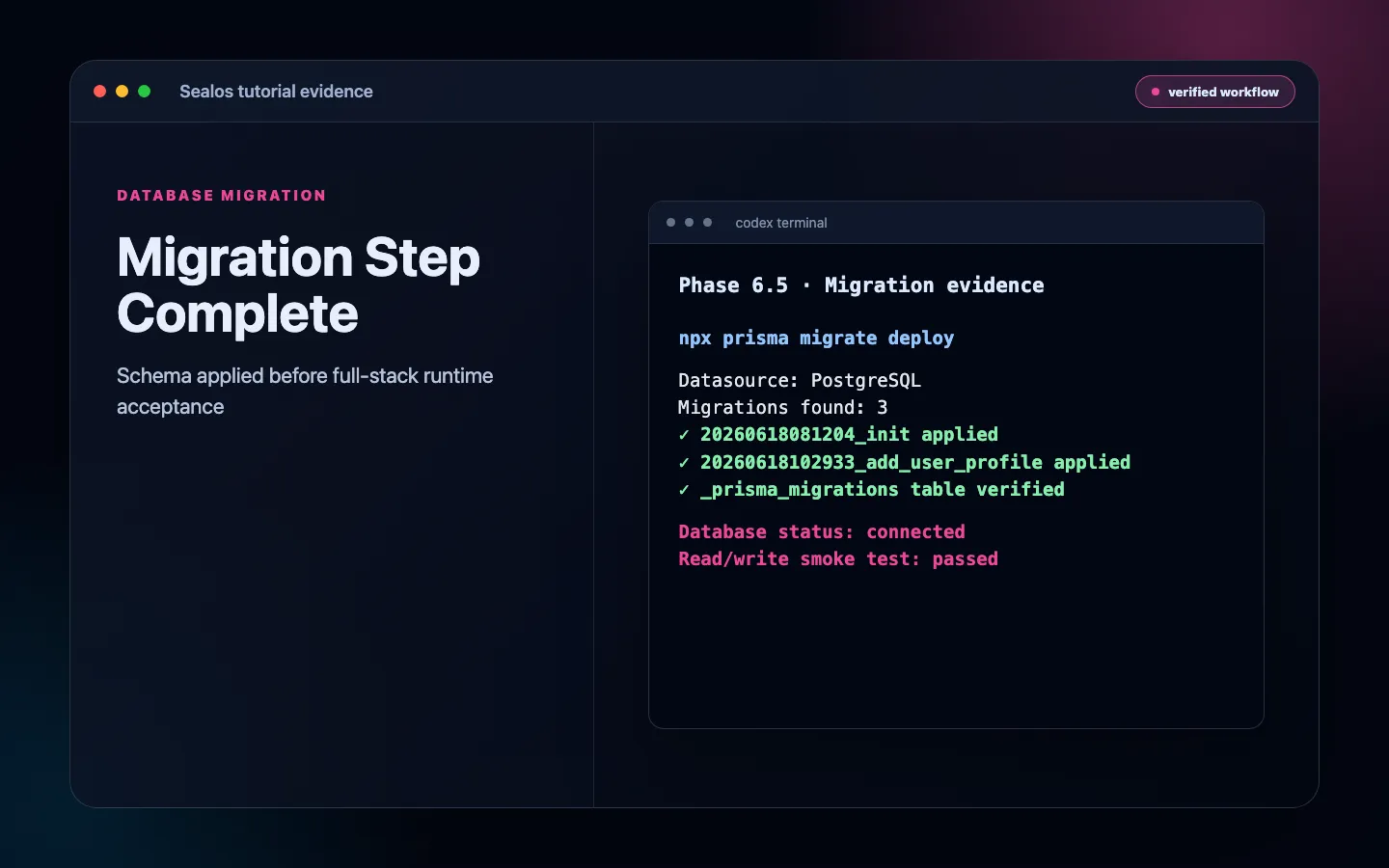 Migration step completing during Sealos deployment
Step 7: Verify the full-stack deployment
Treat Runtime Truth Pass as the full-stack acceptance gate.
For a full-stack app, verify the actual database path from the public app.
Use this checklist:
- The app reaches
runningin Sealos - The PostgreSQL resource is running
- The app's actual database env key is present in the app environment
- The database env key is sourced from the generated PostgreSQL resource
- The public URL opens
- A public app path reads from PostgreSQL
- A form or API route writes to PostgreSQL
- New data survives a restart or redeploy
- Migrations are applied or intentionally unnecessary
- Migration tables or equivalent live database objects exist
- App logs do not show database connection errors
- PostgreSQL logs do not show repeated connection, auth, or migration errors
- No secret values appear in browser HTML or client JavaScript
Example verification command for a health endpoint:
Example health response:
If your app does not have a health endpoint, add one before production.
Step 8: Add persistent storage only if the app writes files
PostgreSQL data is handled by the Sealos database resource generated for the deployment.
But your Next.js app may still write files, for example:
- Uploaded avatars
- Generated PDFs
- Local cache files
- CMS media
- Temporary exports that must survive redeploys
If files must persist, do not rely on the container filesystem. Attach persistent storage in Sealos or move uploads to object storage.
Use persistent storage only for paths that really need it. Mounting the wrong path makes the app look healthy while the real data remains ephemeral.
See: Sealos Persistent Storage
Next.js standalone output with ORM dependencies
For production containers, Next.js standalone output is usually preferred.
In next.config.mjs:
Standalone output keeps the runtime image smaller. But there is one important caveat:
If your app runs migrations inside the container, standalone output may not include every ORM package needed by migration commands.
Watch for these errors:
The Sealos Dockerfile generation logic should detect Next.js standalone mode plus an ORM and include the runtime dependencies needed for migrations.
A safe runtime flow is:
Verify tables before the first user request reaches the new deployment.
Common errors and fixes
1. Database connection env var is not set
The deployment did not wire the generated PostgreSQL connection into the env key that the app actually reads. The key might be DATABASE_URL, POSTGRES_URL, POSTGRES_PRISMA_URL, or another project-specific name.
Fix:
- Confirm the Sealos plan includes PostgreSQL as a generated resource
- Confirm the app’s actual database env key is mapped from that PostgreSQL resource
- Check source code for
process.env.DATABASE_URL,process.env.POSTGRES_URL,process.env.POSTGRES_PRISMA_URL, or similar references - Redeploy with the full-stack prompt instead of creating the database separately
2. relation does not exist or table does not exist
The app connected to PostgreSQL, but migrations did not run.
Fix:
Or:
Then redeploy or restart the app. For production, add migrations to the Sealos deployment plan instead of relying on a manual afterthought.
3. The app connects to the wrong database
The app may be using a stale local or manually copied database connection string.
Fix:
- Let Sealos generate the app’s actual database connection env var from the PostgreSQL resource
- Remove stale production values from old deploy settings
- Confirm the app environment points to the database generated for this deployment
- Write a test record through the public app and confirm it appears in the generated PostgreSQL resource
4. Runtime Truth Pass fails after deployment
The resource rollout finished, but live full-stack proof is incomplete.
Fix:
- Confirm the public app path reads from PostgreSQL
- Submit a form or call an API route that writes to PostgreSQL
- Restart or redeploy the app and confirm the written data survives
- Inspect app logs and PostgreSQL logs for database connection errors
- Confirm migration tables or equivalent database objects exist in the live database
5. Cannot find module '@prisma/client' in production
The production container is missing ORM runtime files.
Fix:
- Run
prisma generateduring build - Ensure the generated client is copied into the runtime image
- If using standalone output, make sure ORM dependencies needed by migrations are available
- Check the runtime image for missing
prisma,@prisma/client,drizzle-orm,drizzle-kit,typeorm, orpgdependencies used by migration commands
6. Logs identify database connection failures
Runtime logs show failures such as connection refused, authentication failed, TLS mismatch, DNS lookup failures, or migration lock errors.
Fix:
- Inspect app logs after HTTP smoke and after the first read/write test
- Inspect PostgreSQL resource logs for rejected connections or migration errors
- Confirm host, port, username, password, and database name come from the generated PostgreSQL resource
- Re-run Runtime Truth Pass after the env wiring or migration fix
7. The app leaks secrets to the browser
A secret may have been named with NEXT_PUBLIC_.
Fix:
- Rename server-only secrets without
NEXT_PUBLIC_ - Audit client-side bundles and rendered HTML
- Rotate the leaked secret
8. The app works with one instance but fails when scaled
The app may store sessions or temporary state in memory.
Fix:
- Store sessions in PostgreSQL, Redis, or another shared store
- Move uploads to persistent storage or object storage
- Confirm migrations do not run concurrently in an unsafe way
FAQ
Keep building
Continue this Sealos path
 Sealos
Unify Your Entire Workflow.
Code in a ready-to-use cloud environment, deploy with a click. Sealos combines the entire dev-to-prod lifecycle into one seamless platform. No more context switching.


Explore with AI
Get AI insights on this article