How to Deploy a React App to Sealos in 5 Minutes
Deploy React from GitHub to Sealos in minutes. Follow this Sealos Skills guide for Vite builds, static serving, env vars, hosting, and live verification.
Want to deploy a React app without writing Kubernetes YAML or building a custom release pipeline by hand? This React deployment guide shows how to take a GitHub repo, run the Sealos AI deployment skill, and publish a working React frontend on Sealos with a public HTTPS URL.
With the Sealos skill, your AI agent can inspect the project, detect that it is a React app, prepare missing deployment artifacts, build or reuse a container image, generate a Sealos template, and deploy the app to Sealos Cloud.
By the end, you will have:
- A React app running on Sealos
- A public HTTPS URL
- A deployment state saved under
.sealos/ - A repeatable path for future updates and React production deployment prep
- Follow-up paths for React + PostgreSQL and the React production deployment checklist
Prerequisites
You need:
- A GitHub repository containing a working React app
- A Sealos Cloud account
- Codex, Codex App, or Claude Code with the Sealos plugin installed
- A container registry path if the app needs to be built, such as GHCR or Docker Hub
- Optional but useful: Docker, GitHub CLI,
kubectl, and Node.js available locally
One Sealos plugin installs deploy, database, S3, canvas, app-builder, and supporting cloud-native skills from root skills/**.
If you are using Codex, install the Sealos plugin with the native Codex marketplace flow:
For Codex compatibility or local testing, use:
If you are using Claude Code, install the same Sealos plugin with the native Claude Code marketplace flow:
For Claude Code compatibility, use:
After installation:
- In Codex CLI, use
$sealos - In Codex App, click + -> Plugins -> Sealos
- In Claude Code, use
/sealos
What the Sealos skill does for a React app
When you ask Sealos to deploy a GitHub repo, the deploy skill runs one stateful pipeline:
- Phase 0 preflight checks the project path, useful local tools, Sealos authentication, workspace access, and any Docker or registry readiness that your chosen deploy path needs.
- Phase 1 assessment inspects the app and writes
.sealos/analysis.jsonso you can see what Sealos inferred before anything is deployed. - Phase 2 image detection looks for a reusable linux/amd64 image in registries, compose files, CI workflows, or project docs.
- Phase 3 Dockerfile generation or reuse prepares a container path only when the project needs one.
- Phase 4 build and push runs only when Sealos needs a new image. It records the result in
.sealos/build/build-result.json. - Phase 5 template generation writes
.sealos/template/index.yaml, the Sealos resource plan for the app, service, ingress, environment variables, image pull Secret references, and database resources when applicable. - Phase 5.5 configuration asks for missing required values and lets you review deployment settings.
- Phase 6 deploy submits the generated template through Sealos and checks resource readiness.
- Phase 6.5 Runtime Truth Pass verifies the live app before the deployment is accepted.
For a typical Vite React app, it detects:
- Framework: React
- Source shape:
src/,index.html,public/, and browser bundle output - Package manager: npm, pnpm, yarn, or bun
- Build command, usually
npm run build,pnpm build,yarn build, orbun run build - Output directory:
dist/ - Runtime model: a containerized web server serving static files
- Required browser-safe environment variables such as
VITE_API_BASE_URL - Runtime port that must be exposed by
.sealos/template/index.yaml
Step 1: Start with a deployable GitHub repo
Your repository should include a normal React SPA structure:
Your package.json should include at least:
The exact React or Vite version can differ. The important part is that npm run build creates a production browser bundle under dist/.
Before deploying, make sure the app builds locally:
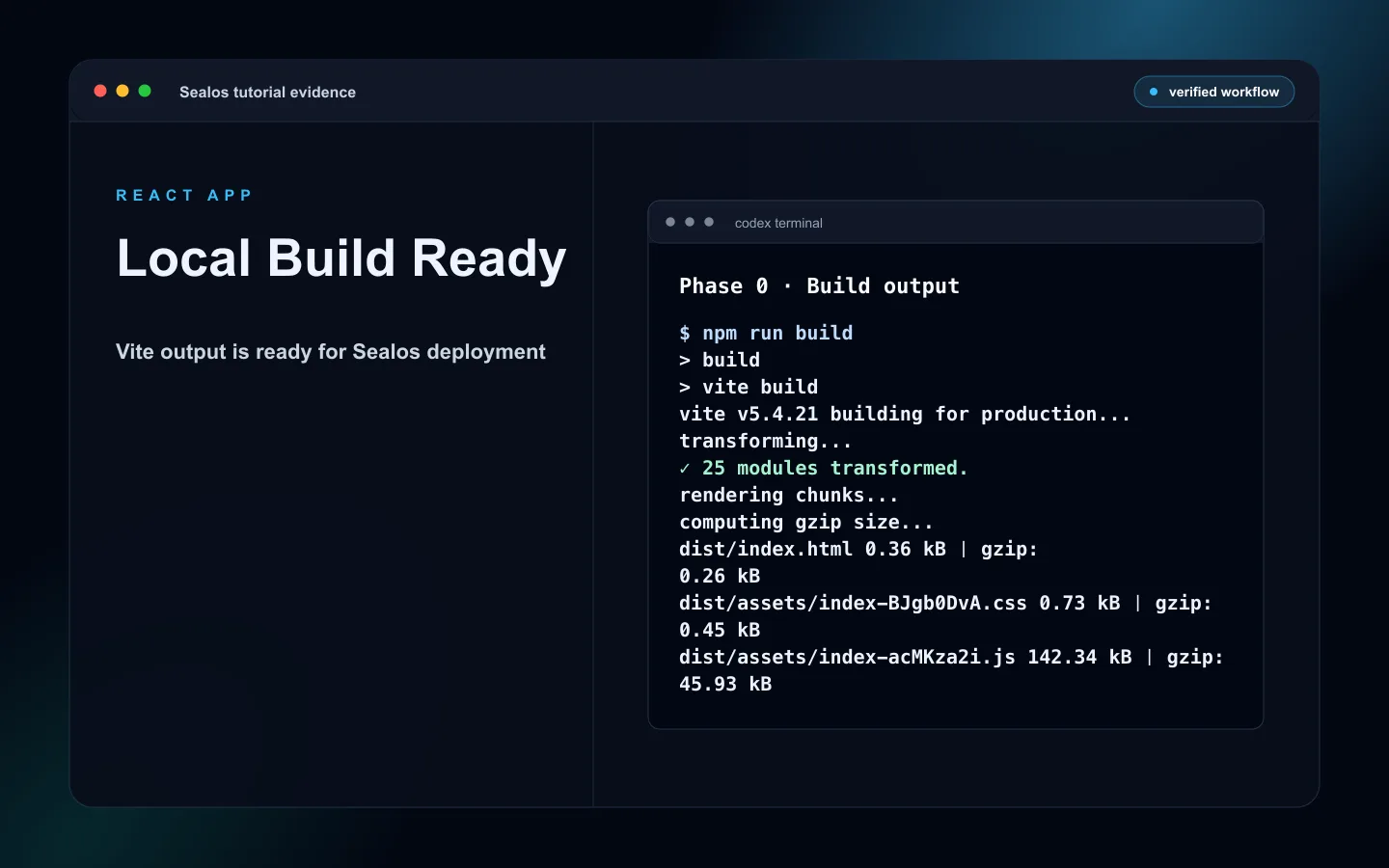 React local build output with dist ready for Sealos deployment
For pnpm:
For bun:
Step 2: Ask Sealos to deploy the repo
In Codex CLI, run:
In Claude Code, run:
If you are already inside the repo, you can say:
The skill starts with preflight checks. It verifies the project path, checks useful tools, and confirms Sealos authentication.
If you are signed out, the skill guides you through Sealos login before it inspects or deploys the project.
Preflight also checks the selected Sealos workspace and permissions to create resources. Docker, buildx, GHCR, and registry warnings appear when the app needs a local build or private image push. A repo that already has a usable public linux/amd64 image may skip that build path.
Step 3: Review the project assessment
The skill analyzes the repo and prints a readiness summary.
For a healthy React app, you should see something like:
This is the first important checkpoint. It tells you whether Sealos understands your app as a deployable frontend.
If the score is low, fix the project before continuing. Common reasons include:
- Missing
buildscript - No
dist/output after the build - App is a package, CLI, or component library instead of a deployable web app
- Required
VITE_values are missing from.env.example - The app depends on a local API URL or local files
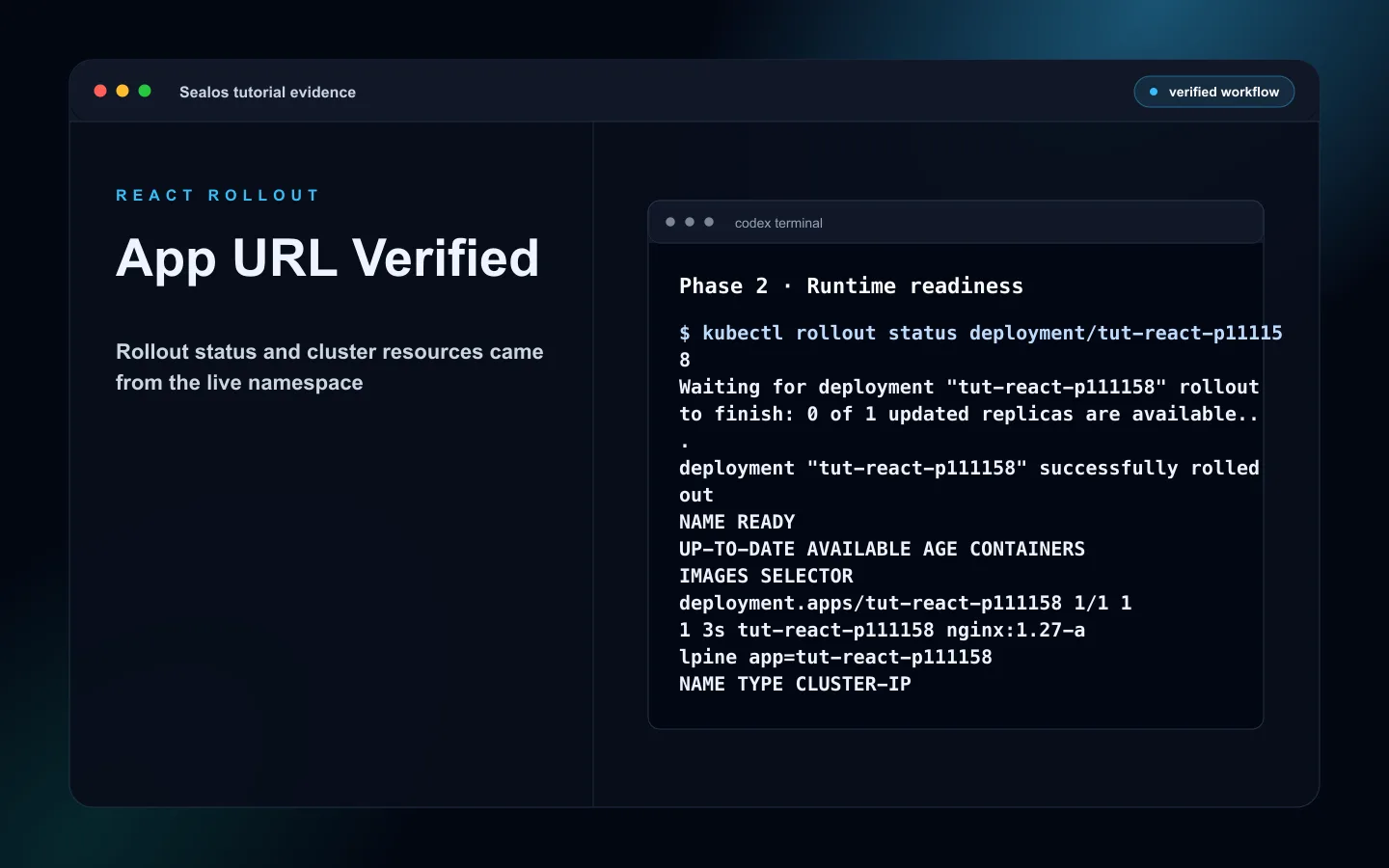 React readiness assessment summary for Sealos deployment
Step 4: Let Sealos prepare the container
If your repo already has a valid Dockerfile, Sealos can reuse it.
If it needs to generate one, the React production pattern is a build stage plus a small runtime server. The build stage runs npm run build, and the runtime stage serves dist/ through a containerized web server such as Nginx, Caddy, or a small static file server.
A generated runtime should make the serving port explicit:
This matters because a containerized app must listen on all interfaces, and the Sealos service port must match the server inside the image.
 React generated container template summary for serving dist
Step 5: Build and push the image
If Sealos needs to build an image, it chooses a registry path.
The usual priority is:
- GHCR when GitHub CLI is available and authenticated
- Docker Hub when configured
- Existing image if one is already published and compatible
The build targets linux/amd64 so the image can run correctly on Sealos.
Example result:
If the image is private, the skill can create or update the needed image pull secret for the Sealos deployment.
Step 6: Configure environment variables
If your React app needs build-time public variables, Sealos asks for them before deployment.
Examples:
Use this rule:
VITE_values are compiled into browser-side code- Private secrets such as
DATABASE_URL,POSTGRES_URL, API keys, registry tokens, and OAuth secrets must stay server-side - A static React bundle should call an API/service layer for private operations
- Commit
.env.examplewith placeholders only - Keep
.envand local secret files out of git
For basic static React apps with no required external services, this step may be empty.
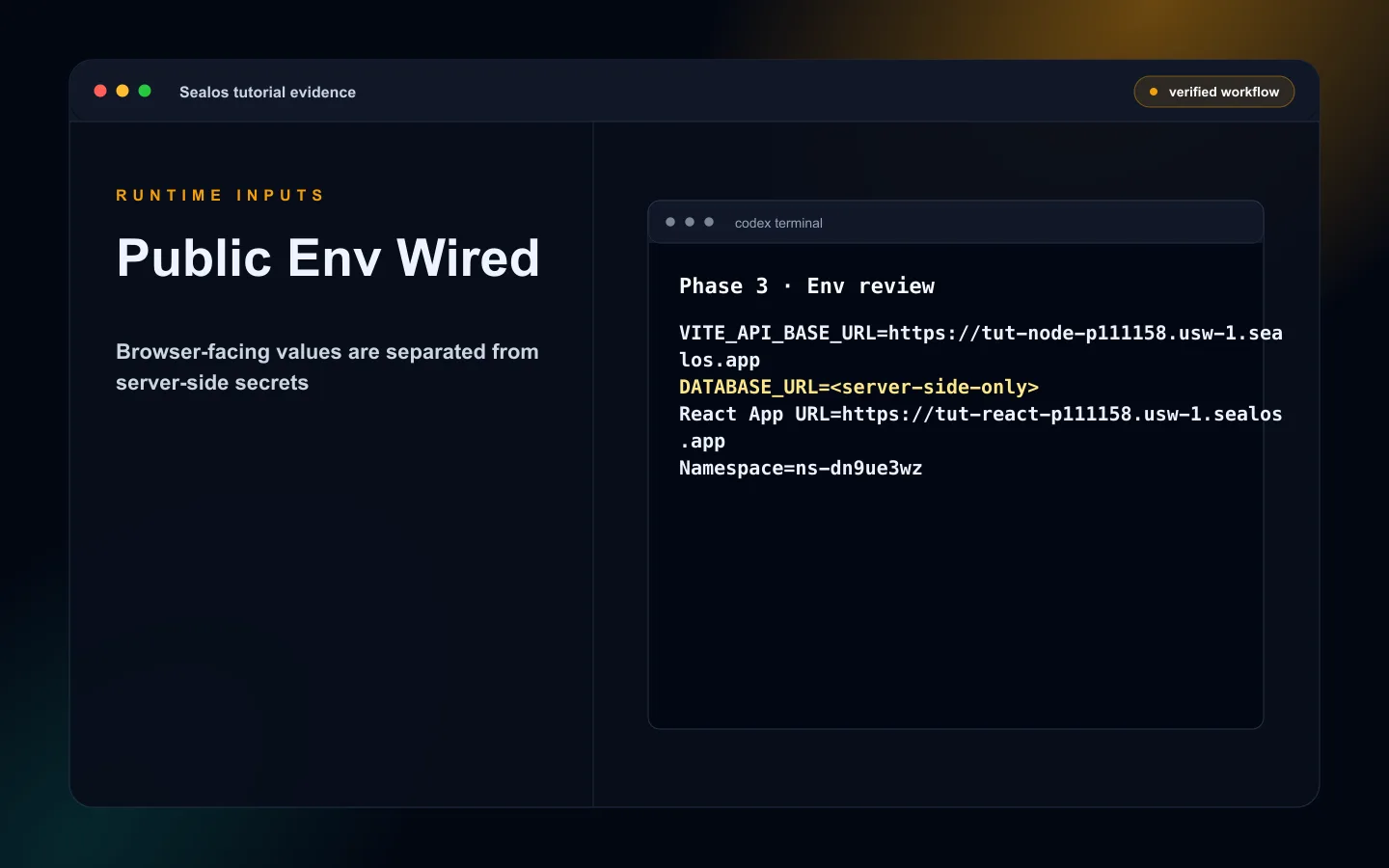 React redacted environment variable configuration for Sealos
Step 7: Deploy to Sealos Cloud
After configuration, confirm the deployment.
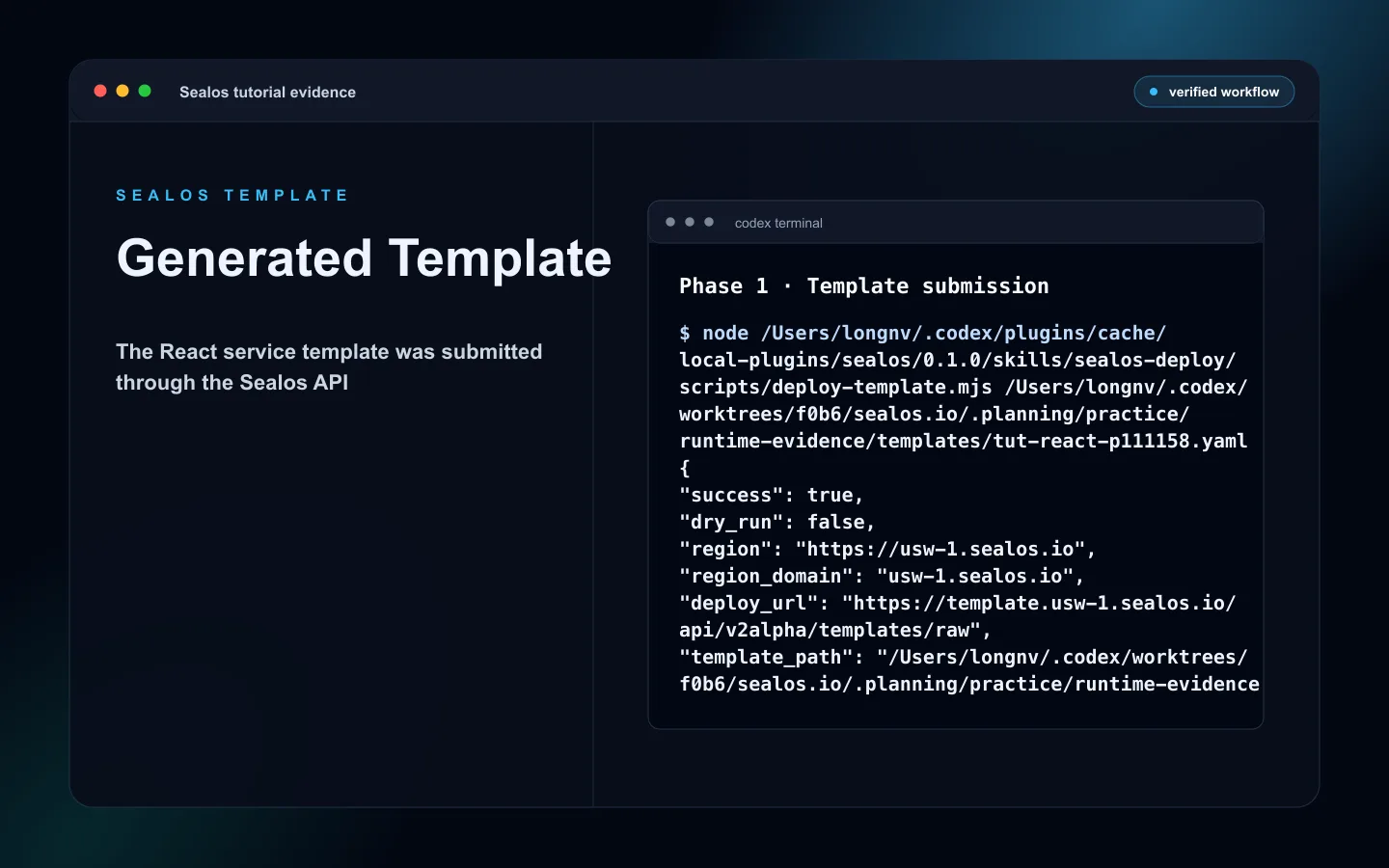
The skill deploys .sealos/template/index.yaml through the Sealos Template API. That template describes the app workload, service, ingress, environment variables, image pull Secret reference when needed, exposed runtime port, and database resources when applicable.
After Sealos accepts the template, the skill still has to prove the live app works. It checks readiness, runs Runtime Truth Pass, and then writes deployment state to .sealos/state.json.
You will see output like:
Open the URL in your browser.
Step 8: Verify the deployment
Use Runtime Truth Pass before you call the deployment done. A public URL smoke check is one signal inside the pass. Accepted proof comes from the actual Sealos runtime.
Check:
- The Sealos app status is
running - The actual App URL opens from a fresh browser session
- The homepage returns a non-5xx response
- Static assets load correctly from the built
dist/bundle - Recent logs are clear of startup and runtime failures
- The footprint shows the expected Sealos resources, such as the app workload, service, ingress, image pull Secret, and database resources when applicable
- Required browser-safe env vars are present in the Sealos app settings
- The app does not depend on local-only files or a localhost API
Test the homepage:
If the React app calls an API, verify at least one browser-to-API path from the public URL.
What changed in your repo
The Sealos deploy skill may create a .sealos/ directory. Treat it as local deploy working state for this project:
The important files are:
.sealos/config.json: optional manual overrides. All fields are optional, and values you provide override auto-detection or AI inference..sealos/analysis.json: regenerated after assessment. It records deployability, framework, package manager, output directory, runtime port, environment-variable classification, Dockerfile presence, complexity tier, and the selected image reference when available..sealos/build/build-result.json: created only when Phase 4 build and push runs. It records build success or failure, pushed image metadata, or error details..sealos/template/index.yaml: the generated and configured Sealos template with app, service, ingress, environment variables, runtime port, image pull Secret references, and database resources when applicable..sealos/state.json: written after successful deployment and Runtime Truth Pass acceptance. It storeslast_deployplus bounded append-onlyhistoryand drives future deploy or update decisions.
Review .sealos/ artifacts before committing. They can contain deployment details such as environment names, image references, runtime URLs, and values that reveal operational context. Keep real secrets out of committed artifacts.
If you later run the Sealos deploy skill again, it can detect the existing deployment and switch to update mode after the recorded state and live runtime match.
Common errors and fixes
1. npm ERR! Missing script: build
Your package.json does not expose a build script.
Fix:
Then rerun:
2. The build succeeds but dist/ is missing
The build command may write to a custom output directory.
Fix:
- Confirm the configured output directory in Vite or your React build tool
- Make the Dockerfile copy the actual output directory
- Confirm
.sealos/analysis.jsonand.sealos/template/index.yamlagree on the output and runtime server path
3. Sealos auth or workspace is blocked
Preflight may stop when you are signed out, the wrong workspace is selected, or your account cannot create the required resources.
Fix:
- Sign in to Sealos Cloud
- Select the workspace you want to deploy into
- Confirm your account can create apps, services, ingress, Secrets, and databases when needed
- Rerun the deploy request after the auth check passes
4. VITE_API_BASE_URL points to localhost
The React app was built with a local API URL.
Fix:
- Set
VITE_API_BASE_URLto the production API or service URL before building - Use an API/service layer for private operations
- Rebuild the image so the browser bundle contains the correct public value
5. Docker, buildx, or image build fails
This path applies when Sealos needs to build and push an image for the app.
Fix:
- Start Docker locally
- Confirm buildx can build linux/amd64 images
- Check
.sealos/build/build-result.jsonfor the failing step - Fix Dockerfile, dependency, or build-command errors, then rerun the deploy request
Next steps
- Add data with React + PostgreSQL Full-Stack Deployment Guide on Sealos
- Prepare launch with Complete Production Deployment Checklist for React on Sealos
- Open Sealos Skills when you need the plugin workflow reference
FAQ
Keep building
Continue this Sealos path
 Sealos
Unify Your Entire Workflow.
Code in a ready-to-use cloud environment, deploy with a click. Sealos combines the entire dev-to-prod lifecycle into one seamless platform. No more context switching.


Explore with AI
Get AI insights on this article