How to Deploy Django on Sealos in 5 Minutes
Deploy a protected Django Task Board to Sealos, verify its generated HTTPS endpoint, preserve the localhost Host contract, and complete Runtime Truth Pass.
This guide deploys the continuous Django Task Board from its protected first
source stage. The stage-1-deploy
tag contains the exact application used here: local SQLite, migration
tasks.0001_initial, /health, the server-rendered board and /tasks/ form,
and native Django administration on port 8000.
The accepted reader practice reached its generated public HTTPS health endpoint
in 26.099 seconds. The measurement began immediately before the native
Sealos DEPLOY request and ended immediately after public HTTPS /health
returned 200 with the exact body {"status":"ok"}. Local setup, Sealos
login, source validation, analysis, and template preparation happened before
that interval.
By the end, you will have:
- A protected Django source checkout with current migrations and five passing tests
- A Sealos-generated StatefulSet, Service, Ingress, App, and HTTPS host
- A verified upstream Host adapter for Django's
localhostcontract - A public Task Board create/list result and native admin login
- Accepted deployment state under
.sealos/
Prerequisites
You need:
- Git
- Python 3.12
uvcurl- A Sealos Cloud account
- Codex, Codex App, or Claude Code with the Sealos plugin installed
Step 1: Install the Sealos plugin
For Codex CLI or Codex App, use the native marketplace flow:
For Codex compatibility or local plugin testing:
For Claude Code, use its native marketplace flow:
For Claude Code compatibility:
Use the entry surface that matches your host:
- Codex CLI:
$sealos - Codex App: + -> Plugins -> Sealos
- Claude Code:
/sealos
Step 2: Validate the protected Stage 1 source locally
Clone the immutable tag by name:
Install the exact lock, apply the committed migration twice, and inspect its state:
Require [X] 0001_initial and No changes detected. Then run the public
behavior suite:
The accepted fresh clone passed all five tests. They cover the exact health response, empty board, Task create and later read, invalid-title feedback, and the Django administration login.
Start the tracked development server:
From another terminal, verify the public local surfaces:
The health command must return {"status":"ok"}.
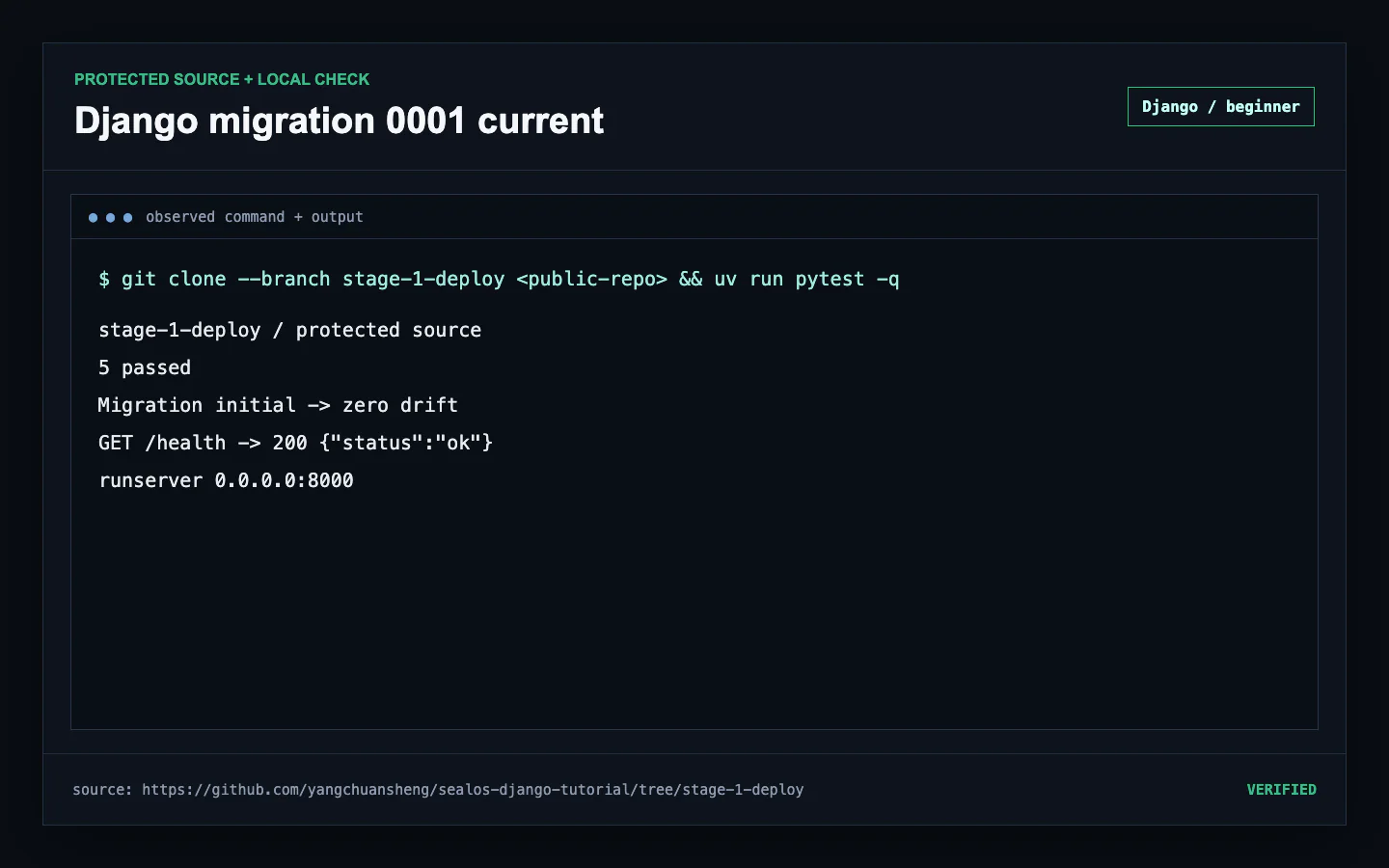 Protected Django Stage 1 clone with current SQLite migration, five passing tests, local health, and the tracked runserver command
Step 3: Ask Sealos to deploy the checked-out repository
Keep the terminal inside the protected checkout. In Codex CLI, request:
In Claude Code, request:
The plugin runs preflight before resource creation. It checks the project path, Sealos authentication and workspace access, and the tools required by the selected image path. Assessment identifies the Django command, port, storage, and Host behavior before any DEPLOY request is issued.
Step 4: Review analysis, template, and Host handling
Review .sealos/analysis.json before approval. The fresh practice identified
Django on port 8000; its deliberately small Stage 1 source scored 5/12 with
the Fair verdict.
Then inspect .sealos/template/index.yaml. The accepted generated plan used:
- A one-replica StatefulSet for the protected source and SQLite runtime
- A Service on port
8000 - A standard Sealos TLS Ingress and App resource
- A run-owned source bootstrap ConfigMap and one-GiB claimed volume
- A bounded initialization step that applied the tracked migration
Django's practiced upstream contract is localhost. The accepted edge kept the
public Sealos hostname in the browser and rewrote upstream Host, Origin, and
Referer to localhost. Preserve this adapter when the protected source has the
same Host and CSRF policy.
The plugin validated all generated artifacts, passed the database-aware quality gate, and completed a server-side dry run before DEPLOY.
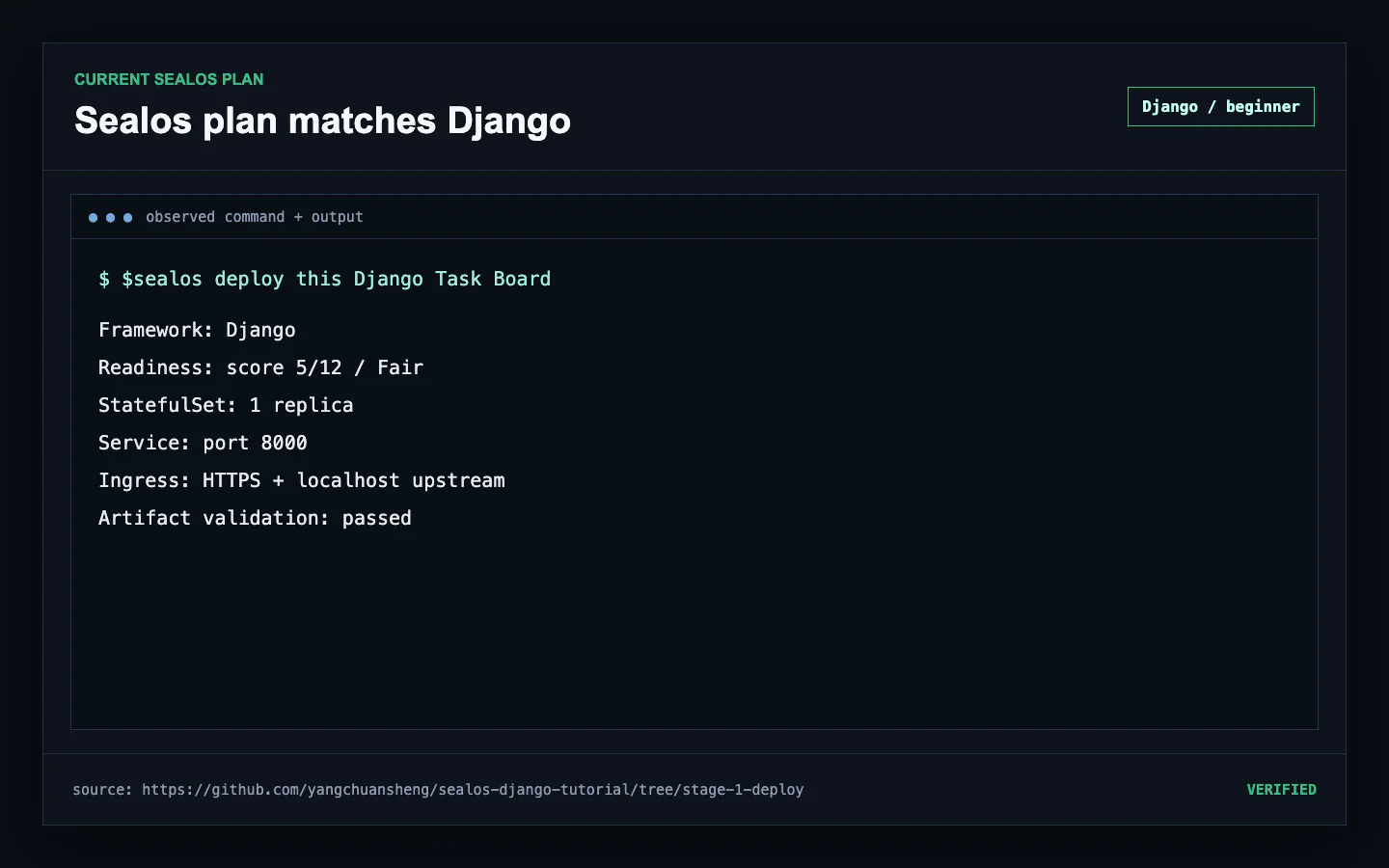 Current Sealos analysis and generated Django StatefulSet, Service, Ingress, App, migration bootstrap, and localhost Host contract
Step 5: Issue DEPLOY and run Runtime Truth Pass
Approve DEPLOY after analysis, resources, and Host handling match the
protected source. Sealos submits .sealos/template/index.yaml, creates the
application resources, and assigns the generated HTTPS host.
The accepted timing boundary is intentionally narrow:
After that first response, complete Runtime Truth Pass. Confirm:
- The application and Host edge each report
1/1Ready - The Service has a live endpoint
- The Pod restart count remains
0 - Public HTTPS
/healthreturns the exact successful body - A missing route returns
404 - Recent logs contain zero active failures
- Ready state, Pod identity, and restarts stay stable through the log window
The accepted practice held these conditions for 75 seconds with zero active failures, restart delta, Pod replacements, or Ready transition changes.
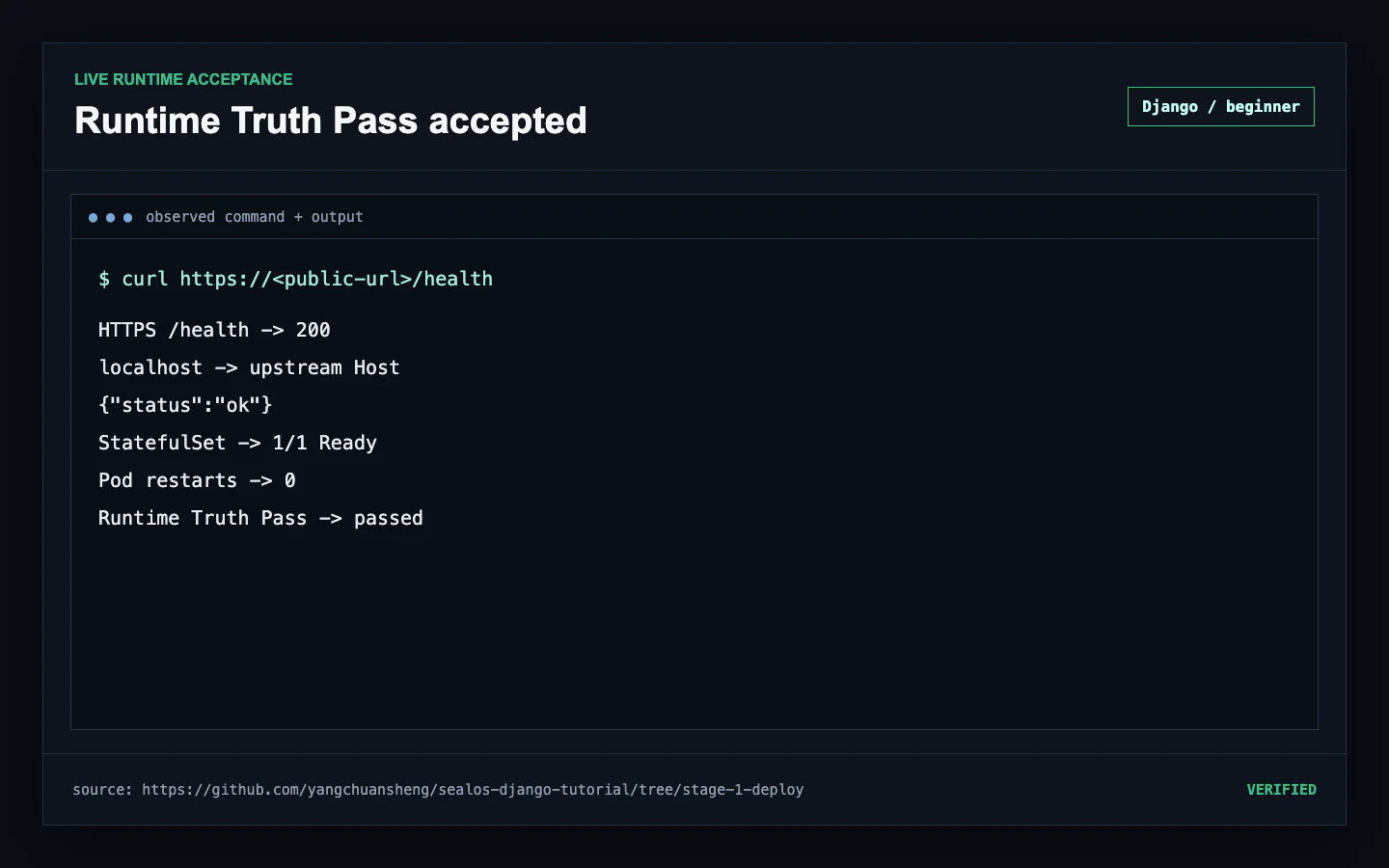 Generated Sealos HTTPS deployment passing Django health, localhost Host rewrite, rollout, endpoint, and stable log checks
Step 6: Exercise the Task Board and native admin
Open the generated board:
Enter Verify the Django deployment in Task title, select Add task, and
confirm the board shows the title, 1 task, and Open.
You can reproduce the CSRF-protected form through public HTTP:
Open the framework-native login at:
The fresh practice verified the public Task create/list state and an empty Django administration login form in separate owned browser sessions.
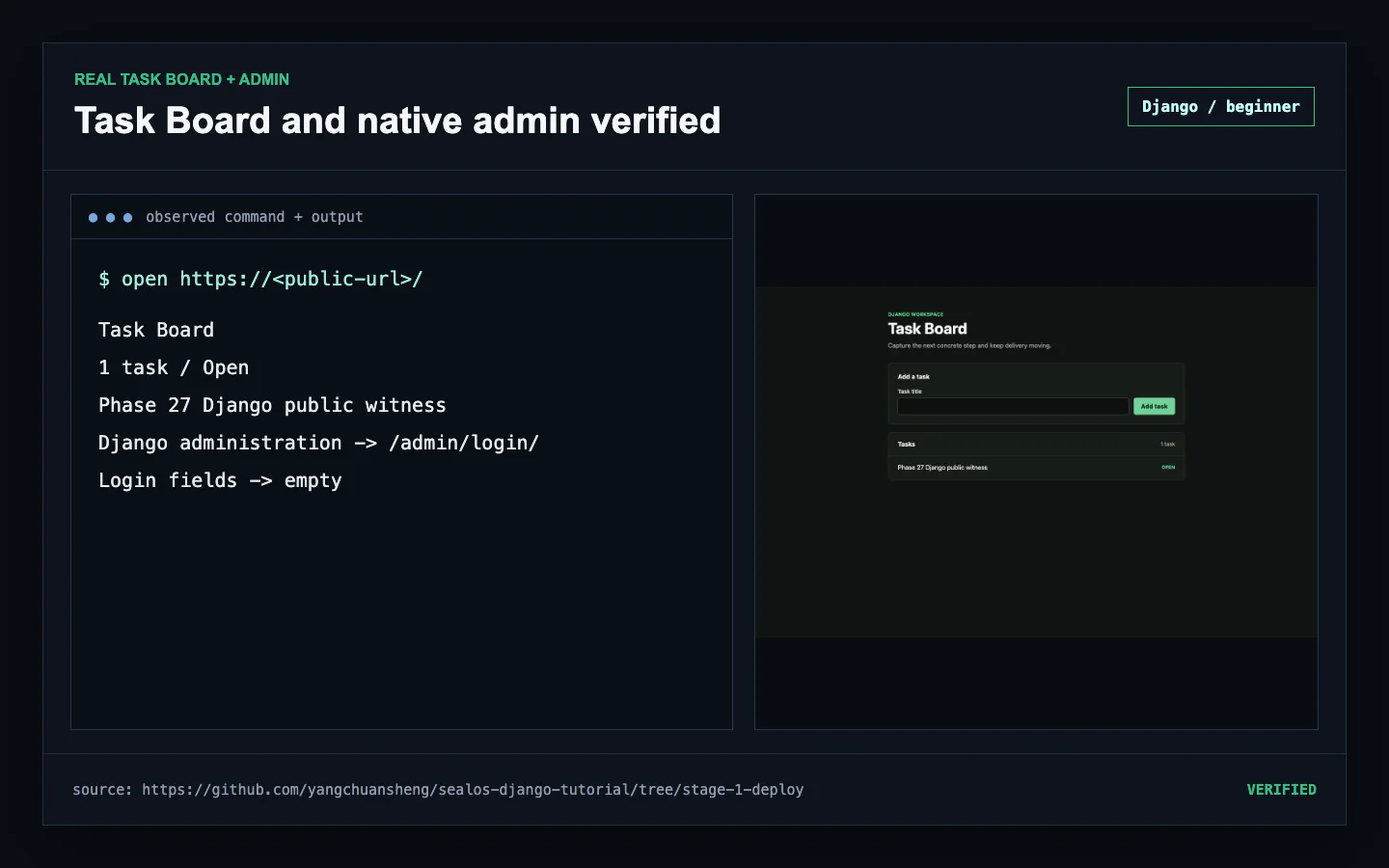 Live Django Task Board with one open Task beside the native administration login on the generated Sealos host
Understand the generated .sealos/ state
The deployment workflow uses these project-local artifacts:
.sealos/analysis.jsonrecords detected framework, port, runtime command, environment inputs, and assessment..sealos/template/index.yamlis the generated resource plan, including the run-owned Host adapter when Django requires it..sealos/build/build-result.jsonexists when the workflow builds and pushes an image..sealos/state.jsonrecords accepted state after Runtime Truth Pass and supports later DEPLOY or UPDATE decisions.
Review these files before committing them because deployment identity and URLs can reveal operational context. Keep credential values in their owning secret system.
Stage 1 data lifecycle
The protected source stores Task rows in local db.sqlite3. The generated
Stage 1 workload keeps one application replica. PostgreSQL becomes the durable
shared store in the next stage and preserves the same board, health, form, and
admin workflow.
Common failures
Local health cannot connect
Confirm runserver is still active on 0.0.0.0:8000 and that migration
tasks.0001_initial is current.
The public board returns a Host error
Inspect the run-owned Ingress or edge and require upstream Host: localhost.
For public form writes, confirm Origin and Referer are translated to the same
trusted upstream origin.
Task submission returns 403
Fetch a fresh CSRF cookie and hidden token from the public board, send both with the form, and preserve the public page as the browser-facing Referer.
The assessment or template differs from source
Confirm the checkout still points at stage-1-deploy, rerun the locked sync,
and ask Sealos to reassess before issuing DEPLOY.
Completion checklist
- The checkout points at protected
stage-1-deploy -
uv sync --lockedanduv lock --checksucceed -
tasks.0001_initialis current with zero drift - All five tests pass
- Local health, Task Board, and admin login work on port
8000 -
.sealos/analysis.jsonidentifies Django and the tracked command -
.sealos/template/index.yamlcontains the expected resources and Host adapter - DEPLOY produces a generated public HTTPS domain
- Runtime Truth Pass verifies rollout, endpoints, logs, and exact health
- A public Task create/list and native admin login succeed
-
.sealos/state.jsonrecords accepted state
Continue with Deploy Django with PostgreSQL on Sealos to make the same Task Board durable across application process replacement.
FAQ
Keep building
Continue this Sealos path
 Sealos
Unify Your Entire Workflow.
Code in a ready-to-use cloud environment, deploy with a click. Sealos combines the entire dev-to-prod lifecycle into one seamless platform. No more context switching.


Explore with AI
Get AI insights on this article