App Service
Your application is running and ready to serve requests.

OpenDesign is a local-first, open-source AI design workspace for generating prototypes, decks, images, videos, and design-system-driven artifacts.
Sealos makes deploying any app effortless, secure, and production-ready. From one-click launch to ongoing operations, we handle the heavy lifting so you can focus on what matters.

Deploy any app template in seconds. No compose setup, manual configure, and go live.

Built on Sealos Managed Kubernetes for high availability, auto-scaling, and self-healing by default.
Every deployment includes a secure domain with automatic SSL. We handle certificates and text protection for you.
Attach persistent volumes with ease. Your data stays safe, durable, and always accessible.
Adjust resources as your app grows, no downtime required.
Sealos provisions and connects every resource your application needs. Everything is ready to use.
Your application is running and ready to serve requests.
Secure, global endpoint to access your application.
Managed database instance for your application.
Durable storage for uploads and application data.
Configuration and secrets injected securely into your app.
Centralized logs and basic metrics are enabled.
OpenDesign is a local-first, open-source AI design workspace for generating prototypes, dashboards, decks, images, videos, and design-system-driven artifacts. This template deploys the official OpenDesign Docker runtime as a single persistent service on Sealos.
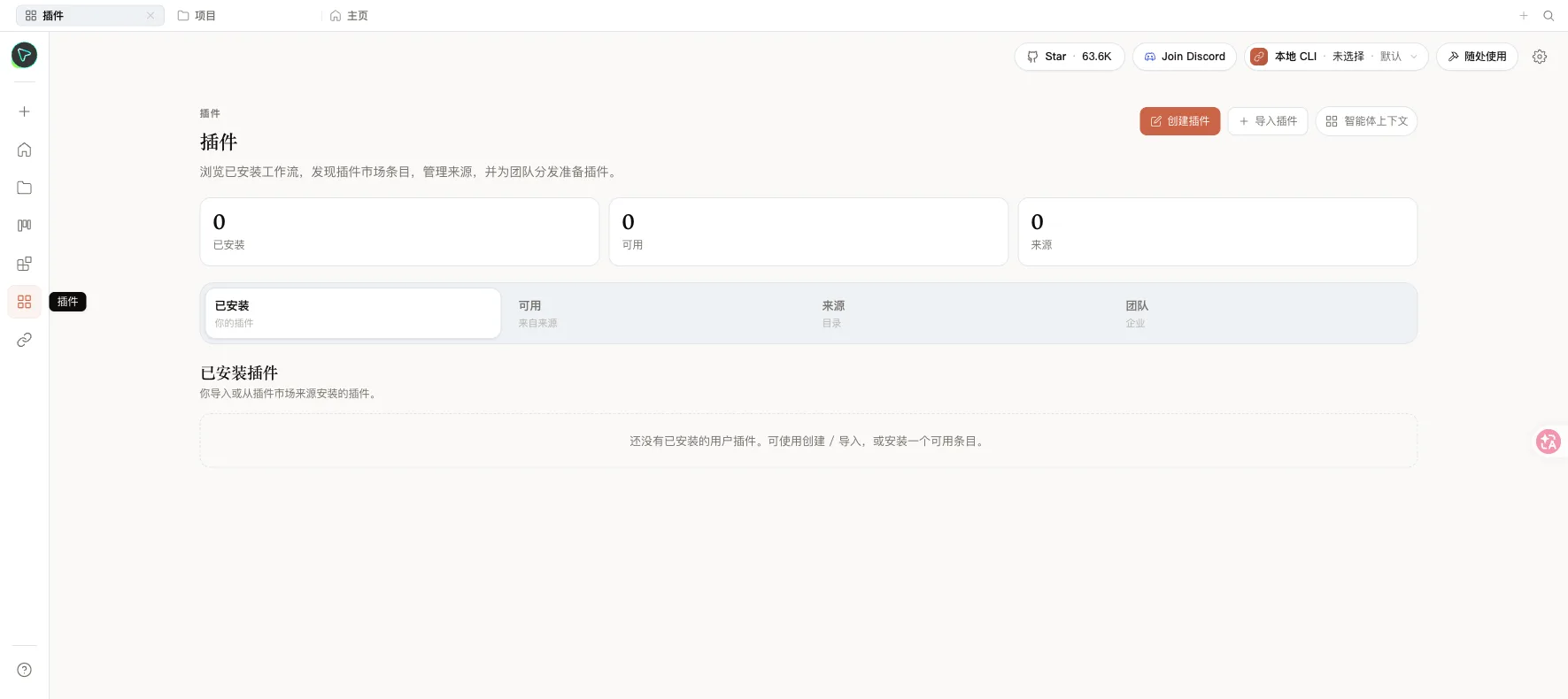
OpenDesign provides a browser-based workspace backed by a local daemon. The daemon serves the web UI, API routes, project files, plugin data, and generated artifacts from one container. On Sealos, this template persists the OpenDesign workspace under /app/.od so projects, conversations, media configuration, and generated outputs survive restarts.
The upstream Docker deployment exposes port 7456, stores runtime data in /app/.od, and requires an API token when the daemon binds to a public interface. This Sealos template follows the upstream cloud pattern by running an Nginx proxy in front of OpenDesign. The proxy exposes port 8080, forwards traffic to the OpenDesign service on port 7456, and injects the internal bearer token for /api routes.
The Sealos template includes all runtime dependencies in the OpenDesign Docker image and provisions persistent storage for workspace data.
Architecture Components:
74568080, forwarding API requests with the generated bearer token/app/.od, including projects, conversations, generated artifacts, and local configurationConfiguration:
latest drift.OD_BIND_HOST=0.0.0.0, OD_PORT=7456, OD_WEB_PORT=7456, and a generated OD_API_TOKEN match the upstream cloud runtime requirements.OD_ALLOWED_ORIGINS is set to the generated Sealos HTTPS domain so OpenDesign accepts same-origin browser requests behind Ingress./api/ with Authorization: Bearer <generated token> so browser API calls work through the public Sealos domain.License Information:
OpenDesign is licensed under Apache-2.0.
Sealos is an AI-assisted Cloud Operating System built on Kubernetes that unifies the entire application lifecycle, from development in cloud IDEs to production deployment and management. By deploying OpenDesign on Sealos, you get:
OpenDesign does not create a template-managed admin account or login page. The deployed app opens directly into the workspace, where you can configure BYOK providers, plugins, design systems, and local workspace settings.
The template was tested with a minimum runtime footprint of 20m CPU and 128Mi memory request for the OpenDesign container, 20m CPU and 25Mi memory request for the proxy container, and a 1Gi persistent workspace volume. Increase memory or storage if you generate large media assets or keep many projects in one workspace.
After deployment, you can configure OpenDesign through:
OpenDesign stores local workspace state on a single persistent volume, so keep the application at one replica unless you have validated a multi-replica storage and session strategy for your own deployment.
To increase capacity:
This template uses an Nginx proxy to inject the generated API token for /api/ routes. If API calls fail, confirm the proxy Deployment is running and still has the generated Nginx configuration mounted.
Confirm the StatefulSet still mounts the persistent volume at /app/.od. Workspace data is stored there.
OpenDesign is distributed under the Apache-2.0 license. Review the upstream repository for the latest license and third-party notices.
Explore more production-ready templates.
Build production-ready ai templates with Sealos.

n8n is a workflow automation platform that gives technical teams the flexibility of code with the speed of no-code.
Build production-ready ai templates with Sealos.

AI agent gateway with multi-channel support including WhatsApp, Telegram, and Discord integration
Build production-ready ai templates with Sealos.

Open-source AI model gateway compatible with the OpenAI API, with multi-provider routing, quota management, channel orchestration, and an admin dashboard.

Get started for free. No credit card required.
