App Service
Your application is running and ready to serve requests.

An open-source, modern-design ChatGPT/LLMs UI/Framework. Supports speech-synthesis, multi-modal, and extensible (function call) plugin system.
Sealos makes deploying any app effortless, secure, and production-ready. From one-click launch to ongoing operations, we handle the heavy lifting so you can focus on what matters.

Deploy any app template in seconds. No compose setup, manual configure, and go live.

Built on Sealos Managed Kubernetes for high availability, auto-scaling, and self-healing by default.
Every deployment includes a secure domain with automatic SSL. We handle certificates and text protection for you.
Attach persistent volumes with ease. Your data stays safe, durable, and always accessible.
Adjust resources as your app grows, no downtime required.
Sealos provisions and connects every resource your application needs. Everything is ready to use.
Your application is running and ready to serve requests.
Secure, global endpoint to access your application.
Managed database instance for your application.
Durable storage for uploads and application data.
Configuration and secrets injected securely into your app.
Centralized logs and basic metrics are enabled.
Lobe Chat is an open-source, modern-design ChatGPT/LLMs UI/Framework, it supports speech-synthesis, multi-modal, and extensible (function call) plugin system.
LobeChat defaults to using a client-side database (IndexedDB) but also supports deploying a server-side database. LobeChat uses Postgres as the backend storage database.
PostgreSQL is a powerful open-source relational database management system with high scalability and standard SQL support. It provides rich data types, concurrency control, data integrity, security, and programmability, making it suitable for complex applications and large-scale data management.
This guide will introduce the process and principles of deploying the server-side database version of LobeChat on Sealos Cloud, a modern cloud platform designed for deploying, managing and scaling your applications in seconds, not minutes, not hours.
The app on Sealos will automatically setup your object storage with MinIO, so that you do not have to do any configuration. Besides, this app will auto setup your database with pgvector extension using Database app.
Step 1:Click the button below to deploy a Logto service:

Logto is an open-source identity and access management (IAM) platform, an open-source alternative to Auth0, designed to help developers quickly build secure and scalable login and registration systems and user identity systems.
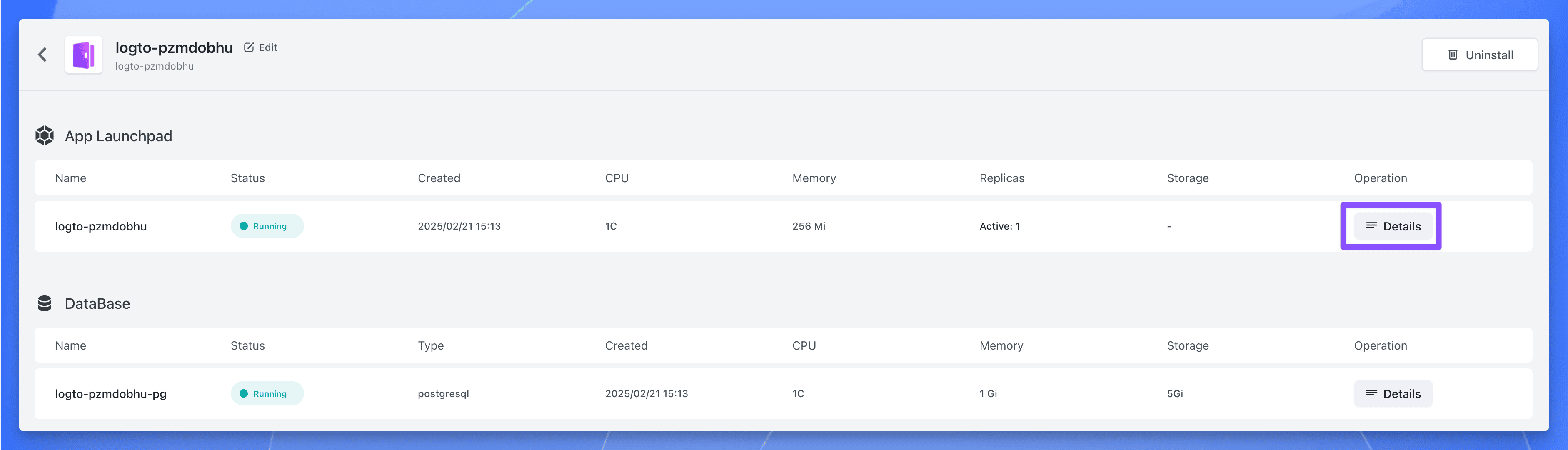
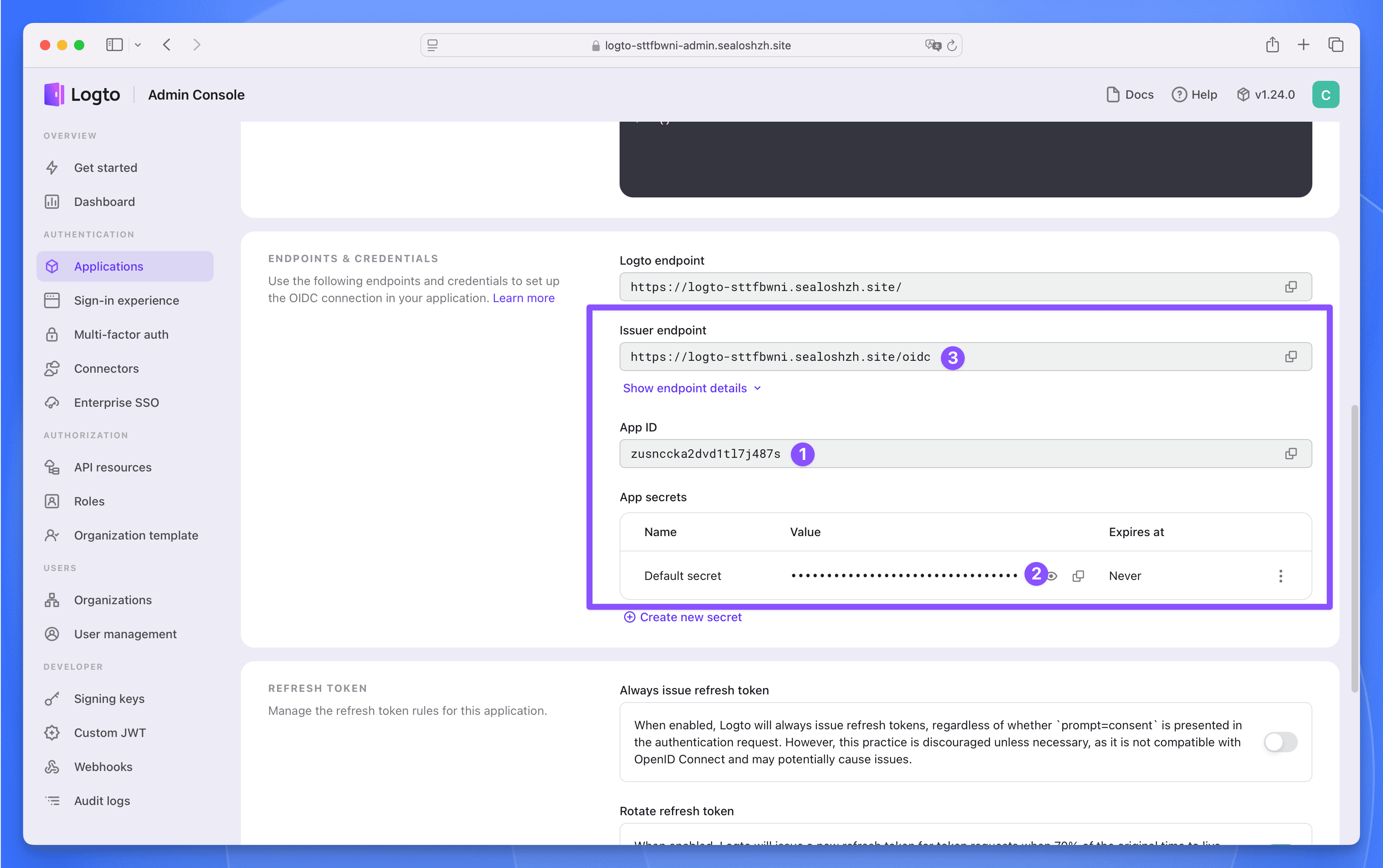
Step 2:After the deployment is complete, wait for all the components of the application to be in the "Running" state, click the application's "Details" button to enter the application details page.
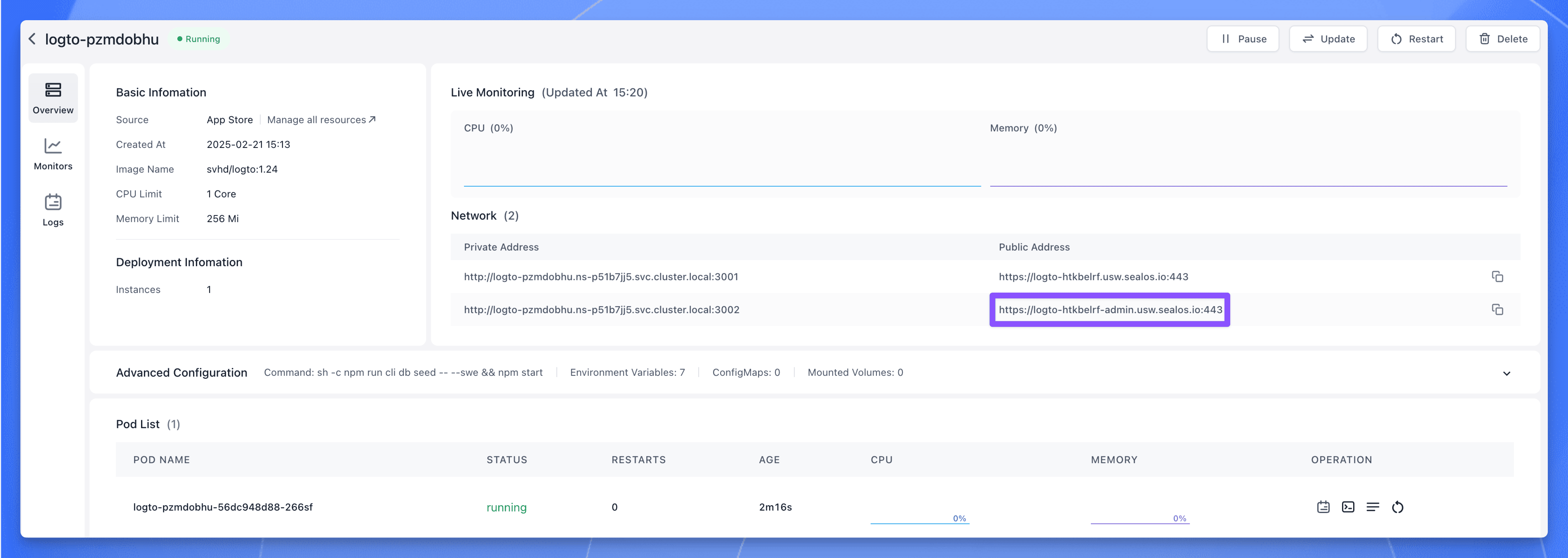
Click the public address corresponding to port 3002, you can use the public address to access the Logto service.
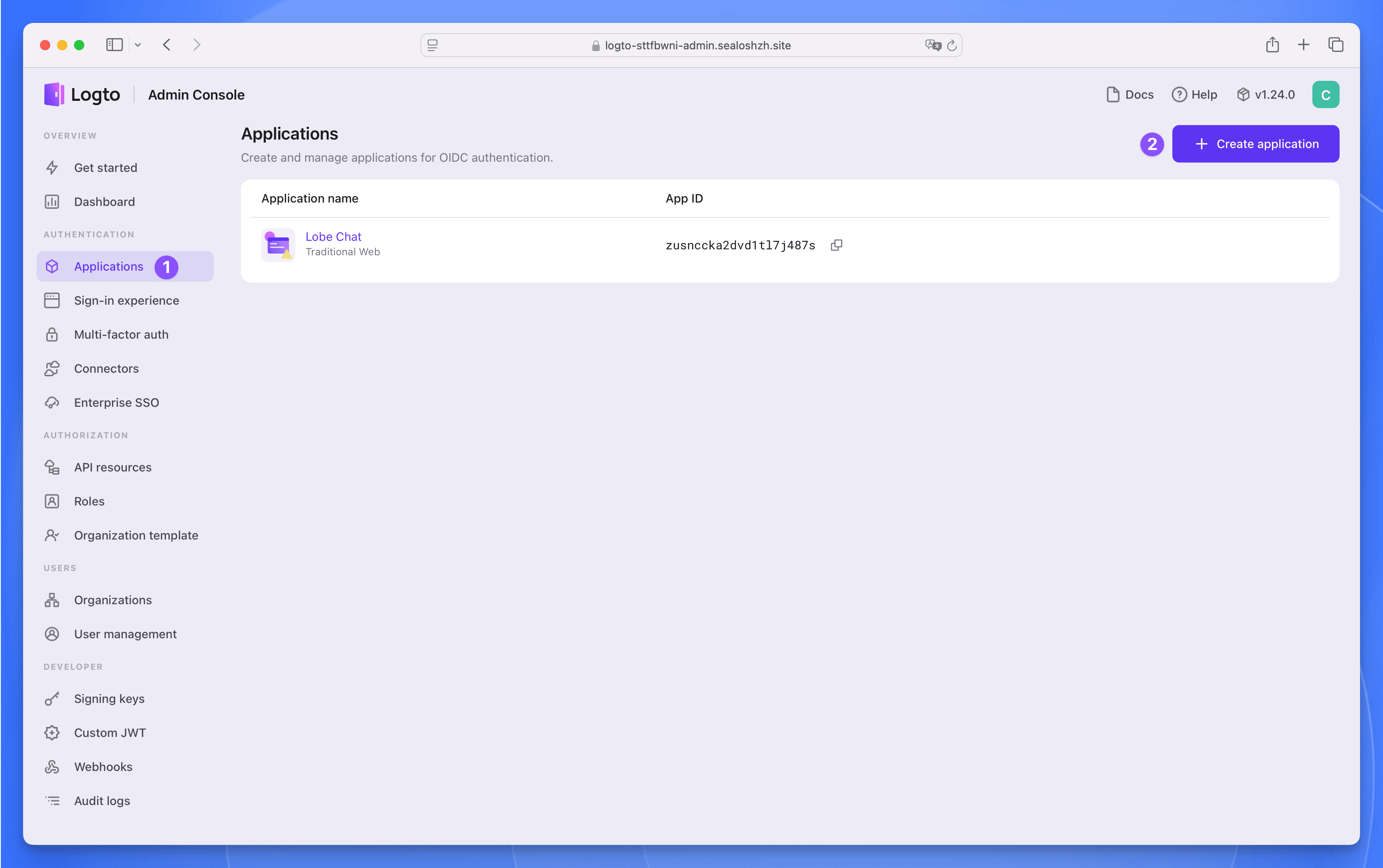
Step 3:Register a management account, then click the Applications menu on the left, enter the application list page. Click the Create application button in the upper right corner to create an application.
Select Next.js (App Router) as the framework, then click the Start building button.
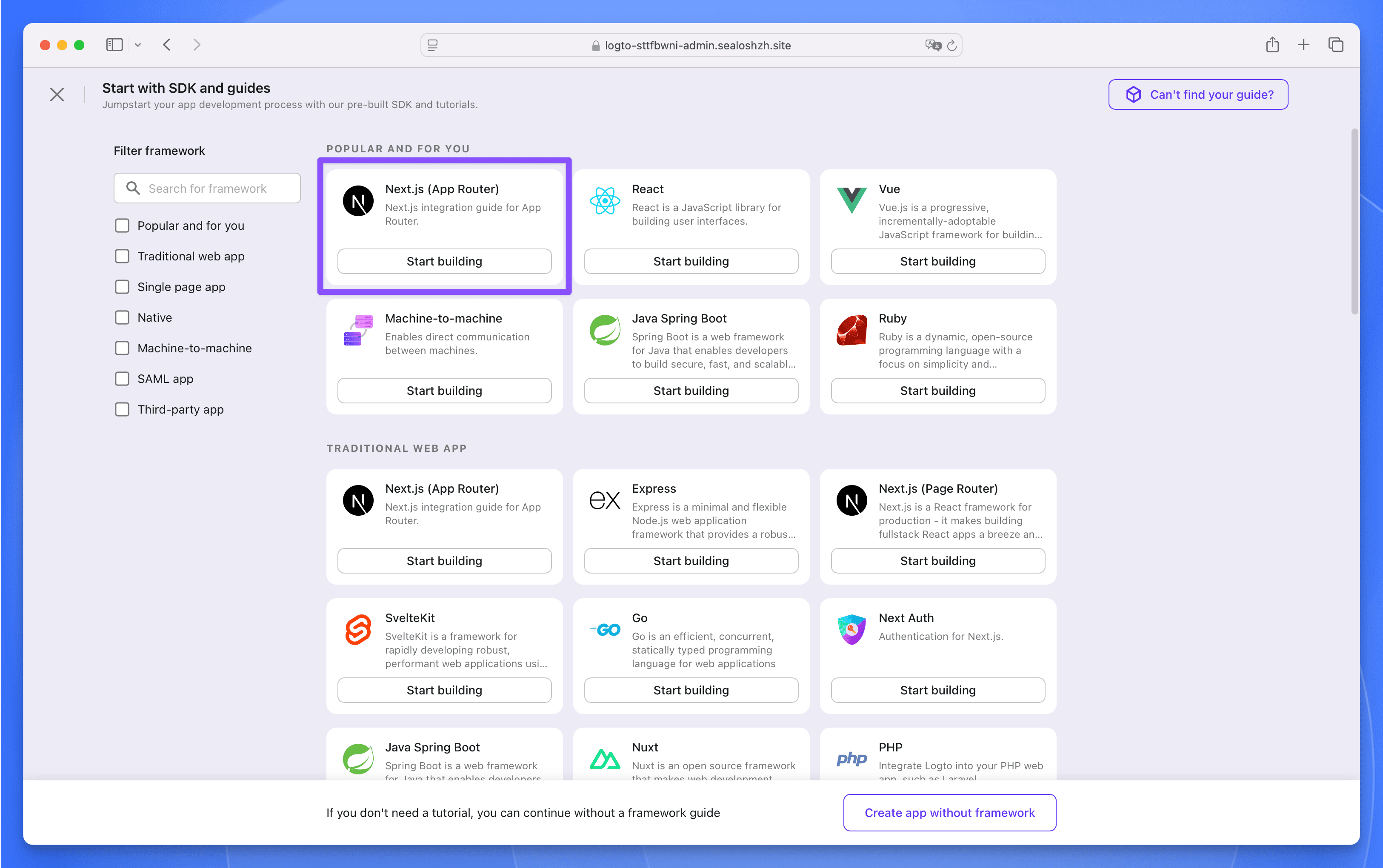
Step 4:In the pop-up window, fill in the application name as Lobe Chat, then click the Create application button. Next, do not fill in anything, just click the bottom Finish and done button to create it.
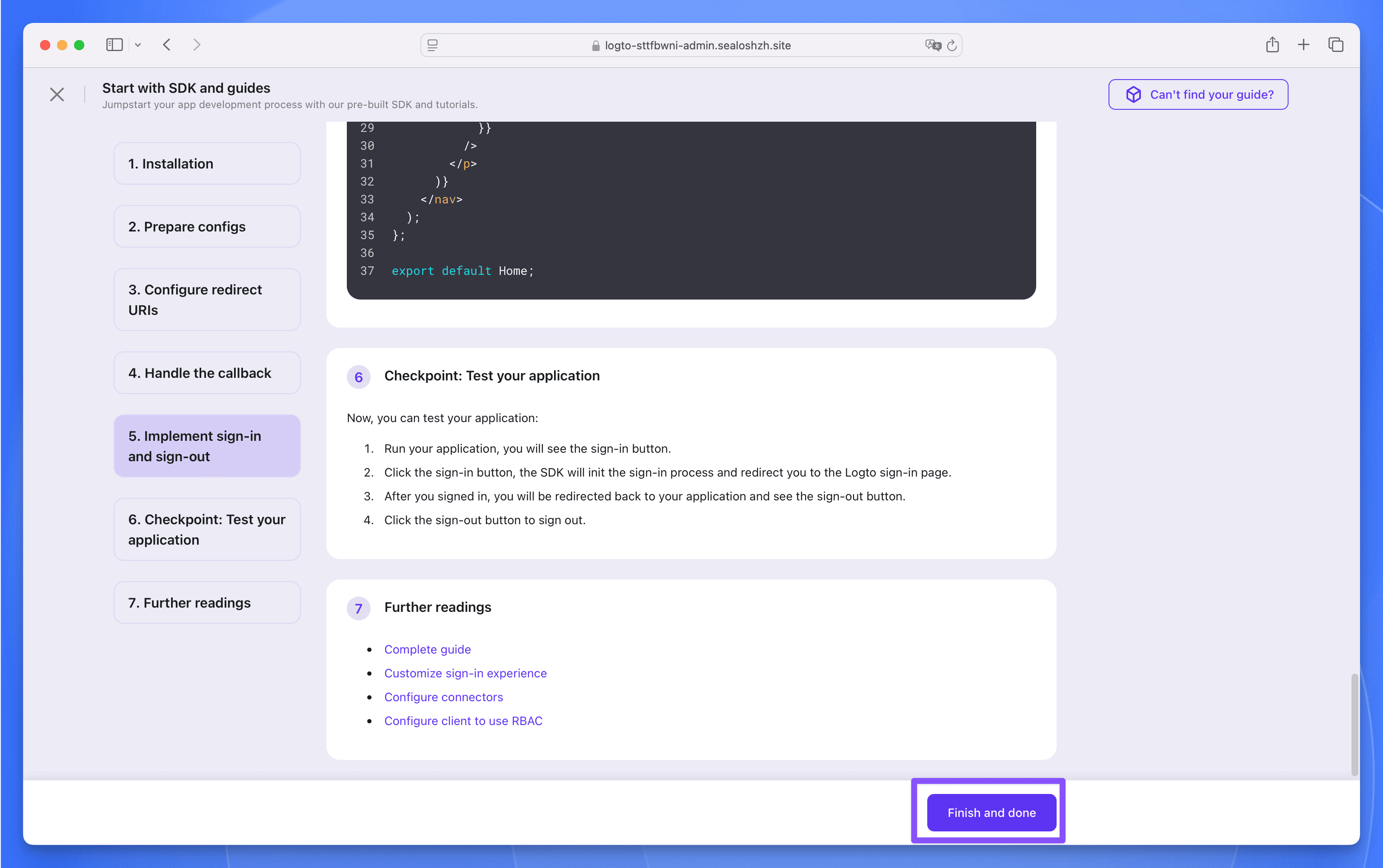
Step 5:In the Lobe Chat application, find the following three parameters, which will be used later when deploying the Lobe Chat database version.
Step 1:Fill in the following three required parameters:
AUTH_LOGTO_ID:The App ID of the Logto applicationAUTH_LOGTO_SECRET:The App Secret of the Logto applicationAUTH_LOGTO_ISSUER:The Issuer endpoint of the Logto applicationStep 2:Click the Deploy App button, after the deployment is complete, wait for all the components of the application to be in the "Running" state, click the application's "Details" button to enter the application details page.
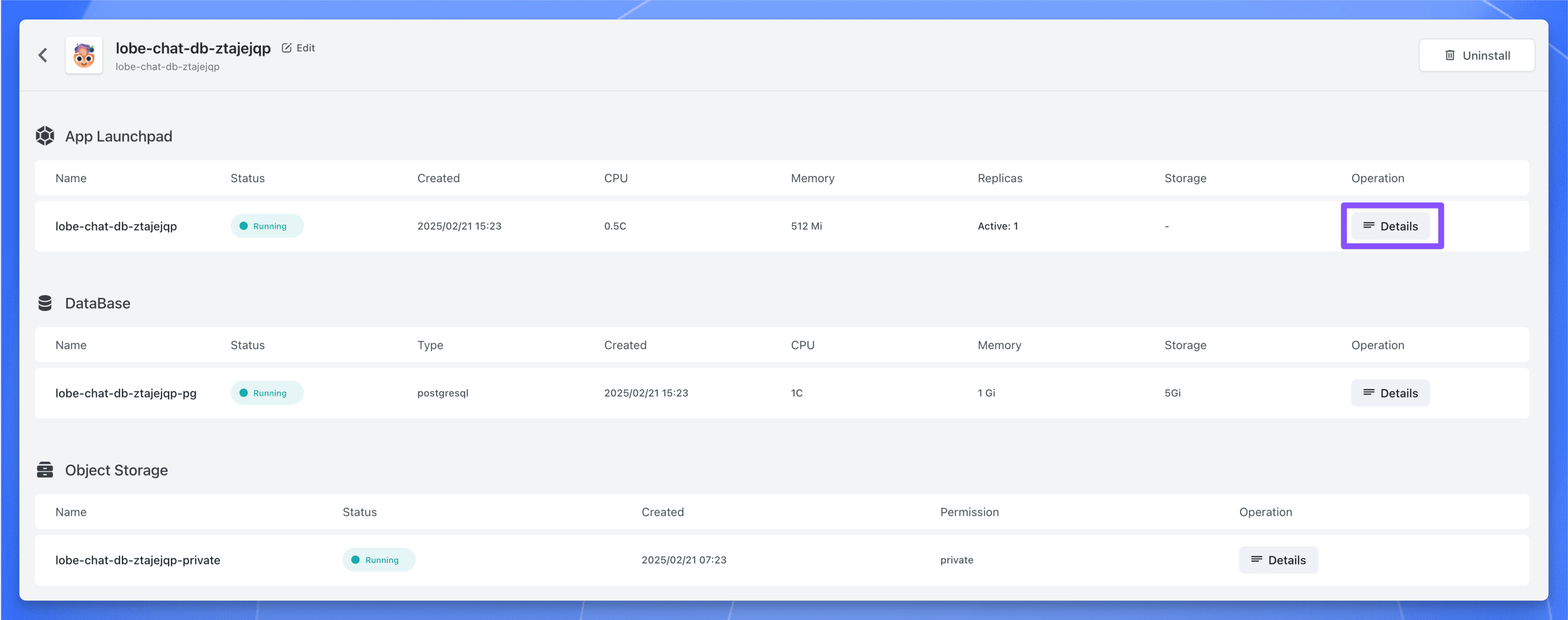
Step 3:Find the public address, copy it, and use it later.
Step 1:Enter the Applications page of Logto, find the Lobe Chat application, click to enter the application details page.
Step 2:In the Settings page, find the Redirect URI and Post sign-out redirect URI parameters, fill in the following values:
https://<lobe-chat-db-public-address>/api/auth/callback/logtohttps://<lobe-chat-db-public-address>Step 3:Click the Save changes button to save the configuration.
Step 4:Now, access the Lobe Chat database version through https://<lobe-chat-db-public-address>, click the avatar in the upper left corner, and then click the [Log in / Sign up] button.
Step 5:Next, you will be redirected to the Logto login page, click the [Create account] button to register an account.
Step 6:After registration, you can use Logto to login to the Lobe Chat database version.
Explore more production-ready templates.
Build production-ready ai templates with Sealos.

n8n is a workflow automation platform that gives technical teams the flexibility of code with the speed of no-code.
Build production-ready ai templates with Sealos.

Open Design is a local-first, open-source AI design workspace for generating prototypes, decks, images, videos, and design-system-driven artifacts.
Build production-ready ai templates with Sealos.

AI agent gateway with multi-channel support including WhatsApp, Telegram, and Discord integration

Get started for free. No credit card required.
