sealos.io
AFFiNE
Build production-ready tools templates with Sealos.
https://affine.pro/deploy now
AFFiNE
Tools
A privacy-focused, local-first, open-source workspace for notes, docs, whiteboards, and team knowledge management.

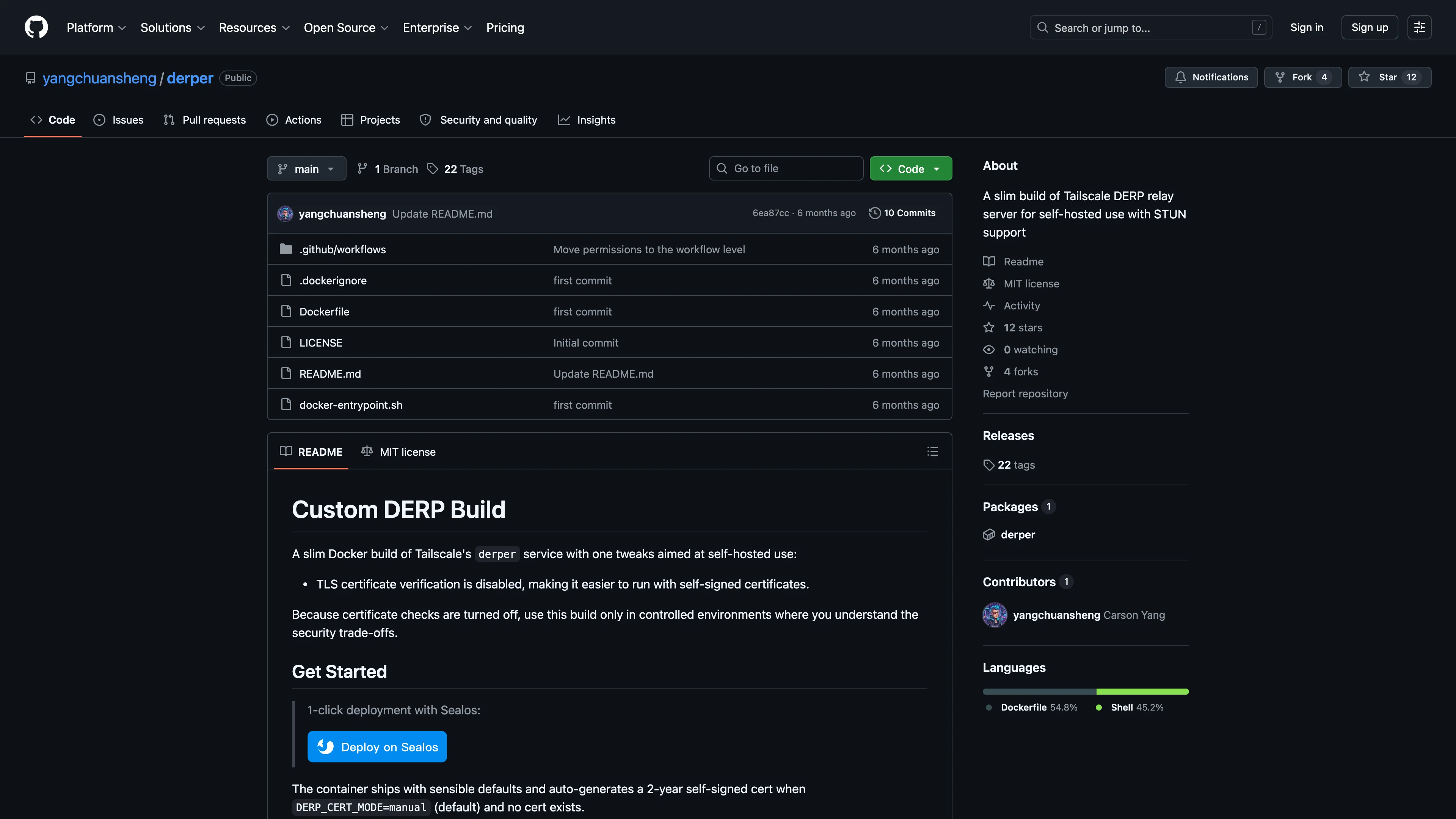
A slim build of Tailscale DERP relay server for self-hosted use with STUN support
Launch in your Sealos workspace.
Start with the resources defined by the Derper template. Review CPU, memory, persistent storage, and network allocations for every service in Canvas. Capacity needs depend on your data and workload; monitor usage as they grow.
Template configuration and setupUse the application URL or connection details shown in Canvas. Follow the deployment guide for first-time account setup or client configuration, and keep generated credentials available for that step.
Sealos monthly plans include compute, memory, storage, and traffic. Size your plan for all deployed services. Software licenses and external AI or API services may have separate terms and charges. Confirm the applicable plan and optional charges in Cost Center.
Compare Sealos resource plansFor current cloud charges, refer to Sealos plan pricing. Upstream documentation may reference earlier billing models.
Derper is a slim build of the Tailscale DERP relay server for self-hosted relay and STUN service. This template deploys Derper as a single NodePort service on Sealos Cloud.
Derper provides a self-hosted DERP relay that Tailscale-compatible clients can use when direct peer-to-peer connectivity is unavailable. It also exposes a STUN port, which helps clients discover their public address and improves NAT traversal.
This template runs Derper as one lightweight container with TCP service for DERP traffic and UDP service for STUN. A startup job detects the allocated Sealos NodePort values, patches the service and deployment, and then starts the Derper workload with the final ports.
Derper is not a web application and does not provide a browser login or registration flow. After deployment, configure your Headscale or Tailscale DERP map to use the generated host and ports shown in the service details.
The Sealos template includes all required runtime resources: one Derper container, one NodePort service for DERP and STUN traffic, and a short-lived configuration job. No external database, object storage, or persistent volume is required.
Architecture Components:
This template deploys the following resources:
ghcr.io/yangchuansheng/derper:v1.99.0-pre with DERP and STUN enabled.Configuration:
enable_stun controls whether the STUN service is enabled. The default value is true.DERP_DOMAIN is set to tcp.${{ SEALOS_CLOUD_DOMAIN }} so clients can use the Sealos TCP gateway domain for the current region.DERP_VERIFY_CLIENTS is set to false for simple self-hosted operation.100m CPU and 128Mi memory.License Information:
Derper follows the license terms of the upstream repositories it builds from. Review the Derper repository and the Tailscale repository before production use.
Sealos is an AI-assisted Cloud Operating System built on Kubernetes that unifies the entire application lifecycle, from development in cloud IDEs to production deployment and management. It is suitable for deploying lightweight networking tools, self-hosted services, and production workloads without manually operating Kubernetes.
By deploying Derper on Sealos, you get:
Deploy Derper on Sealos and focus on configuring your tailnet instead of managing server infrastructure.
enable_stun set to true unless you only need DERP TCP relay traffic.derp-tcp NodePort with tcp.${{ SEALOS_CLOUD_DOMAIN }}.stun-udp NodePort with tcp.${{ SEALOS_CLOUD_DOMAIN }} if STUN is enabled.Derper is configured mainly through environment variables. This template preconfigures the upstream Derper settings for Sealos NodePort networking, then lets you inspect or adjust them from Canvas after deployment.
You can configure Derper through:
| Variable | Template value | Purpose |
|---|---|---|
DERP_DOMAIN | tcp.${{ SEALOS_CLOUD_DOMAIN }} | Hostname advertised by Derper. Keep it consistent with the hostname clients dial. |
DERP_CERT_MODE | manual | Reads certificates from DERP_CERT_DIR; the image auto-generates self-signed certificates when files are missing. |
DERP_CERT_DIR | /cert | Directory for generated or supplied *.crt and *.key files. |
DERP_ADDR | Patched to :<derp-tcp-nodeport> | DERP TCP listen address. The configuration job replaces the placeholder port with the allocated NodePort. |
DERP_STUN | ${{ inputs.enable_stun }} | Enables or disables STUN. Keep the default true unless you only need DERP relay traffic. |
DERP_STUN_PORT | Patched to <stun-udp-nodeport> | STUN UDP port. The configuration job replaces the placeholder port with the allocated NodePort. |
DERP_HTTP_PORT | -1 | Keeps the optional HTTP debug endpoint disabled. |
DERP_VERIFY_CLIENTS | false | Disables DERP peer verification for simple self-hosted operation. |
DERP_VERIFY_CLIENT_URL | Not set | Optional upstream setting for fetching verification keys; not exposed by this template by default. |
The upstream image can generate a two-year self-signed certificate when DERP_CERT_MODE=manual and no certificate exists. Because this build is designed for self-hosted setups and relaxes certificate verification, use it only in controlled environments where you understand the trust model.
After deployment, open the service resource card and copy the current derp-tcp and stun-udp NodePort values. Use those values in your DERP map instead of hardcoding the example ports below.
Example Headscale DERP node fields:
{
  "HostName": "tcp.<your-sealos-cloud-domain>",
  "DERPPort": 12345,
  "STUNPort": 3478,
  "InsecureForTests": true
}
Set InsecureForTests only when your clients must accept the self-signed certificate used by this Derper build. For stricter production environments, replace the self-signed certificate strategy with a trusted certificate setup.
Derper usually runs as a single replica because relay clients connect to specific advertised host and port values. To adjust resources:
Clients cannot connect to the DERP server
derp-tcp NodePort into your DERP map.STUN does not work
enable_stun set to true and use the stun-udp NodePort shown in the service details.Self-signed certificate warnings appear
InsecureForTests in your DERP map. For stricter production setups, provide a trusted certificate strategy outside this template.This Sealos template is provided under the repository license. Derper and its upstream components are licensed by their respective upstream projects.
A shorter path from an app you want to an app you can run. Sealos brings deployment and ongoing operations into one place.
Start with a ready-made template. Review its configuration and launch from the Sealos console.
Run on managed infrastructure with built-in workload scheduling and recovery.
Give your application a public HTTPS endpoint with certificates managed for you.
Keep application data on persistent volumes across container restarts.
Adjust CPU, memory, and replicas from the console as your workload changes.
Sealos provisions the resources defined by your template and brings them together in your workspace.
Container workloads with configurable CPU, memory, and replicas.
An address for your app, with managed TLS certificates.
A database provisioned alongside your app when the template calls for one.
Storage for the files and data your application needs to keep.
Application settings and secrets configured in one place.
Inspect container logs and resource usage from the console.
Resources and their configuration vary by template. Review the deployment form for this app’s exact setup.
Explore more production-ready templates.
Build production-ready tools templates with Sealos.
A privacy-focused, local-first, open-source workspace for notes, docs, whiteboards, and team knowledge management.
Build production-ready tools templates with Sealos.

Google Chrome browser running in a LinuxServer.io Selkies container with a web-based desktop UI.
Build production-ready tools templates with Sealos.
Deploy the self-hosted DeeplX translation API on Sealos and connect applications to its HTTP endpoint. This independent gateway integrates with DeepL translation.